How does my timeline work?

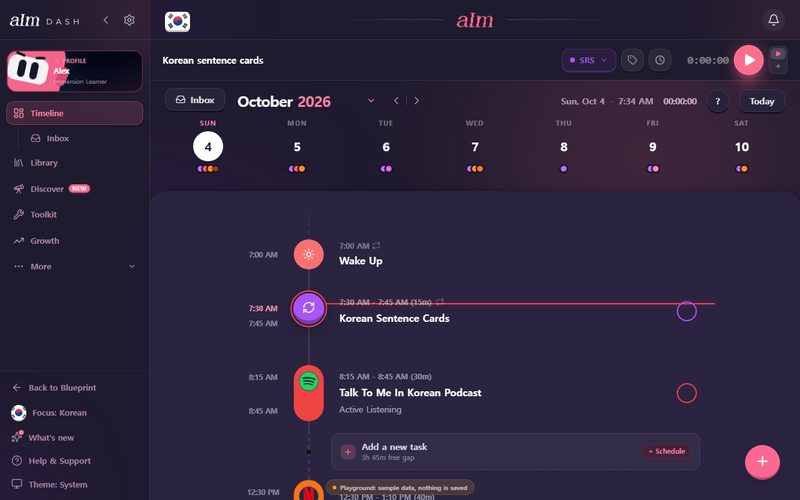
Your timeline is your day from top to bottom. You plan things on it, run them with the play button, and tick them off when they're done.
The parts of your day
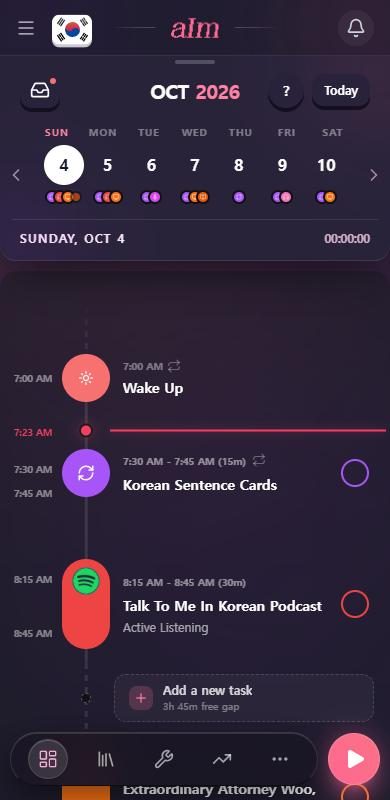
- The pink line is now. Everything above it already happened, so that's where your logs land.
- Wake up and Wind down bookend your day. I use them to work out how much free time you really have.
- Task rows show the time, the title, and the activity underneath ("Active Listening", "Reading"). The circle on the right is how you tick a task off.
- Gap rows are the dashed "Add a new task" boxes between things. Each one tells you how long the free gap is. On a roomy row (usually on desktop) a small + Schedule chip sits on the right.
- The small arrows (a loop) on a row mean it repeats.
- The week strip at the top has one circle per day. Tap a day to go there.
- The inbox button (top left of the strip) holds things you want to do but haven't given a time.
How do I add a task?
-
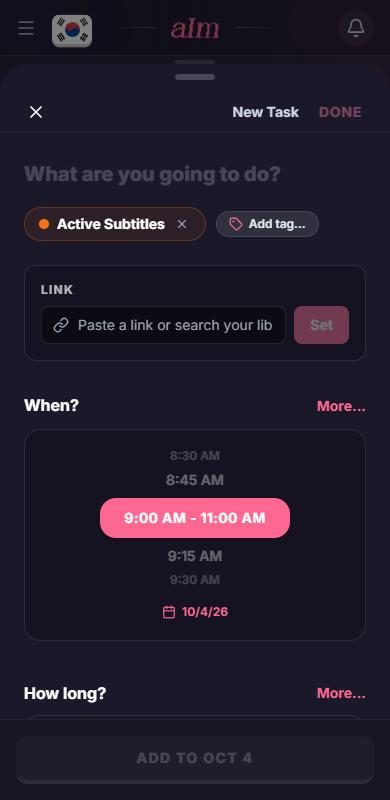
Tap a gap row. That opens the New Task panel with a start time and length already filled in for that gap. I leave you a little breathing room: after another item, the start is at least 10 minutes later, on the next quarter hour (the last thing ends at 8:45, the new one starts at 9:00). In the gap that holds "now", it starts in the next 5 minutes. If the gap is too tight for that, I start at the beginning of it instead.
-
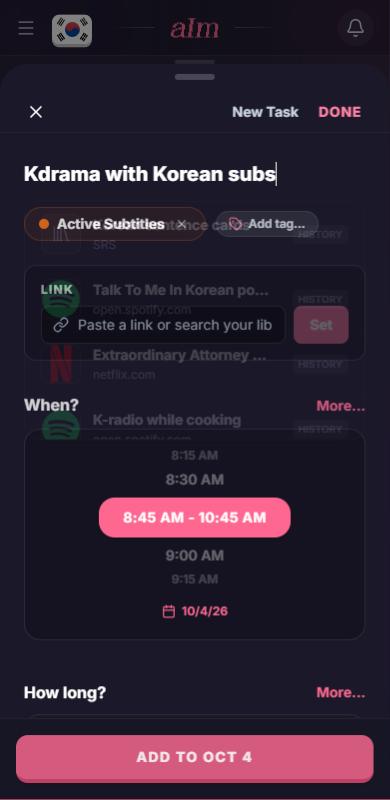
Type what you're doing, like "Kdrama with Korean subs".
-
Check the activity (the colored chip) and the time. Change either if you need to.
-
Tap Add to at the bottom, with the day's date.
On desktop, the + button in the corner of the timeline does the same thing.
The New Task panel also has a Link box: paste a video, podcast or article there and the task gets its title and picture. See How do I add a video, podcast or article to my session?.
How do I tick something off?
Tap the circle on the right of a task. I'll ask how it went (one tap is fine) and log the time. Tap it again to un-log it. Aim asks you to confirm, then removes the logged time. The task itself stays on your timeline.
How do I change when my day starts and ends?
-
Tap the Wake up row (or Wind down at the bottom).
-
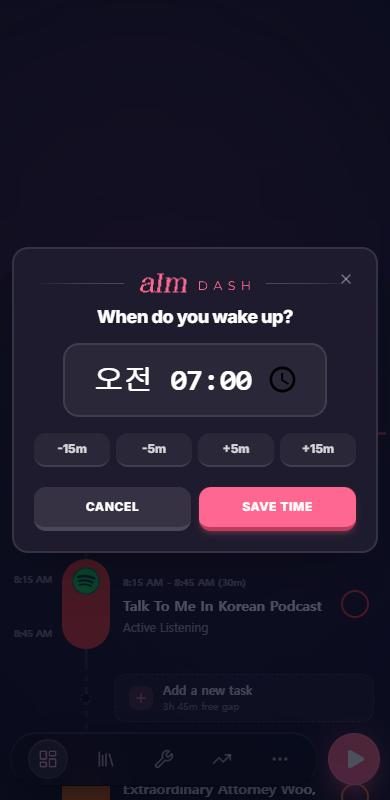
The box asks "When do you wake up?" (or "When do you wind down?"). Pick a time. The buttons nudge it by 5 or 15 minutes.
-
Tap Save time. Aim asks whether it's for just today, today and every day after, or every day, past and future. Pick one.
Wake up has to come before Wind down, so Aim nudges one if you pick times that cross.
What's the inbox for?
Things you want to do but haven't given a time yet. Open it with the inbox button, add something, and hit + on it when you know when. It has three groups: Your items, Blueprint plan and Active sprints.
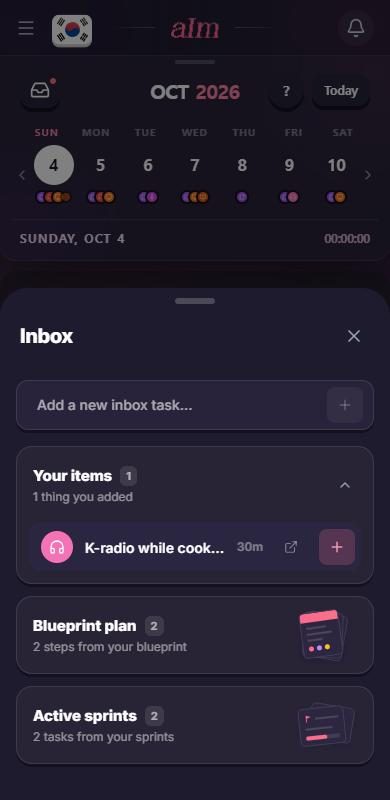
On a phone the inbox slides up as one tall sheet in a single step. It opens at its full height, up to nearly the whole screen, with no half-way stop. To close it, drag it down (or tap the X). On desktop it opens as a panel rather than a sheet.
Why is my day empty?
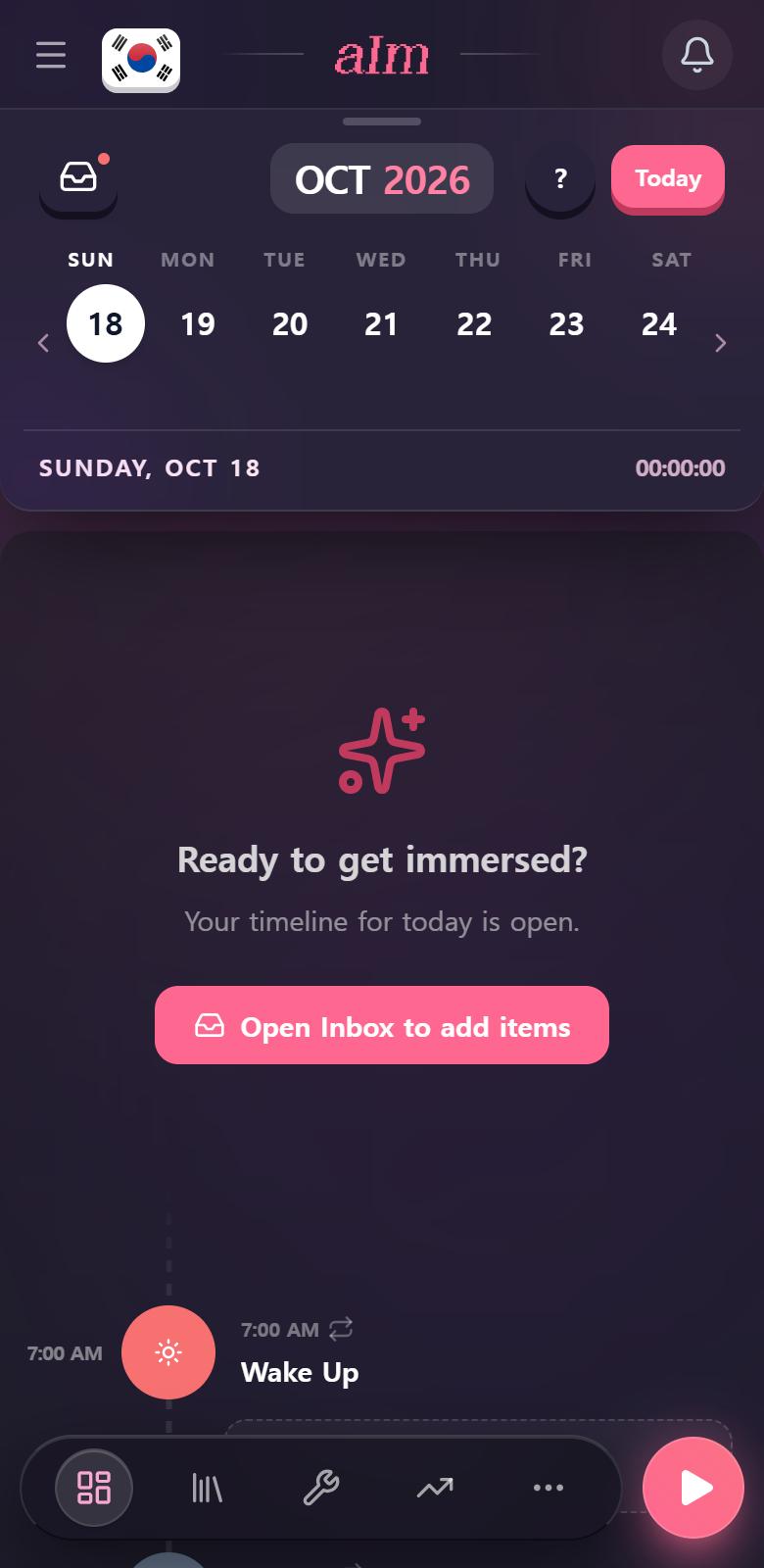
On a day with nothing planned yet, you'll see "Ready to get immersed?" and a button that says Open Inbox to add items. That button opens your inbox. To start a brand-new task instead, tap a gap row (or the + on desktop).
A day in the past with nothing logged says Rest Day. That's fine. Not every day is a study day.
Why does a session that runs across Wake up (or Wind down) look split?
A session that starts before Wake up, or runs past Wind down, is drawn in pieces, one on each side of the marker. Each piece shows only its own share of the time. The now line follows the piece that "now" is in. (They used to each show the whole session's progress, so a piece that hadn't started yet could look red. That's fixed.)
Why does my old day say Wake up and Wind down?
I renamed the two markers. They used to say "Start of day" and "End of day" (and a few older days just said "Wake"). Every day now reads Wake up and Wind down, including old ones. Nothing moved, only the names.
Good to know
- Phone and desktop are the same timeline. On desktop it sits in a bigger layout with a sidebar, and the arrow keys move between days.
- Repeating tasks. When you move a repeating task, Aim asks if you mean just today or every day.
- Same thing a few times in a row? I stack them so your day stays tidy. Tap the number to fan them out.
- Gap rows show on today and the days ahead. That way you can plan a future day the same way. Past days have none, they're for looking back. The now line and the Discover scroll card only show on today.
- Try it first. You can play with a sample timeline without an account. See Can I try Aim without an account?.