Track what you actually did, not what you think you did. The rest follows from that.
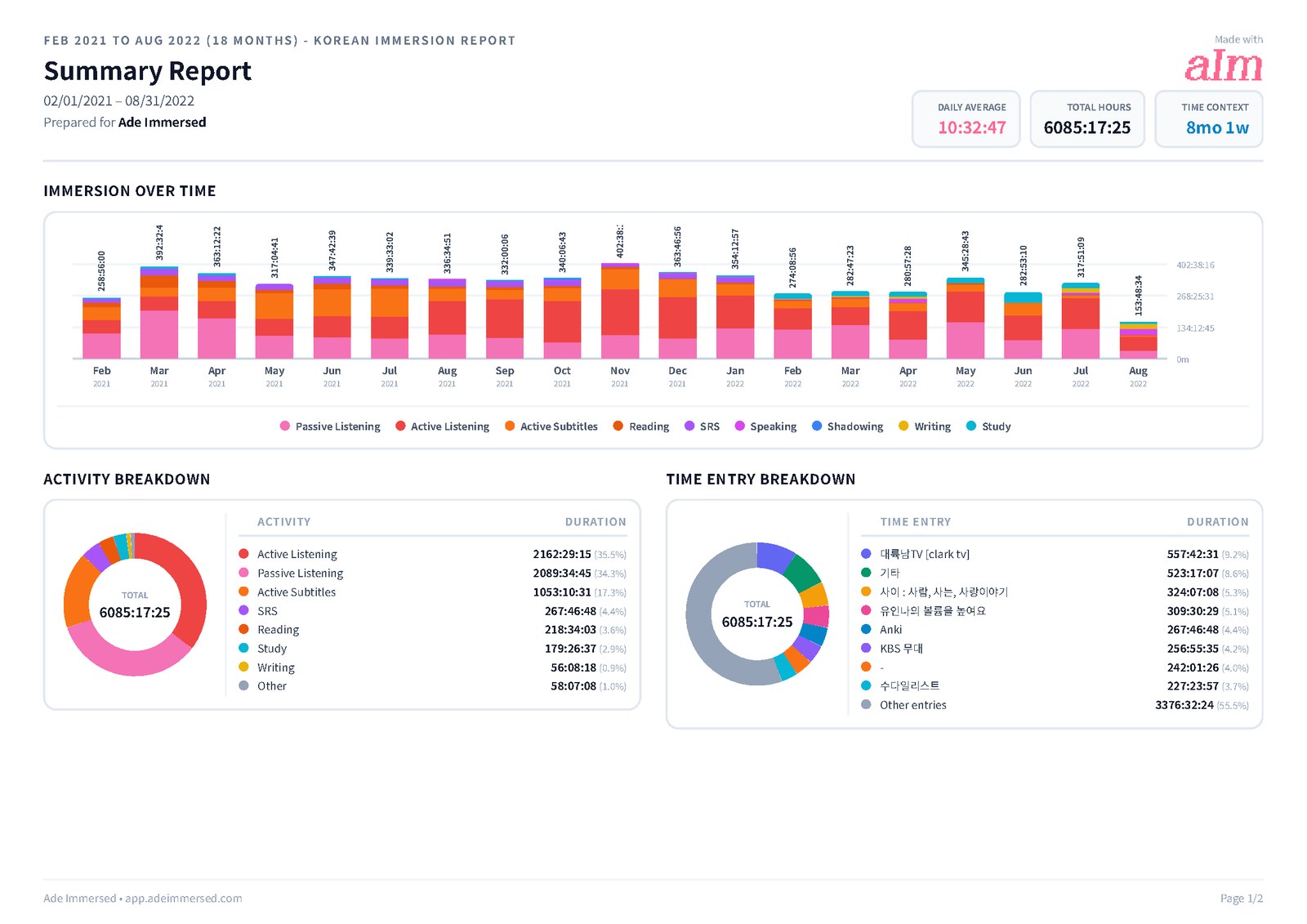
Most learners can't say how many hours they have put into their language. They say "I think I watched a couple of hours this week." This guide is a simple way to keep an honest record, with any tool, from a notebook to a dedicated app. I built Immersed after tracking every hour of my own Korean.
The answer
To track language immersion, write down every session as it happens: the activity (for example Active Listening or Reading), the actual show, channel or book, the minutes, and how much you understood. Use a timer when you can and log it afterward when you forget.
Track passive listening too, but keep it separate from active time. Once a week, look at how many days you showed up and whether your comprehension is rising, not just at the total.
Why a record beats a guess
Language learning has an honesty problem. Without a record, a week of two podcasts and one episode of a drama feels like "a lot" or "nothing" depending on your mood. Neither feeling tells you whether you're doing enough.
I found this out the awkward way. A Korean YouTuber asked me how many hours of Korean I had done, and I had to guess. From that day I tracked every hour. The number itself mattered less than what it ended: the constant "am I doing enough?" was replaced by a record of what I did, when, and with what.
A record also makes you kinder to yourself. A bad week looks like a bad week, not proof that you're bad at languages. And a good month is there in black and white when you need it.
What counts as immersion
Immersion is time spent taking in or using your language for real: watching, listening, reading, speaking and writing. A useful test from the comprehensible input world: are you listening to or reading something to understand what it's trying to say? If yes, it's input.
Flashcards, grammar and textbook study aren't immersion in that sense, but they still help, and they still take time. Track them, just as their own activities, so they don't inflate your immersion hours or vanish from your record.
Content in your language made for learners counts. So does content made for natives. What matters is that you're trying to follow it.
Active and passive: track both, keep them apart
Active time is full focus: you're watching, reading or listening and really following. Passive time is your language playing while you do something else: the commute, the dishes, the gym, a walk.
Active time builds the most. Passive time keeps your ears in the language and fills hours you were spending anyway. Both are worth counting. The mistake is mixing them, so that ten hours of a podcast in the background looks the same as ten hours of a show you followed closely.
- Active: you could tell someone what happened afterward
- Passive: it was on, you caught some of it, your hands were busy
- If you drifted off for most of an episode, count it as passive
The nine activities
You don't need a long list. These nine cover almost everything a learner does, and keeping the same names every day makes your numbers comparable from week to week.
- Active Listening: podcasts, audiobooks or video where you follow along with your ears
- Passive Listening: audio in the background while you do something else
- Active Subtitles: watching with subtitles in your target language
- Reading: books, manga, articles, web novels, social posts
- Study: grammar, textbooks, lessons, course apps
- SRS: flashcard reviews in Anki or similar
- Speaking: conversation, tutoring, talking to yourself out loud
- Writing: journaling, messages, essays, posts
- Shadowing: repeating audio right after the speaker to work on sound and rhythm
What to record for every session
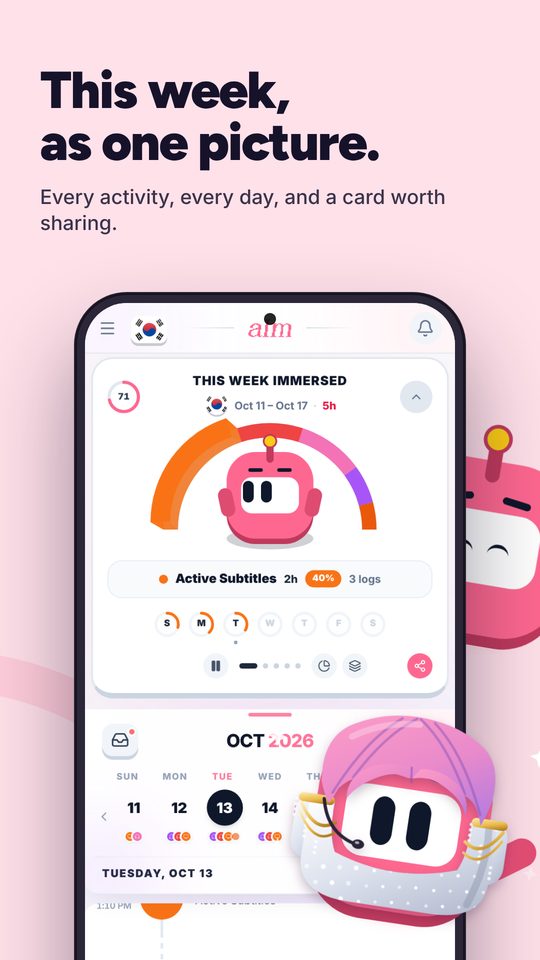
Four things, every time. Anything more is optional.
- The activity: one of the nine above
- The actual thing: the show and episode, the channel, the book and chapter. "Netflix" isn't enough. "Extraordinary Attorney Woo, episode 3" is
- The minutes: from a timer if you can, from start and stop times if you can't
- How much you understood: a quick rating such as Lost, Hard, Okay, Good or Easy
Timer or log afterward
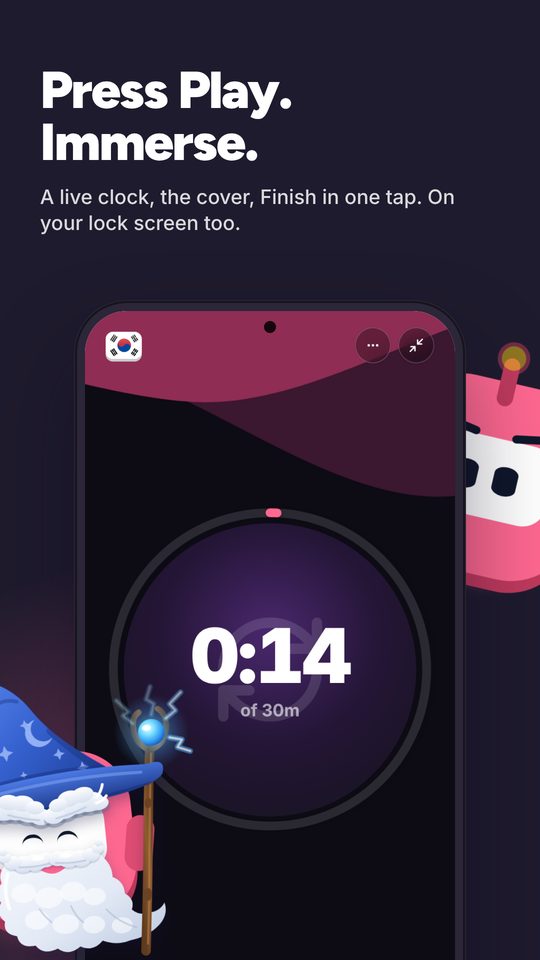
A timer is more honest. You start it when you press play and stop it when you stop. There's no rounding up, and no forgetting the twenty minutes of a YouTube video at lunch.
Logging afterward is fine when you write it down the same day, with the real start and stop time. What doesn't work is reconstructing a week on Sunday night. Memory turns 25 minutes into "about an hour" and loses whole sessions.
A good rule: timer by default, same-day log when you forget, never a weekly guess.
Which tool: spreadsheet, Toggl, a dedicated app or an extension
Any of these works if you use it every day. Pick the one with the least friction for you. For a full comparison, see the best language immersion trackers, compared.
- A spreadsheet: free, flexible, yours forever. But there's no timer, typing every session gets old, and charts are up to you
- Toggl Track or another time tracker: a free, reliable stopwatch on every device. You build your own projects and tags for languages and activities, and it doesn't know what comprehension or passive listening is. See Immersed vs Toggl Track
- A dedicated immersion app: knows the activities, asks about comprehension, and shows streaks and hours by activity. Some charge a subscription, and you depend on the app staying around, so check it can export your data
- An automatic browser extension: counts minutes on YouTube or Netflix with no effort. But it only sees what happens in that browser, so podcasts on your phone, books and conversation still need logging by hand. A middle option is a one-click extension like Immersed for Chrome: it doesn't count on its own, but one click on a YouTube page starts a session, and the timer follows you across tabs
How to read your numbers each week
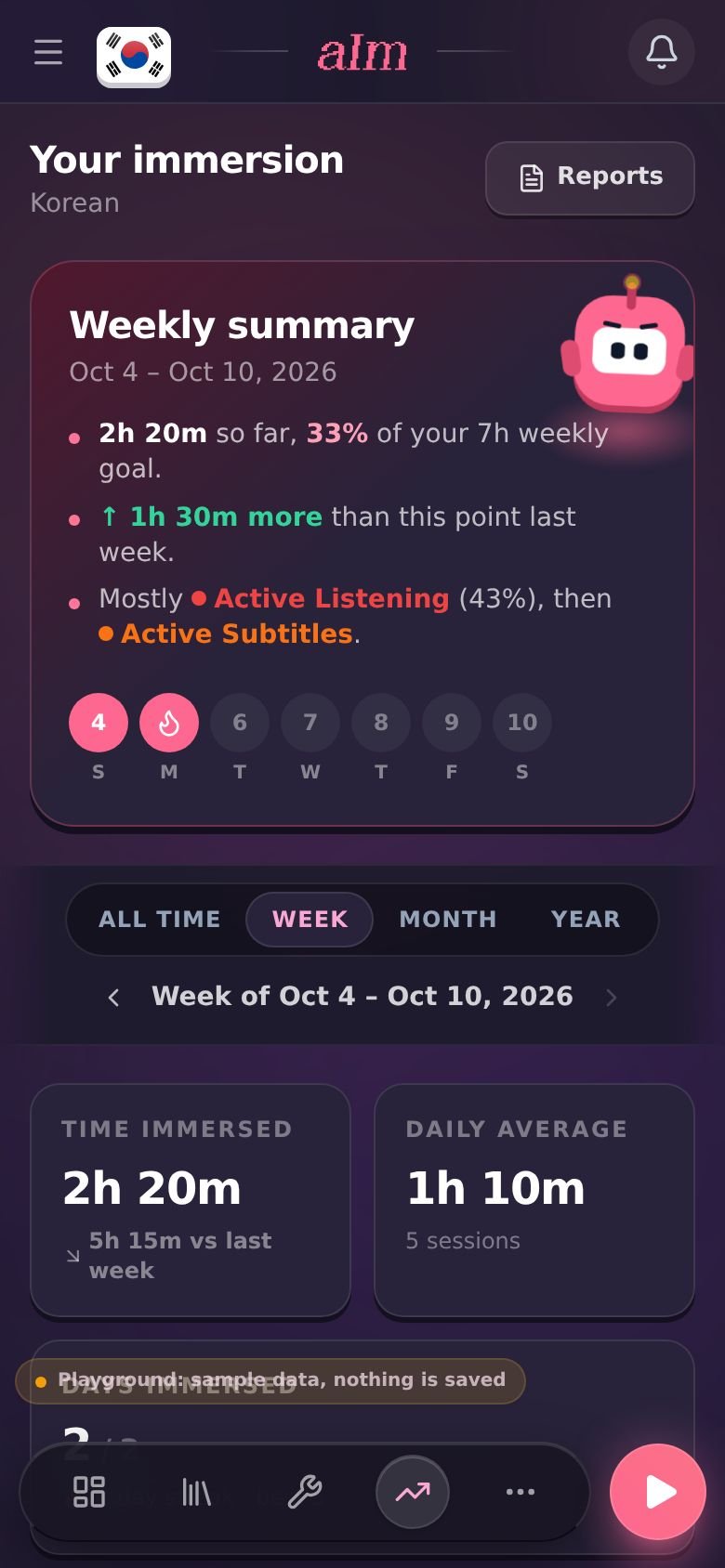
Once a week, take five minutes and look at three things, in this order.
- Days you showed up. Five days of 40 minutes beats one day of four hours. Consistency is the number that predicts the rest
- Comprehension over time. Is the same kind of content moving from Hard to Okay? Rewatch something from a month ago and rate it again
- The mix. How much was active, how much passive, how much study. Two learners with the same total can be in very different places because of what their hours were made of. If yours was all flashcards and background audio, plan one show you follow closely next week
- Then the total. Compare it with last week, not with someone on YouTube with 2,000 hours
- Now and then, a check that isn't hours. A checklist shows what a total can't, with lines like "My phone is in my target language" or "I have a daily passive listening routine". The Fluency Checklist in Immersed has 32 of them in four stages, and the first stage, Foundations, is free on the blueprint
Common mistakes
Most tracking goes wrong in a few predictable ways. All of them are fixable in a week.
- Only tracking active time. Your commute podcast disappears and your week looks emptier than it was. Track it as passive instead
- Guessing at the end of the week. The total is wrong, and you can't see which days worked. Log the same day
- Tracking words when you meant hours, or the other way round. Known-word counts measure vocabulary from reading. Hours measure exposure. They answer different questions, so pick the one that matches yours, or keep both
- Logging the platform, not the content. "YouTube, 45 minutes" tells you nothing a month later. The channel and video do
- Never looking back. A log you never read is just typing. The weekly five minutes is where it pays off
How Immersed does it
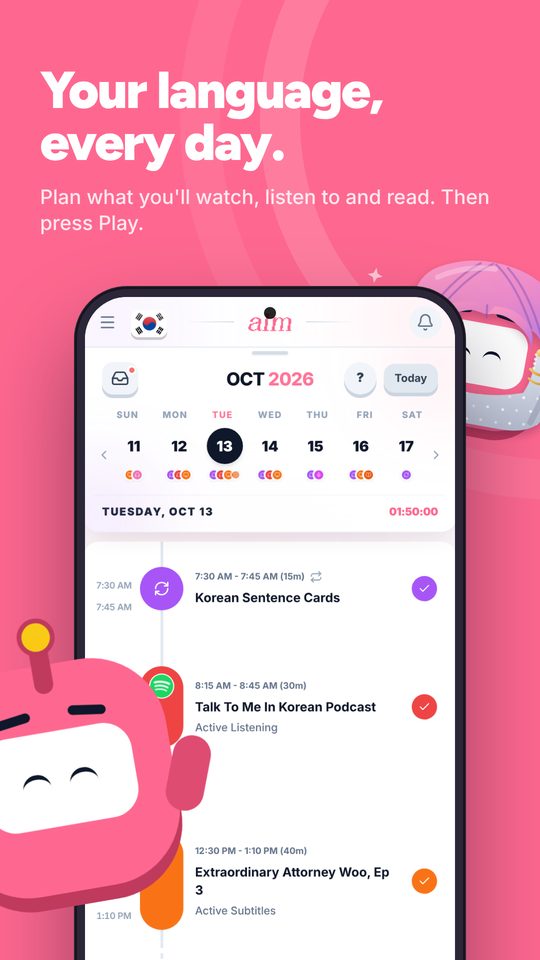
Immersed is a language immersion tracker and planner: a free plan built from your answers, then a daily timeline for the shows, podcasts and books you learn from, with reports of your hours.
It's built on the method above. Hours are one-dimensional: your 1,000 hours and someone else's 1,000 aren't the same, because what you did in those hours is the thing. So every session in Immersed is one of the nine activities above, with a rating of how much you understood (or, for speaking, writing and SRS, how well it flowed). Growth breaks your hours down by activity, charts comprehension over time, shows the days you showed up, and links back to your top shows and channels. It exports to PDF, Excel or CSV.
To track, you press play, pick the activity and stop when you're done. The session lands on your timeline. Paste a YouTube link and it plays inside the session; Spotify and Apple Podcasts play through their own players. Forgot to press play? Log it after the fact. On a computer, Immersed for Chrome (on the Chrome Web Store, unlisted for now) puts Save and Immerse buttons on YouTube, so one click starts a session, and a session pill follows you across tabs. While it runs, the next video from the same creator or playlist joins it on its own.
Immersed never reads your Netflix or YouTube history: every session starts with a press. The Discover scroll and the free listening games log themselves. The blueprint is free with no account (it asks for your name and email at the end). The tracker and the extension's sessions are part of Immersed Pro, $60 a year with a free week first or $9.99 a month. Build your free blueprint.
FAQ
Questions people ask.
How do I track language immersion hours?+
Record every session as it happens: the activity, the actual content, the minutes and how much you understood. Use a timer when you can and log it the same day when you forget. A spreadsheet, a time tracker like Toggl, or a dedicated immersion app all work if you use them daily.
Does passive listening count as immersion?+
Yes, but track it separately from active time. Passive listening keeps your ears in the language and fills time you'd spend anyway. Active time, where you really follow, builds more, so it helps to see the two apart.
Should I track words or hours?+
They measure different things. Hours measure how much exposure you've had across watching, listening and reading. Known-word counts, like the ones in LingQ or Migaku, measure vocabulary, mostly from reading. If you want to know whether you're doing enough, hours are the simpler answer. Many learners keep both.
Do flashcards and grammar count toward immersion hours?+
They aren't immersion, but they're worth tracking as their own activities, SRS and Study. That way you see the time you spend on them without inflating your immersion total.
Is it better to use a timer or log afterward?+
A timer is more accurate. Logging afterward is fine if you do it the same day with the real start and stop times. Reconstructing a whole week from memory is where totals go wrong.
What should I look at when I review my week?+
First the days you showed up, then whether your comprehension ratings are moving up, then the mix of active, passive and study, and only then the total. Compare with your own last week, not with other people.
Can an app track my immersion automatically?+
Some browser extensions count your minutes on YouTube, Netflix or Prime Video automatically. They only see that browser, so podcasts on your phone, books and conversations still need to be logged by hand. Immersed doesn't read your viewing history: you press play (one click on YouTube with Immersed for Chrome) or log it. The Discover scroll and the free listening games log themselves.