What is the Discover scroll card on my timeline?

Ademola Adeyemi
Founder • October 2026
It's a card that takes the place of one free gap on today's timeline. Tap it and Discover opens as a scroll feed that's all in your language. Doom scrolling, but it counts.
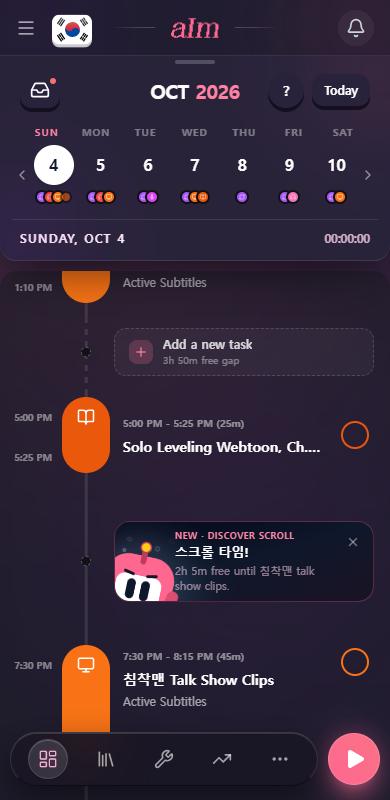
Discover scroll is part of Pro. The card says "New" the first time you see it.
How do I use it?
- Look for the card in a free gap on today's timeline. The line on it changes every day. Some days it's in your language. For Korean it might say 스크롤 타임!, and hovering or long-pressing shows the English.
- Tap the card. Discover opens straight into the scroll feed.
- Scroll. Anything playing, or you scrolling, tapping or reading, is counted.
- After a minute it counts as immersion. When you leave, the time goes on your timeline and you'll see "Logged ... of ... immersion to your timeline".
- Scrolled less than a minute? You'll see "Scroll for at least a minute and it counts as immersion".
If a session timer is already running, the feed tells you "Your running timer is counting this", so you won't log the time twice.
How do I get rid of it?
Tap the x in the corner of the card ("Not today"). It goes away for the rest of today, and the gap turns back into a normal "Add a new task" row.
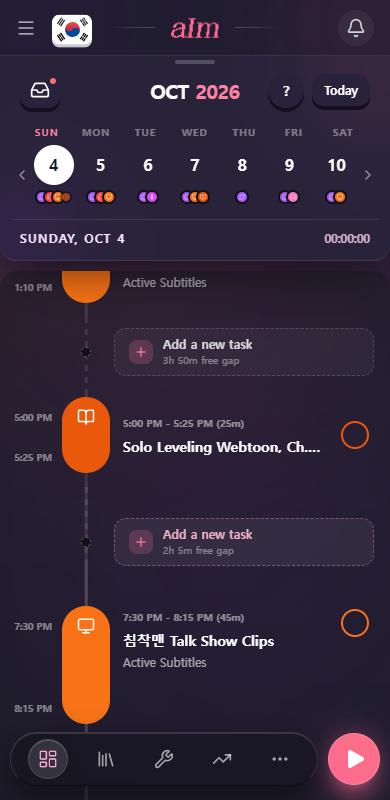
It can come back tomorrow.
When does the card show up?
- Today only. Other days don't get one.
- In the gap you're in right now, if you're in one. If not, in an evening gap that runs past about 6:30 PM. The timeline makes room for it when a gap has about an hour or more free.
- Only one gap gets it, and it replaces that gap's "Add a new task" row.
- Not while a session is running.
- Not until you've finished the first-day tour (or skipped it). See What is the first-day tour?.
Good to know
- Dismissing is per day and per device. If you tap the x on your phone, your laptop can still show it.
- The text can mention the length of the gap ("2h 5m free until..."), what's next on your day, or just be cheeky.
- Languages with a line in their own words: Korean, Japanese, Mandarin, Cantonese, Spanish, French, German, Portuguese, Italian, Vietnamese and Arabic.
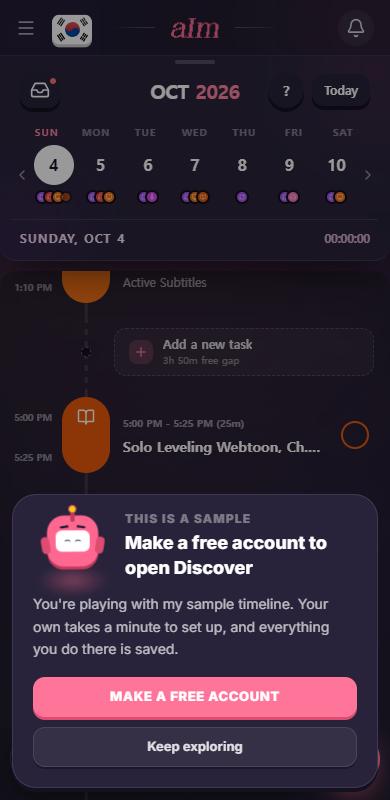
- In the sample app, tapping the card asks you to make a free account, because Discover needs one.
Why don't I see the card?
Check these in order:
- Are you looking at today?
- Is a session running? Stop it first.
- Did you tap the x earlier today?
- Have you finished the first-day tour?
- Is there a free gap of about an hour left today? If your day is packed, there's nowhere for it to sit.