Same hours, different progress. Immersed shows you what the hours were made of.
You ask how the week went and hear "I watched some stuff." You see your student for one hour. The other 167 hours of the week, where most of the learning happens, you never see. Immersed is a language immersion tracker and planner: your student plans and logs their immersion in it, and shares a report with you before the lesson. This page says what you see in that report, how to use it, and what isn't built yet.
The answer
Immersed lets a tutor or teacher see what a student did between lessons. The student logs each session as one of nine activities (Active Listening, Passive Listening, Active Subtitles, Reading, Study, SRS, Speaking, Writing, Shadowing), rates how much they understood, and adds a note. Their report breaks the time down by activity, charts comprehension over time and lists the shows and channels they spent it on, with links.
There is no teacher account or class dashboard yet. Today each student shares their own report: a link that anyone can open for 7 days, a PDF, or an Excel or CSV file. The teacher pays nothing. The student needs Immersed Pro to track, and the starting plan, the blueprint, is free.
The part of learning you never see
A weekly lesson is one hour out of 168. Your students are meant to be listening, watching and reading in between, and they usually are, a bit. But when you ask, you get a guess: "a couple of episodes", "some podcasts on the bus", "not much, sorry". You can't plan the next lesson from a guess, and the student can't either.
There's also no shared language for immersion homework. "Watch more" means something different to every student. One hears "leave a podcast on while I cook". Another hears "study one scene for an hour". Both come back and say they did it.
- Before: you assign "some listening", the student guesses at the end of the week, and the lesson starts with "so, what did you do?"
- After: you agree on the week in the nine activities, the student logs as they go, and the lesson starts from their report
Hours are one-dimensional. What happened in them is the thing.
Say two of your students each log 30 hours this month. One spent 22 of them with a podcast in the background and 8 on flashcards. The other spent 12 on a drama with target-language subtitles, 8 listening closely, 4 reading, 3 shadowing and 3 speaking, and rated the drama a little easier each week. Same hours. One of them is ahead, and the hours alone won't tell you which.
That's why Immersed tracks the same nine activities for everyone, with a comprehension rating for input and a flow rating for output (speaking, writing, shadowing, SRS), both on a 1 to 5 scale. The mix of those nine is what makes one student's 30 hours different from another's. It shows you why a student two months in can be ahead of one six months in: not the time, but how it was spent.
For a tutor, that turns into three things: you can see why one student is moving, you can see what to change for the other, and the lesson has something concrete to talk about.
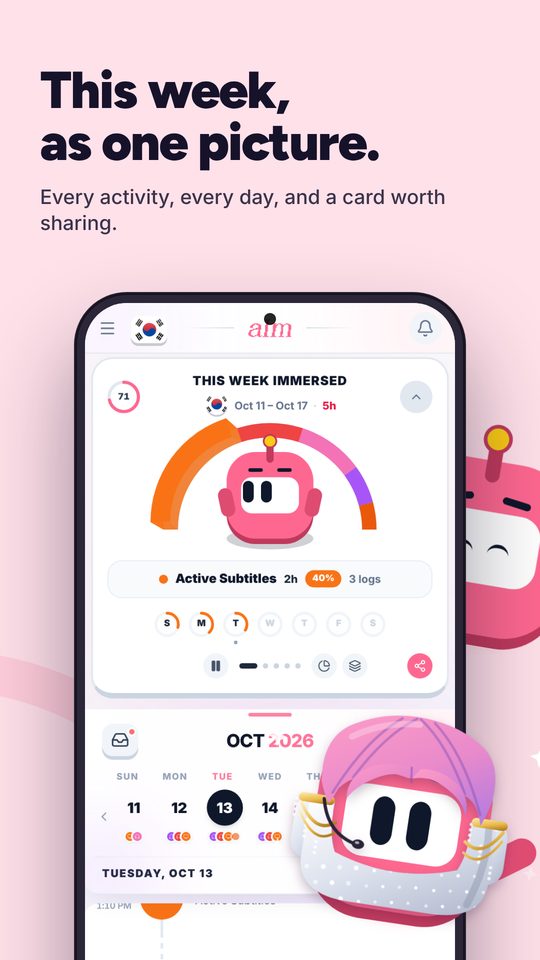
How it works: assign, track, share, review
Nothing here needs you to sign up. The student does the tracking in their own account, and you see what they choose to share.
- 1. Assign. Send your student to build their free blueprint. It takes their own name and email, and gives them a plan for their week: where the hours fit into their day (including the hidden time on a commute or chores), five tools, picks of real content in their language, and a checklist of first habits. It arrives as a PDF they can forward to you. Then agree on the week in the nine activities: "two episodes with Active Subtitles, 20 minutes of Shadowing a day, the bus ride as Passive Listening"
- 2. The student tracks. They press play, pick the activity and press stop when they're done. A YouTube, Spotify or Apple Podcasts link plays inside the session. Afterward they rate how it went and can add a note and tags, for example the words they looked up. Forgot to press play? They log it afterward. Immersed never reads their viewing history, so every session is one they chose to record
- 3. Share the report. In Growth, then Reports & analytics, they pick the range and tap Export. A PDF report saves to My reports, and Share makes a short link that anyone can open for 7 days, no account needed. They can also send you the PDF itself, or an Excel or CSV file with every session. How exports and share links work
- 4. Review in the lesson. Open the report in the first five minutes. Look at the days they showed up, the mix of activities, and whether comprehension is moving on the same kind of content. Pick one thing to change for next week. On a video call, the student can also open Reports on their own screen and share it, which shows the comprehension line the PDF leaves out
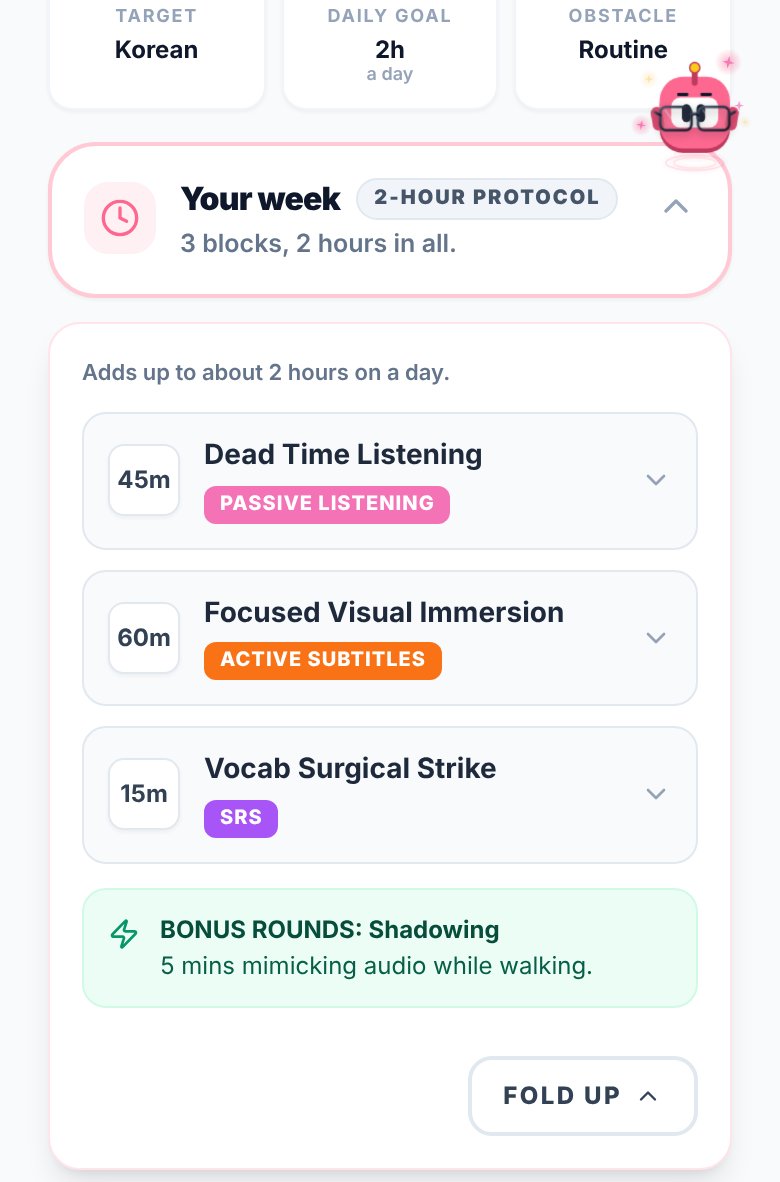
What you see in a student's report
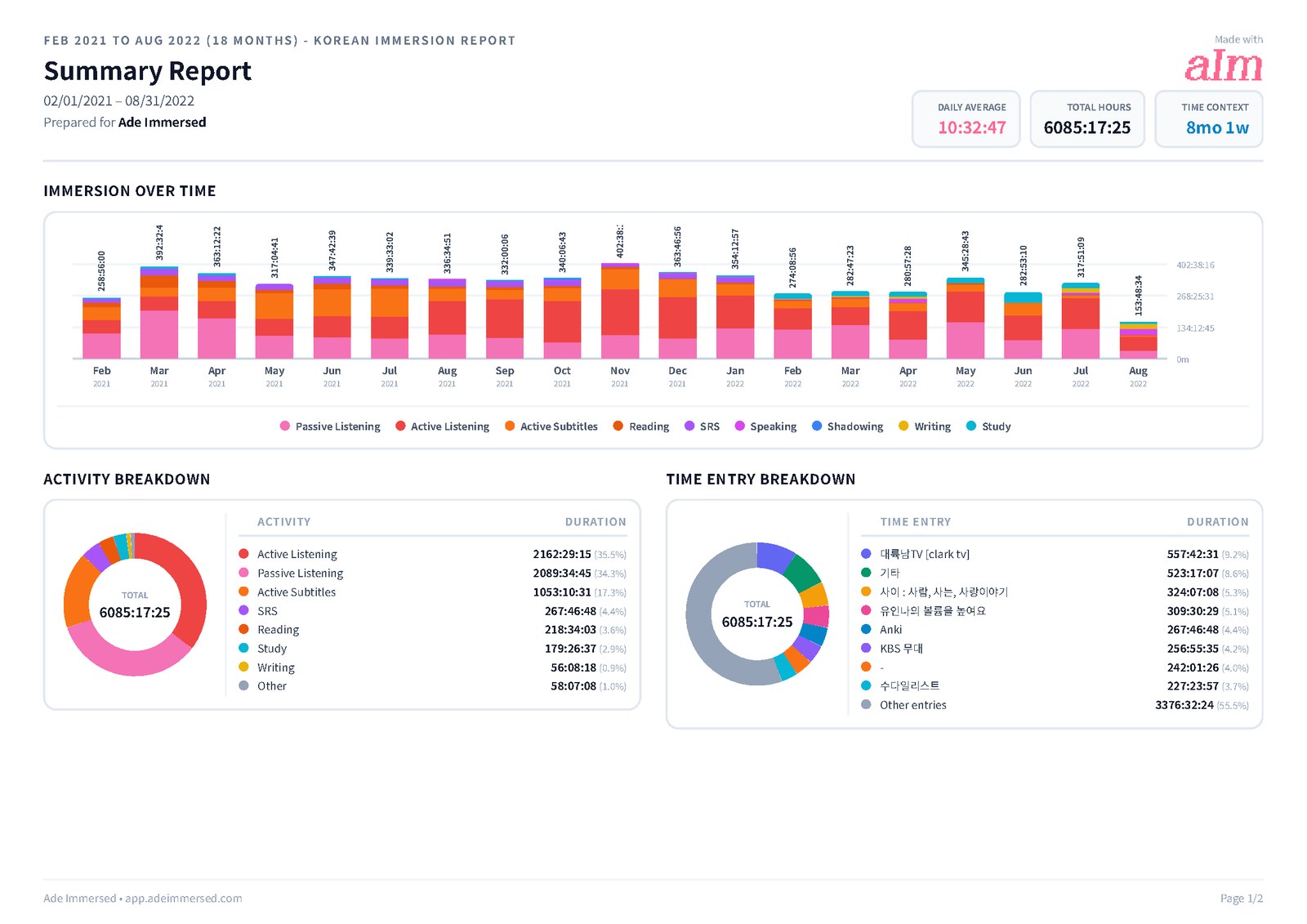
Each piece answers a question you'd otherwise have to ask. Where it shows matters: the share link opens the PDF, and the PDF doesn't carry the comprehension ratings. For those, ask for the Excel or CSV file, or look at Reports in the app together.
| What you see | What it tells you | Where it is |
|---|---|---|
| Total time and sessions for the range | Whether the homework happened, and how much | App, PDF and link, Excel/CSV |
| Daily average | What a normal day of practice looks like | App, PDF and link |
| Immersion over time, total or by activity | Week by week, and what each week was made of | App; PDF and link (the stacked chart is a tick-box) |
| Time in each of the nine activities | Too much passive, all flashcards, no output | App, PDF and link, Excel/CSV |
| Comprehension and flow ratings, 1 to 5 | Whether the content is at the right level, and getting easier | App (per session and as a line over time), Excel/CSV. Not in the PDF |
| Consistency grid and streak | How many days they showed up, not just how long | App |
| Top 10 items, with links | The actual shows, channels and books. You can open them | App, PDF and link (links are clickable) |
| Every session with its notes and tags | What they noticed, what they looked up, what was hard | App, PDF and link (Detailed Entries), Excel/CSV |
What to change, read from the report
The report doesn't tell you what to teach. It tells you where to look. These are the patterns that come up most, and a first thing to try.
| What the report shows | What it may mean | Try next week |
|---|---|---|
| Most of the time is Passive Listening | Ears in the language, little close attention | One episode a week they follow closely, logged as Active Listening or Active Subtitles |
| Comprehension stuck at 1 or 2 | The content is too hard | Easier content in the same genre, or learner-made content, then rate it again |
| Comprehension at 5 on everything | Comfortable, maybe too comfortable | One step up: native content, or the same show without subtitles |
| No Speaking, Writing or Shadowing | All input, no output | 10 minutes of Shadowing a day, or a short written note after each episode |
| Mostly SRS and Study | Studying the language more than using it | Swap one study block for a show they want to watch |
| A big Sunday and empty weekdays | Cramming before the lesson | Shorter sessions on more days. The consistency grid will show it |
What it costs, and who pays
You pay nothing. A share link opens without an account, and a PDF or spreadsheet is just a file. There's no teacher plan to buy because there's no teacher account.
Your student: the blueprint is free (name and email needed). Tracking, the timeline, sessions and reports are part of Immersed Pro: $9.99 a month, or $60 a year with a 7-day free week first (card required). The yearly plan has a 14-day money-back guarantee, once per customer. Monthly payments aren't refunded, so a student who wants to try it should start with the free week.
There's no seat, class or school pricing. If you run a school or teach a group and want to talk about it, ask me on Discord. I answer there myself.
What isn't built yet
Said plainly, so you know what you're getting before you send students to it.
- No teacher account or class dashboard. You can't see several students on one screen. Today each student shares their report link or exports a PDF
- No assigning from your side. You can't push a plan or a task into a student's timeline. You agree on the week together and they plan it
- No seat, class or school plans. Each student has their own Immersed Pro. For schools, talk to me on Discord
- Comprehension ratings aren't in the PDF or share link. They're in the app's Reports and the Excel and CSV files
- Share links last 7 days. The student can make a fresh one, or turn a link off, at any time
- One language per report, and the app is in English. The reports handle Korean, Japanese and Chinese titles, but the menus are English only
- Nothing reads their viewing history. Immersed doesn't look at Netflix or YouTube history. A session starts with a press (one click on YouTube with Immersed for Chrome), and only Discover scrolling and the listening games log themselves. If the student doesn't press play or log it afterward, it isn't there
Who this fits, and who it doesn't
I built Immersed after tracking every hour of my own Korean. It's made for the learner first, which is why it works for a tutor without asking the tutor to do anything.
- It fits one-to-one tutors (on italki, Preply or your own), conversation teachers and coaches who give immersion homework, and teachers who want a student to arrive with something to talk about
- It fits students who are already immersing and want someone to read their week with them
- It doesn't fit yet if you need to see a whole class on one screen, or a school wants to buy seats. That isn't built
- It doesn't fit a student who won't press play. The report is only as good as the logging
- My own coaching is a separate thing. I coach a few learners one-to-one from a waitlist at /coaching, five at a time. It isn't a program for teachers
FAQ
Questions people ask.
Does Immersed have a teacher dashboard?+
No. There's no teacher account, class dashboard or view of several students at once yet. Today each student shares their own report with you: a link that opens for 7 days without an account, a PDF, or an Excel or CSV file.
Do I need an account or a subscription to see my student's report?+
No. A share link opens for anyone who has it, with no account, for 7 days. A PDF or spreadsheet is a file your student sends you. The teacher side costs nothing.
What does my student need?+
The blueprint is free with a name and email. Tracking and reports are part of Immersed Pro, $9.99 a month or $60 a year with a 7-day free week first. The yearly plan has a 14-day money-back guarantee, once per customer.
Can I see how much my student understood, not just how long they watched?+
Yes. Each session gets a 1 to 5 rating: comprehension for listening, watching and reading, flow for speaking, writing, shadowing and SRS. The ratings are in the app's Reports, per session and as a line over time, and in the Excel and CSV exports. The PDF and its share link show time, activities, top items and notes, but not the ratings.
Does Immersed track my student automatically?+
No. It never reads viewing history, and every session starts with a press or is logged afterward. The exceptions are small: scrolling Immersed's own Discover feed and playing its web listening games log themselves. If your student doesn't record a session, it isn't in the report.
Can my student log our lessons in Immersed?+
Yes. They log the lesson as Speaking, can add the "tutor call" tag, and note the words you corrected. Then your lesson sits in the same report as their listening and reading, so you see how much of their week was output.
Is there pricing for language schools or groups?+
Not yet. There are no seat, class or school plans: each student has their own Immersed Pro. If you run a school or teach groups, ask me on Discord, where I answer myself.
Which languages does it work for?+
A student can track any language. Eleven are fully supported, and the Library of real content covers 22. The app itself is in English, and PDF reports print Korean, Japanese and Chinese titles properly.