How do I move, reorder or delete a task?

Press and hold a task for a beat, then drag it to a new time. To delete it, drag it onto the play button (it turns into a bin), or open it and tap the bin.
Your timeline is part of Pro (or your free week). You can try all of this on sample data. See Can I try Aim without an account?.
How do I move a task to a new time?
-
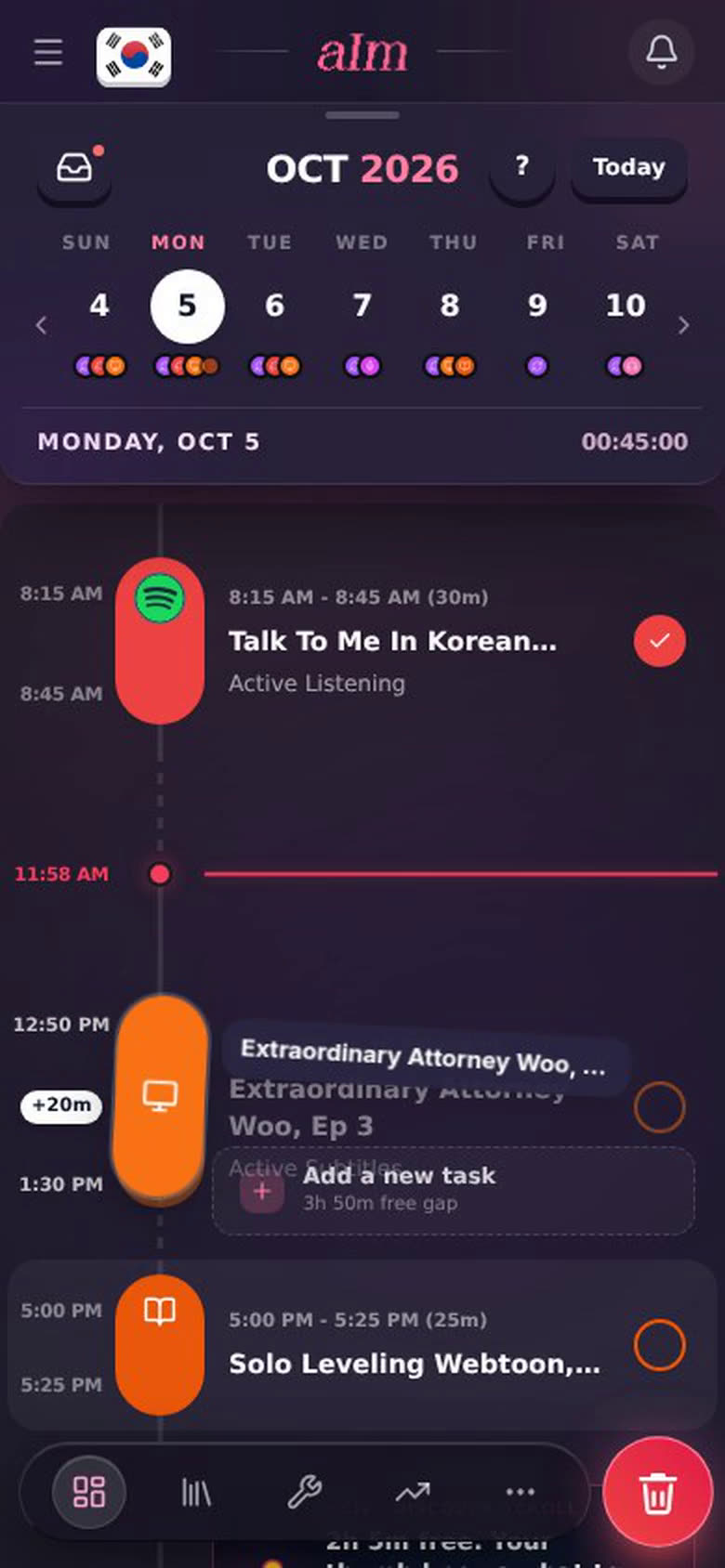
Press and hold the task's colored pill for a beat (on a phone you'll feel a little buzz). On desktop, just click and drag.
-
Drag it up or down. The time column shows where it would start and end, and a chip says how far you've moved it (+15m, +20m). It moves in 5-minute steps.
-
Let go. It slides into its new spot.
There's no separate "reorder". Your day always runs in time order, so moving a task to a new time is how you reorder it. If you drop it on top of things that come after it, I push those later so nothing overlaps.
Need to drag past the top or bottom of the screen? Hold the task near the edge and the timeline scrolls for you.
How do I delete a task?
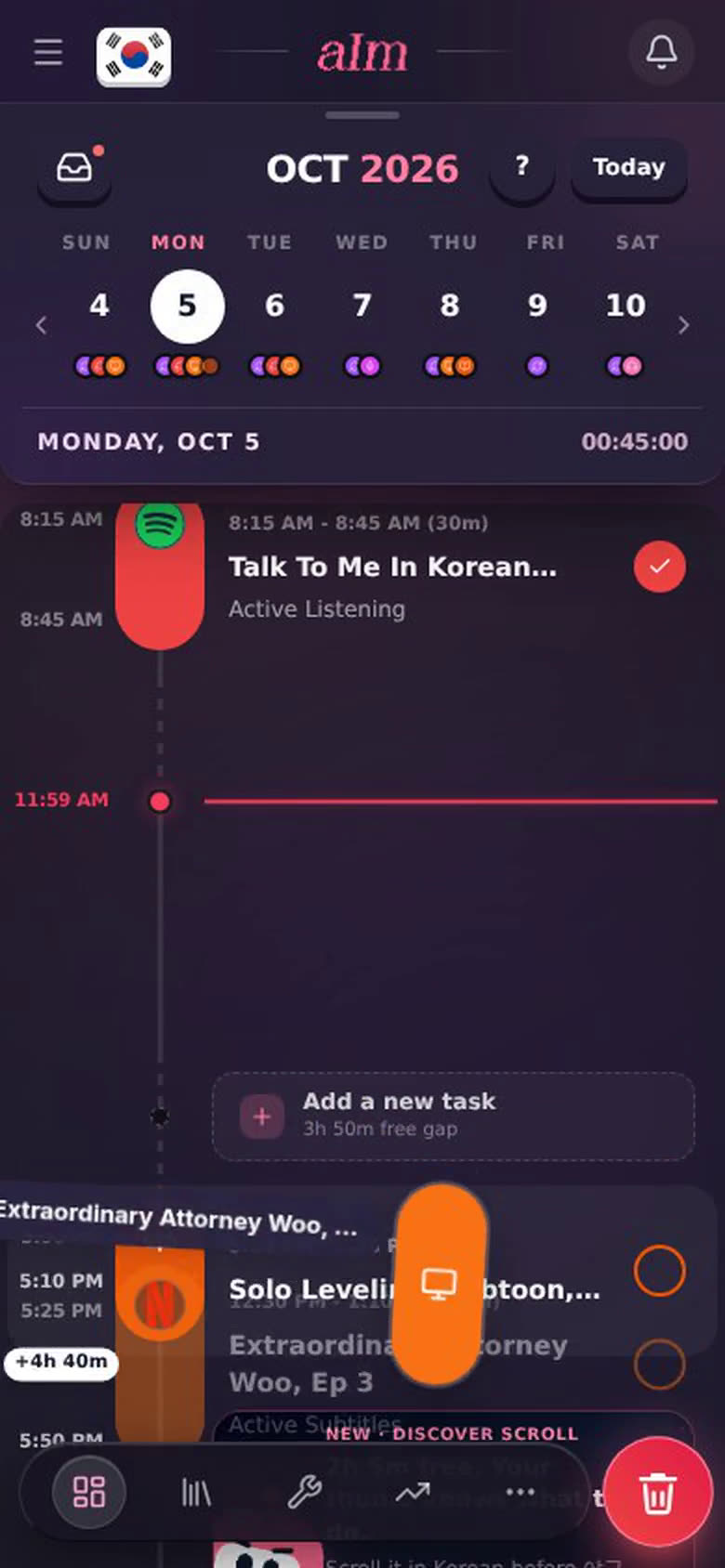
Drag it to the bin:
-
Hold the task and drag it. On a phone the pink play button turns into a red bin. On desktop the + in the bottom corner does.
-
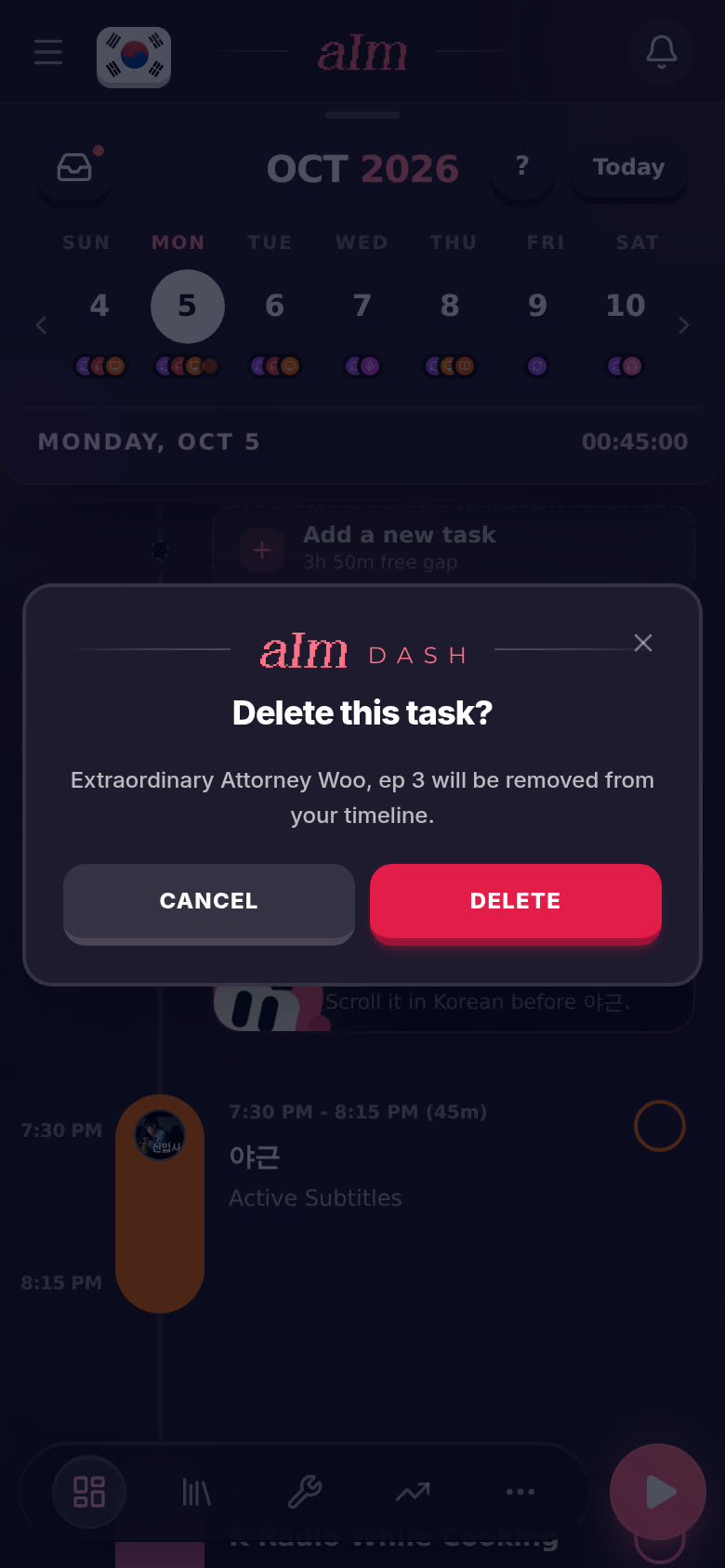
Drop it on the bin. I ask "Delete this task?". Tap Delete.
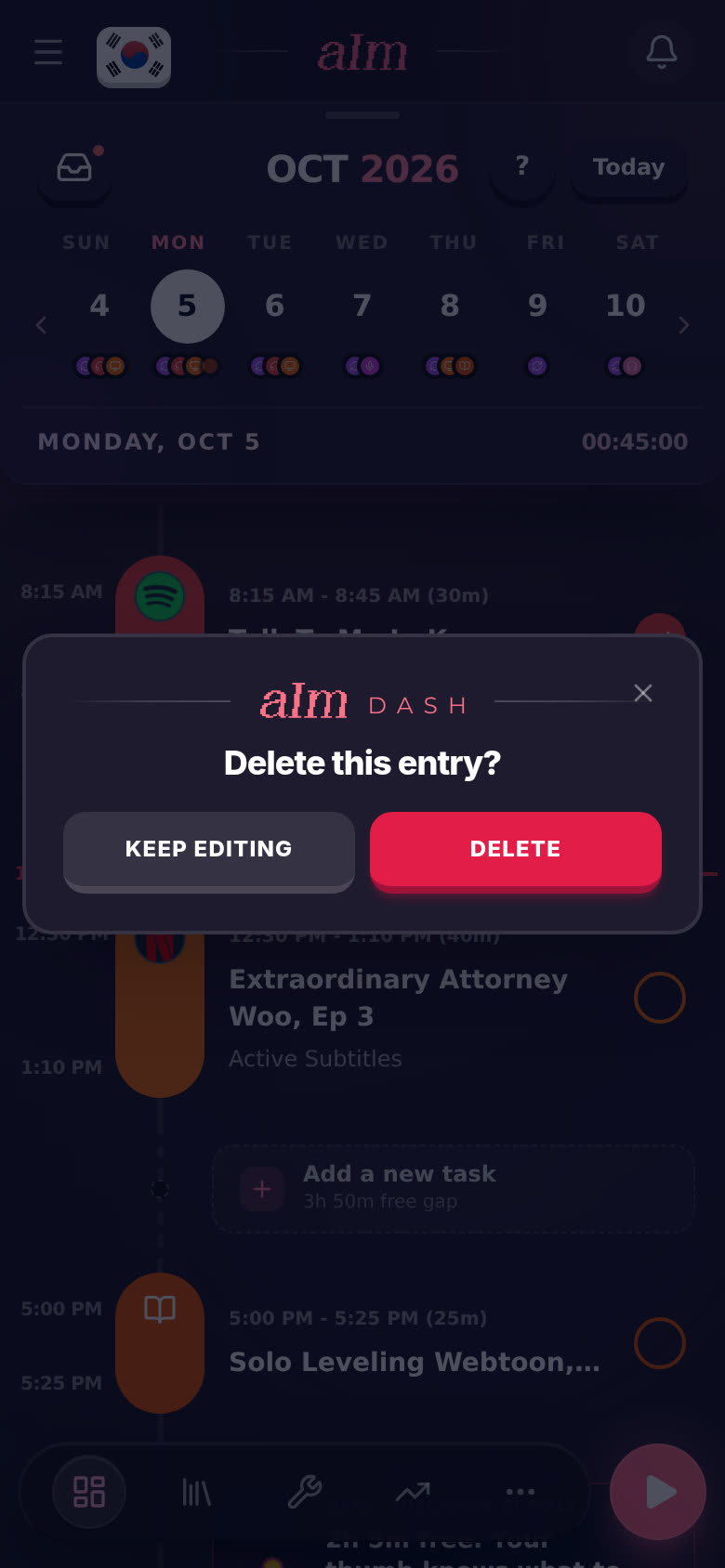
Or from the task itself: tap the task, then the bin in the bottom left. I ask "Delete this entry?". Tap Delete, or Keep editing to back out.
Deleted tasks don't go to Recently deleted. They're gone, which is why I always ask first.
What if I already did it?
A task you've ticked off has logged time. Drag it and I ask "Move this log?", because its logged times will change to match. Tap Move or Keep.
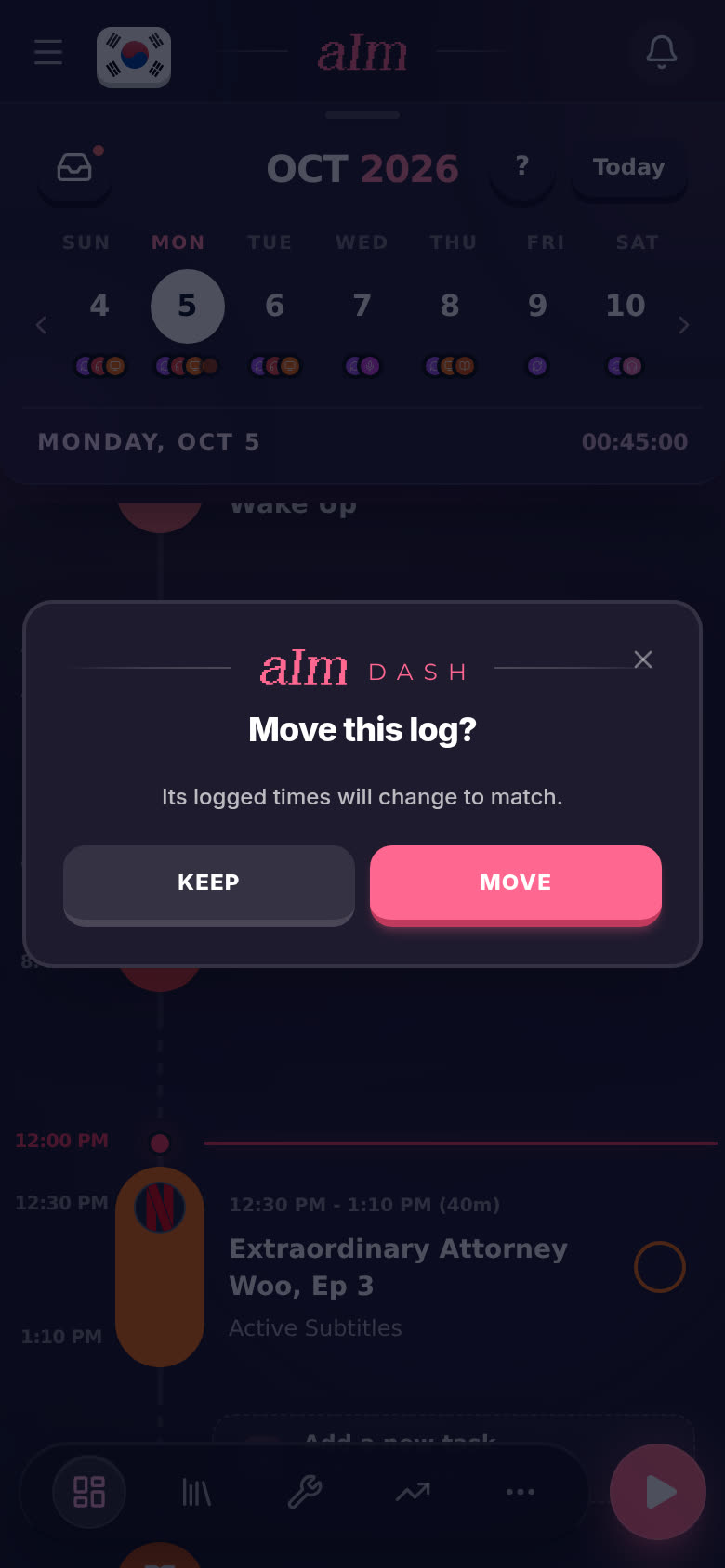
Drop a finished one on the bin and it says "Delete this session?" instead. That removes the session and its logged time.
How do I move a task to another day?
-
Tap the task to open it, then tap When?.
-
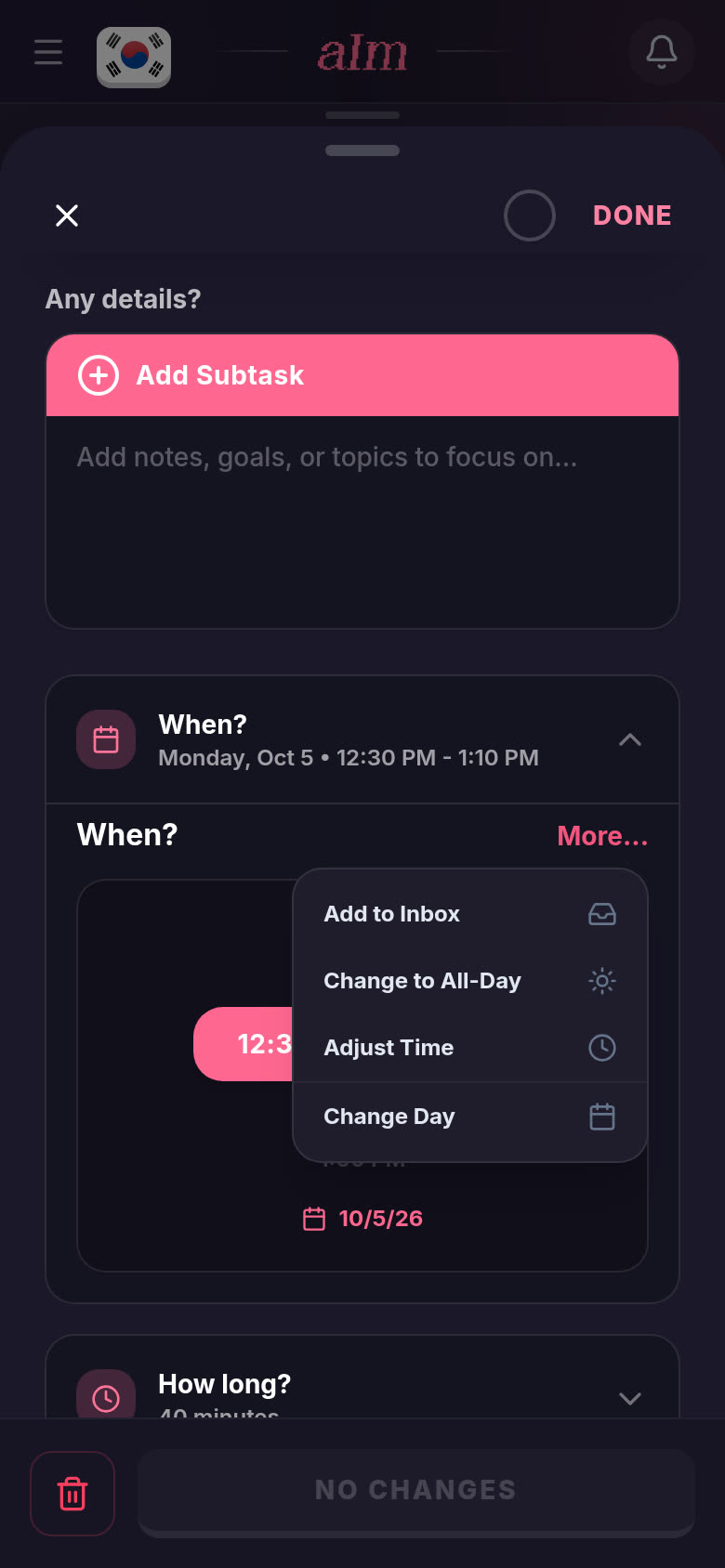
Tap More... on the right.
-
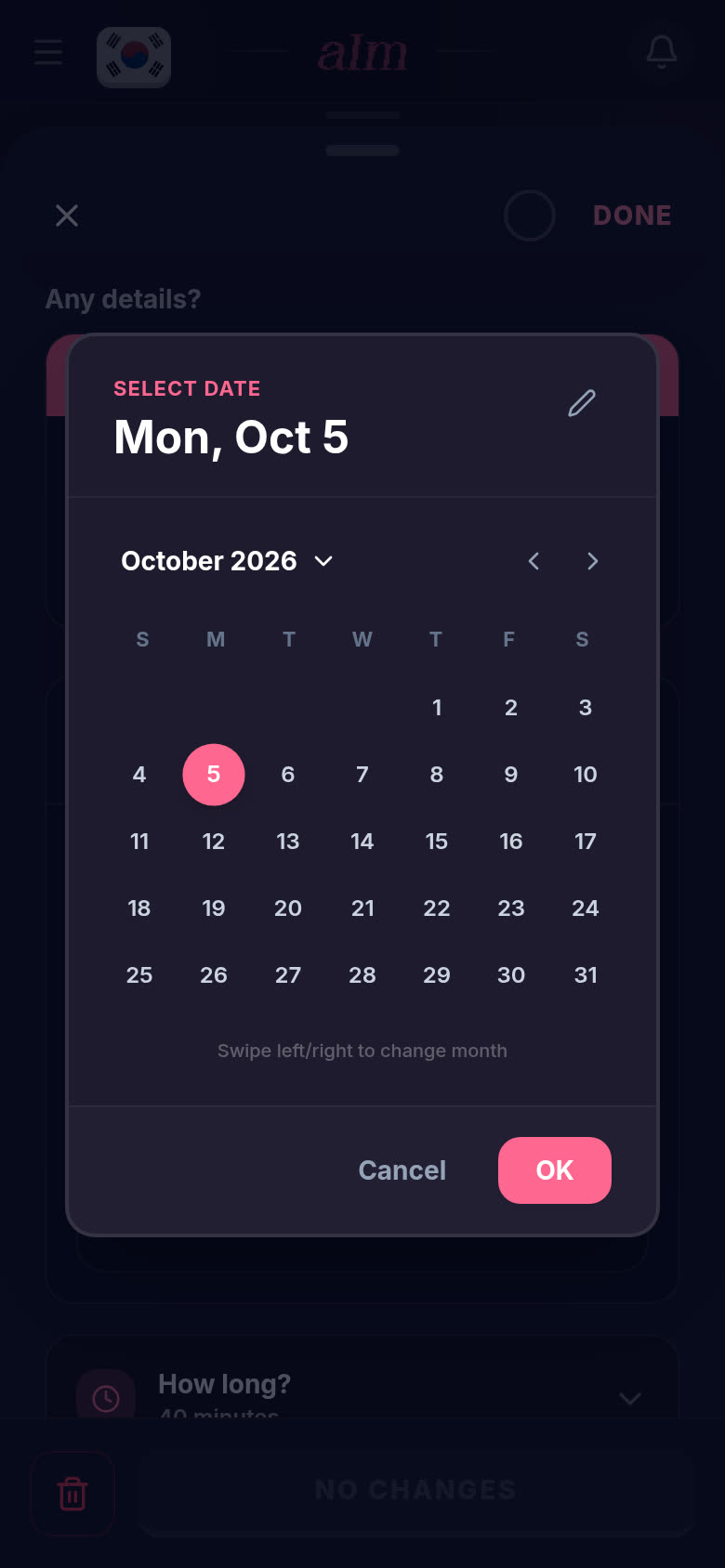
Tap Change Day and pick the date. (Tapping the little date under the time does the same.) Tap OK.
-
Tap SAVE CHANGES.
The same menu has Adjust Time (set an exact start and end) and Change to All-Day (9:00 for 8 hours).
How do I put a task back in my inbox?
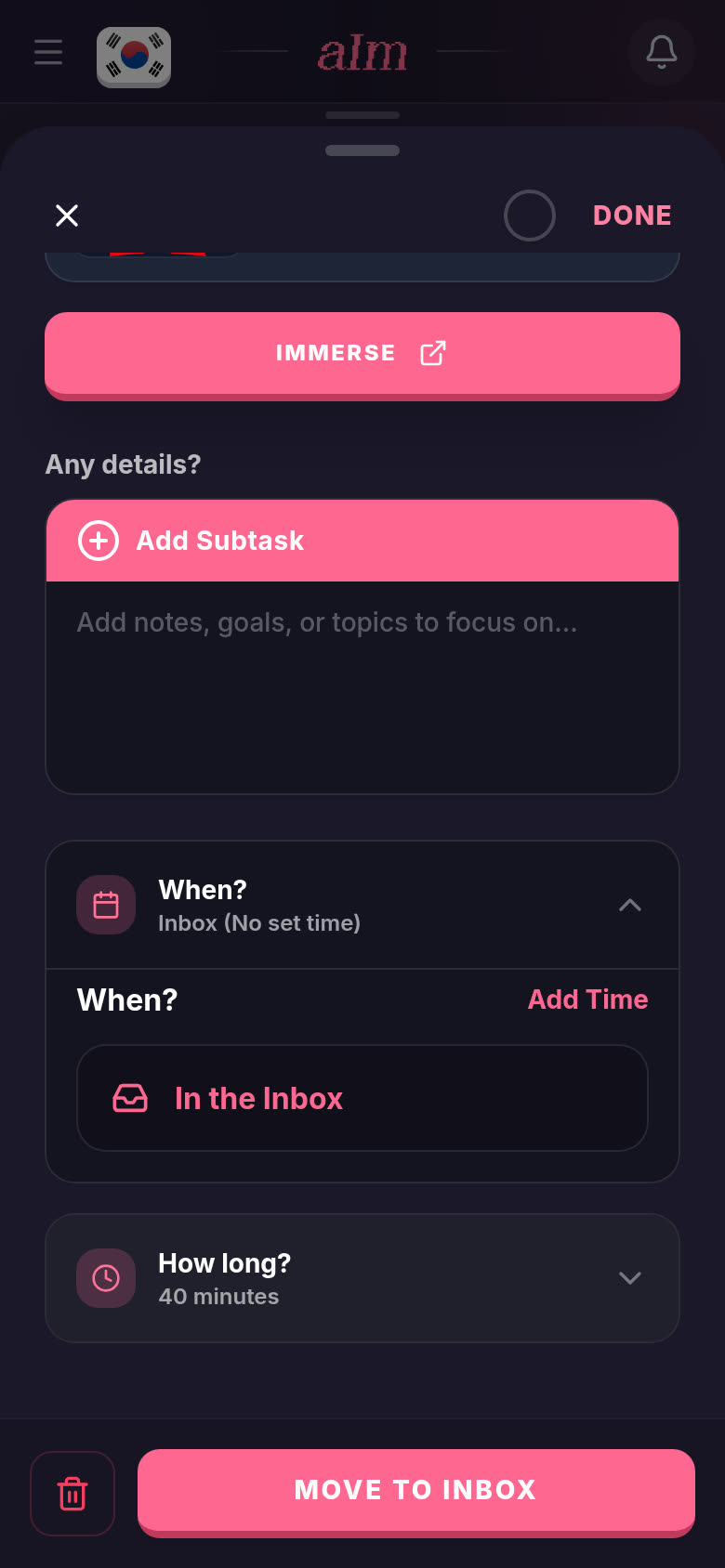
On a phone: open the task, tap When?, then More..., then Add to Inbox. When? now says In the Inbox and the button at the bottom says MOVE TO INBOX. Tap it.
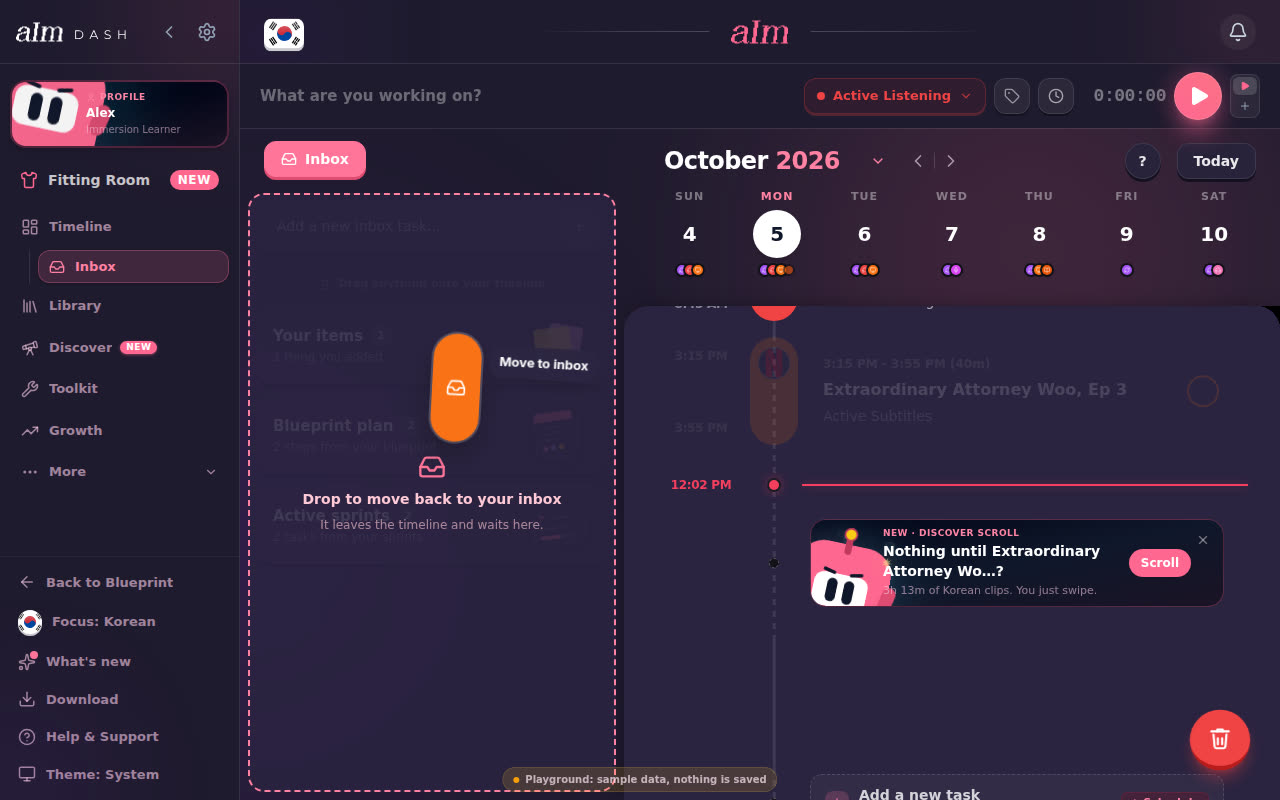
On desktop: open the inbox, then drag the task from your timeline onto the inbox column. It says "Drop to move back to your inbox".
Good to know
- Repeating tasks ask whether you mean just today or every day when you move them. They can't be dragged to the bin or the inbox: open them and use the bin. See How do I make a task repeat, and what does "just today" mean?.
- Wake up and Wind down move the same way, but you can't delete them. Wake up always stays before Wind down.
- The session that's running can be dragged too. That changes when it started, so the time so far changes with it. It can't start in the future.
- A stack (the same thing done back to back) can't be dragged to the bin. Open it to change or delete its entries. See Why are some of my items stacked together?.
- A tap opens the task. If you only meant to look, nothing moves.