How do I make a task repeat, and what does "just today" mean?

Open the task, set How often? to Daily, Weekly or Monthly, and save. Later, when you move or change one day of it, I ask whether you mean just today (only that day) or the other days too.
Repeating tasks are part of Pro, like the rest of the timeline (or your free week). The sample app lets you try them. See Can I try Aim without an account?.
Steps
-
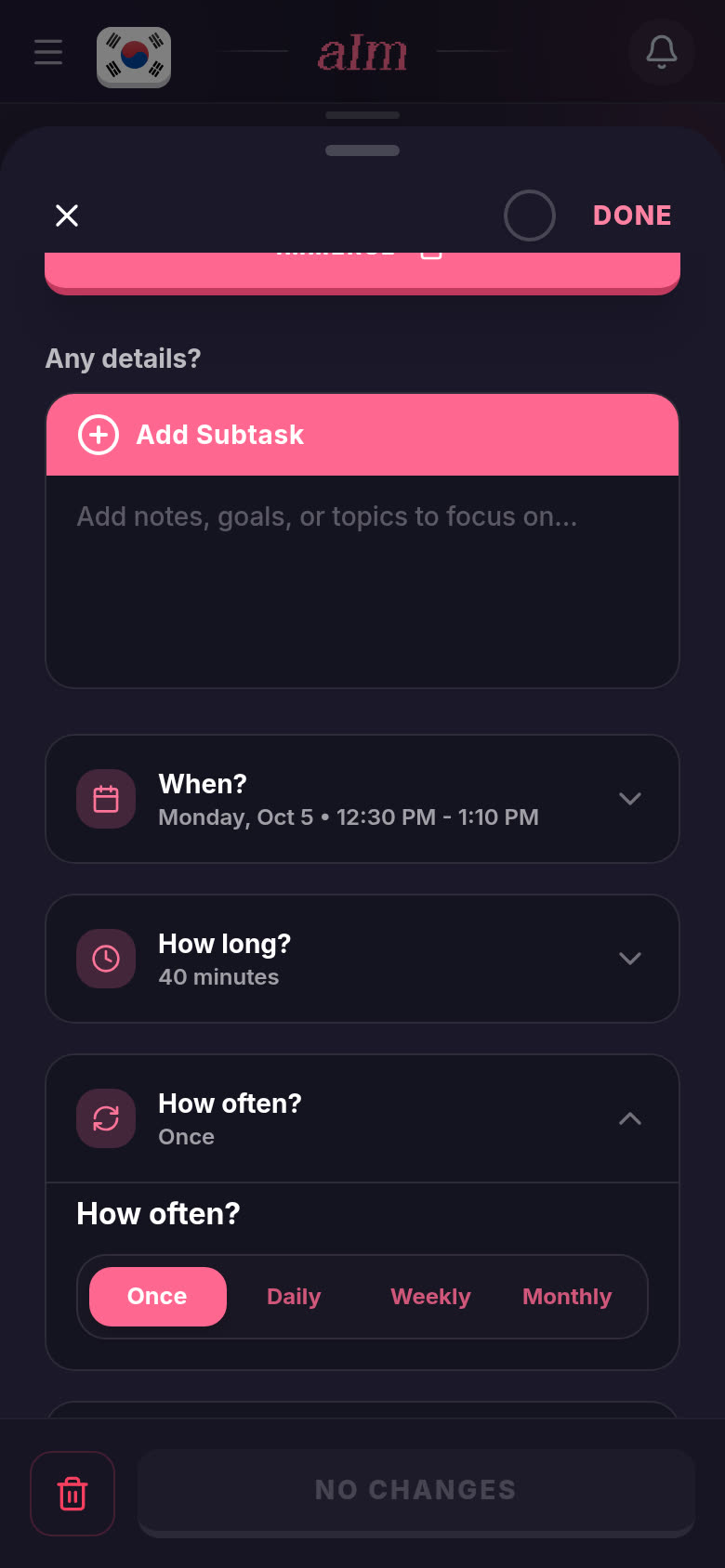
Tap a task on your timeline to open it. Scroll down to How often?. It says Once until you change it. Tap it to open it up.
-
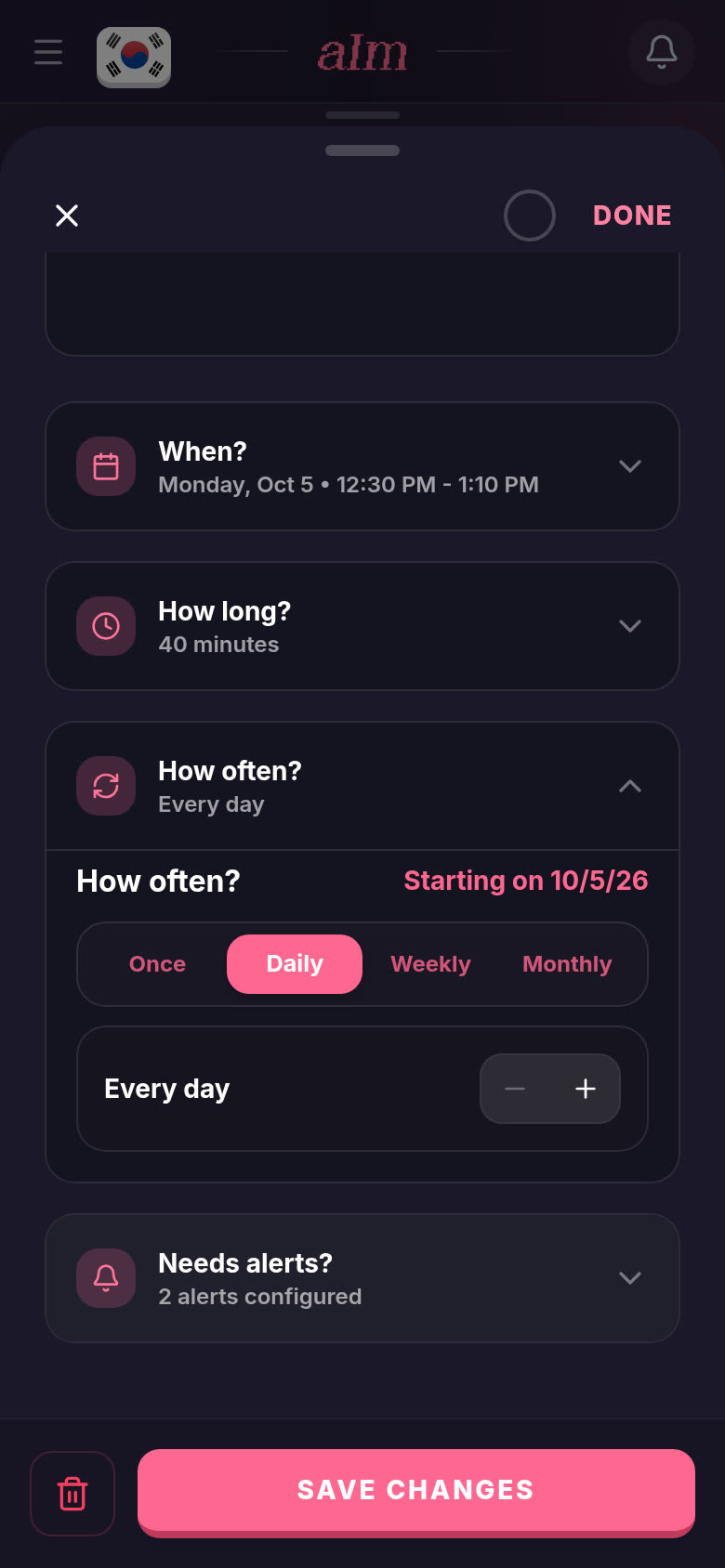
Pick Daily. It says Every day. Use + and − to make it every 2 days, every 3 days, and so on.
-
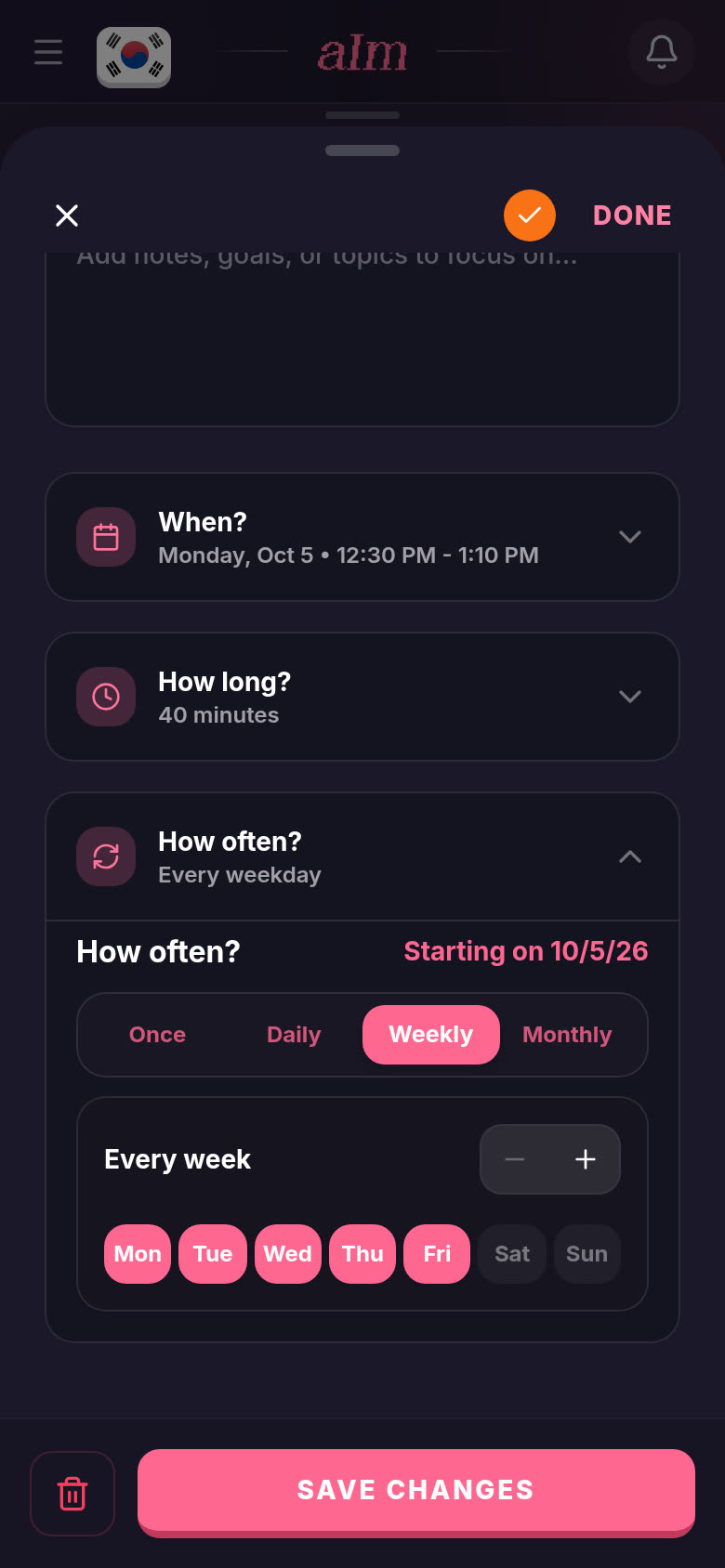
Or pick Weekly. Tap the days you want (Mon to Fri are on to start with, and at least one has to stay on). + and − make it every 2 weeks, every 3 weeks, and so on.
-
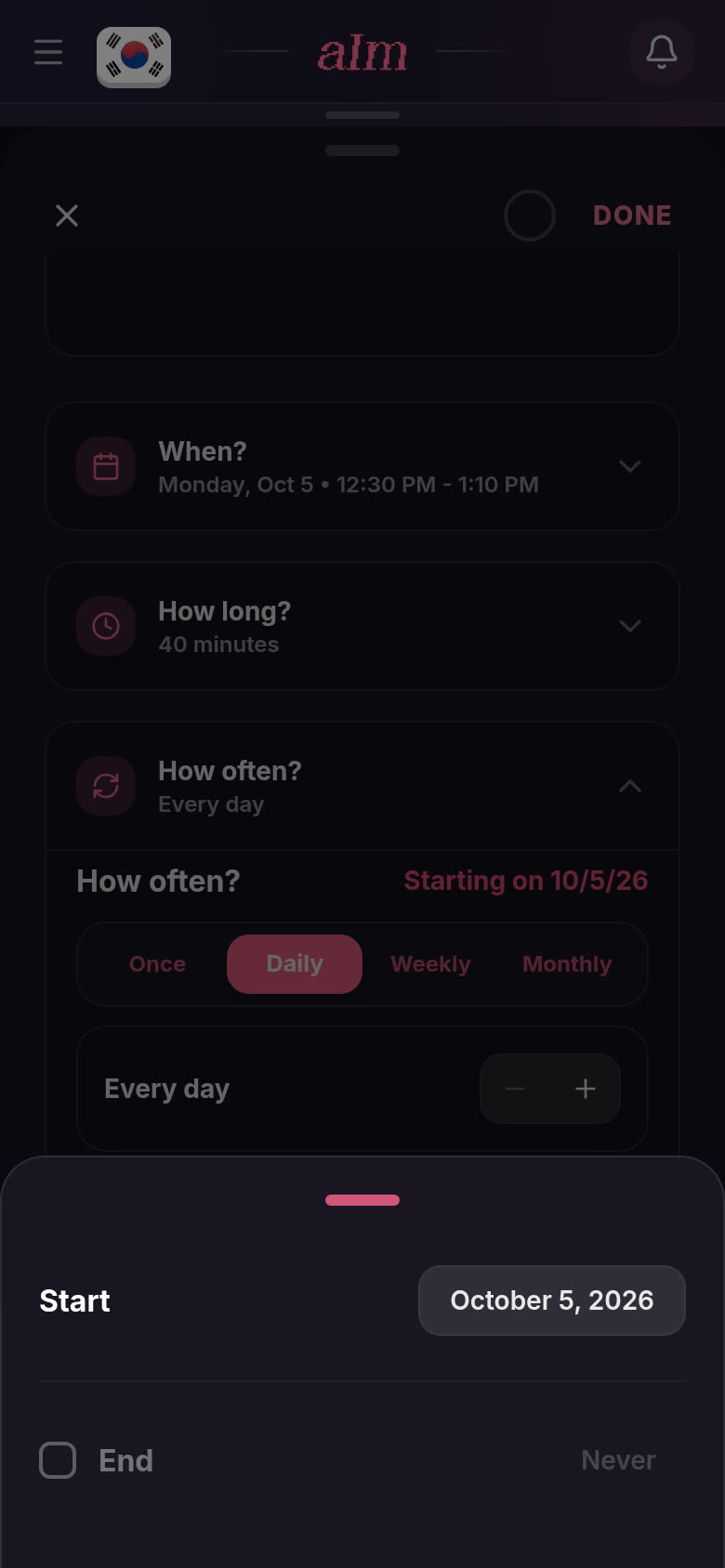
Want it to start later or stop on a date? Tap Starting on (the pink date at the top right). Set the Start date. Tick End to pick the last day. Leave End off and it never stops.
-
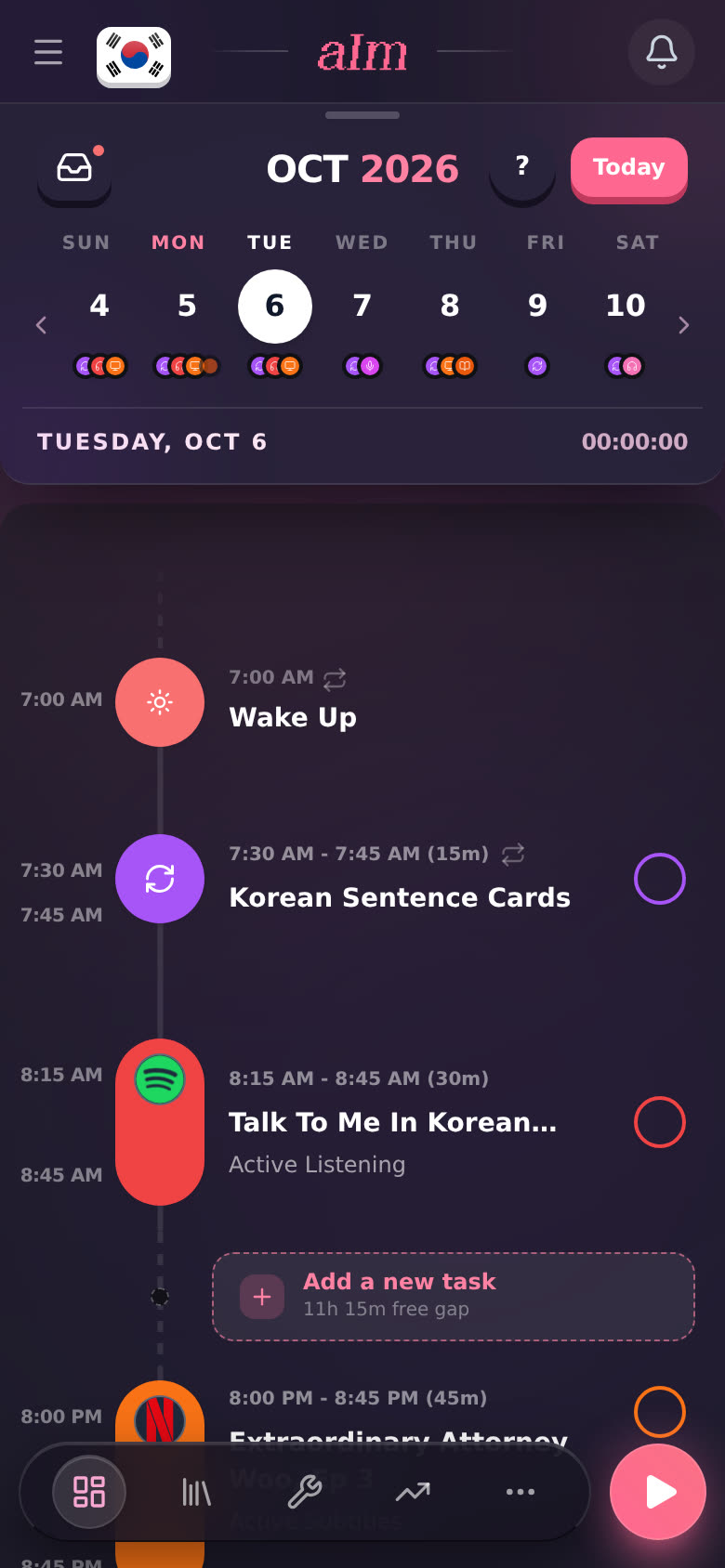
Tap SAVE CHANGES. The task now has a small ↻ next to its time, on every day it repeats.
Making a new task? The New Task panel has the same How often?. Set it before you tap Add to.
What do "just today" and the other choices mean?
When you move or change one day of a repeating task, I need to know how far the change goes.
Drag a repeating task to a new time and I ask "Move it to … for:"
- Just today. Only the day you moved. The other days stay as they are.
- Today and every day after. This day and every one after it. Days before stay the same.
- Every day, past and future. Every day in the series, including the ones you've already lived. That changes your history too.
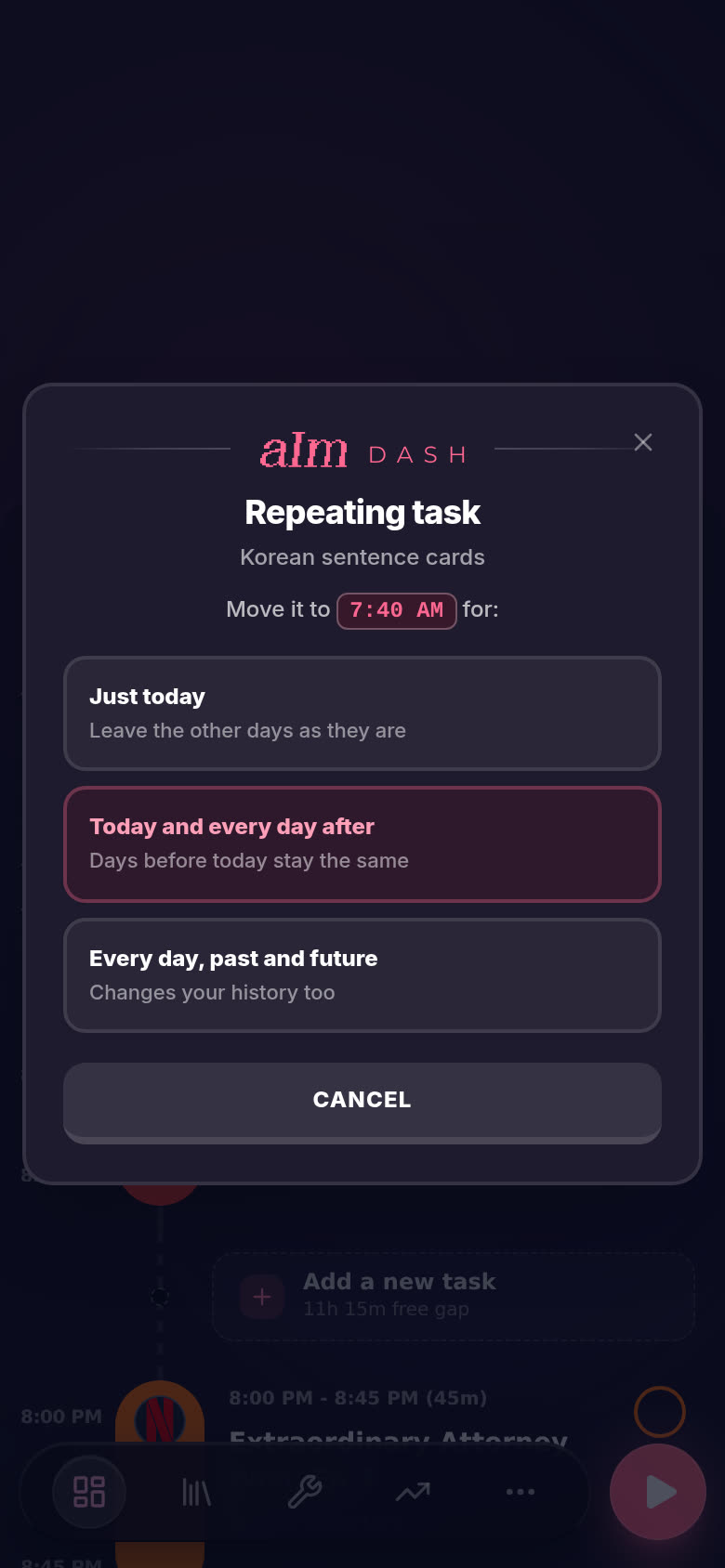
"Today" here means the day you're looking at, not the calendar's today. Wake up and Wind down repeat too, so they ask the same thing.
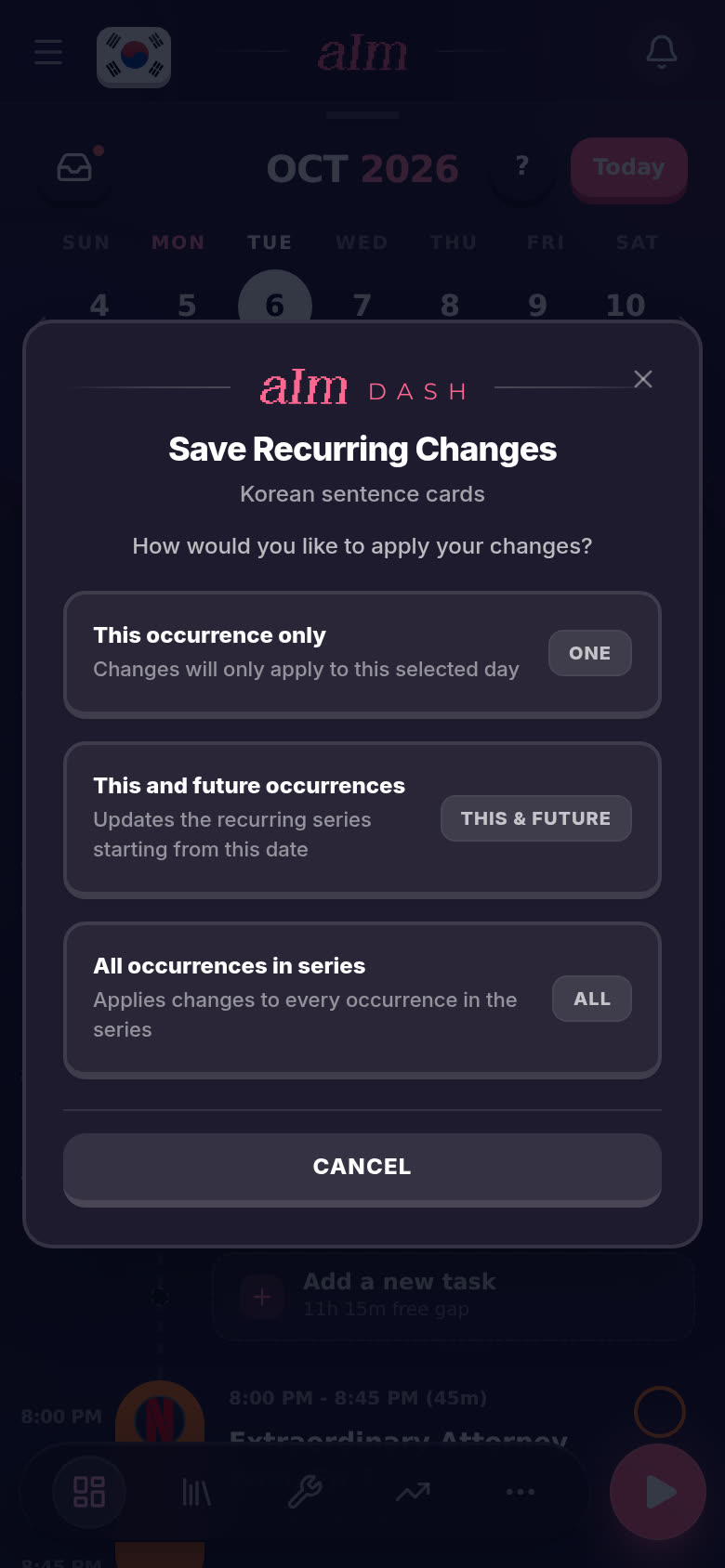
Change a repeating task in its panel (the title, the time, the length) and tap SAVE CHANGES. I ask "How would you like to apply your changes?":
- This occurrence only. Same as just today.
- This and future occurrences. This day and the ones after it.
- All occurrences in series. Every day it repeats.
How do I delete a repeating task, or stop it repeating?
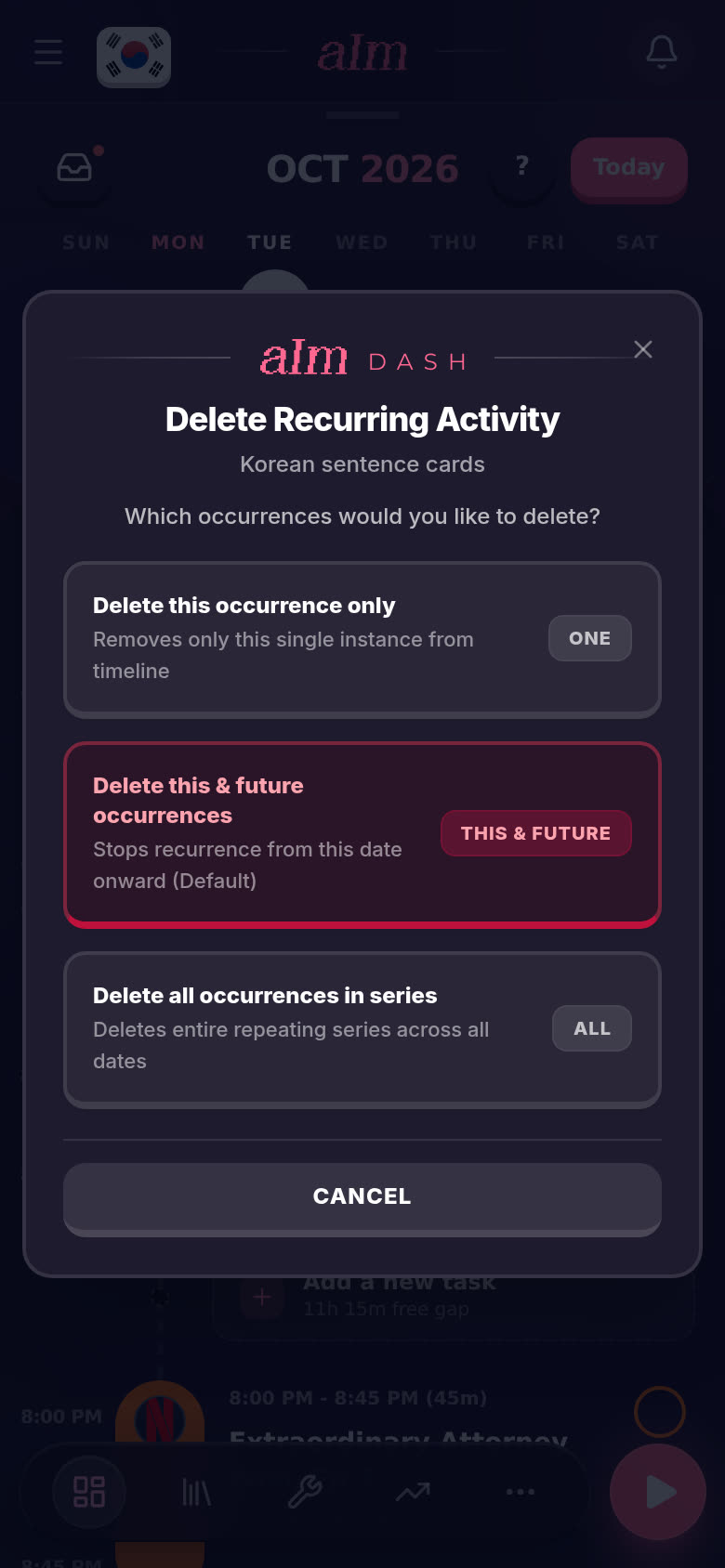
Open it and tap the bin. I ask "Which occurrences would you like to delete?":
- Delete this occurrence only. Just this day.
- Delete this & future occurrences. This day and every day after it. The days before stay.
- Delete all occurrences in series. Every day, gone.
To keep the task but stop it repeating, set How often? back to Once and save.
Good to know
- Monthly means every 30 days, not the same date each month. "Every 2 months" is every 60 days.
- Repeating tasks can't go in the bin or back to the inbox by dragging. Open them and use the bin, so I can ask which days you mean.
- Phone and desktop work the same. On desktop the task opens in a panel on the right.
- Needs alerts? sits right under How often?. Extra alerts are part of Pro too.
Why do How often? and alerts say "Unlock Pro" when I have Pro?
That was a bug, fixed on October 4. The task editor looked at an old setting on your device instead of your real subscription, and tapping Unlock Pro (or Daily, Weekly, Monthly) could break the page. Now it reads the Pro on your account. Still seeing it? Reload, and check you're signed in with the email you paid with. The full story is in How do I upgrade to Pro?.