Rosetta Stone teaches in its own world. Immersed plans your hours in the real one.
Rosetta Stone is a structured language course: you match words to pictures in your target language, with no translation, and speak into the app for pronunciation feedback. Immersed is a language immersion tracker and planner: a free plan built from your answers, then a daily timeline for the shows, podcasts and books you learn from, with reports of your hours.
Free. About two minutes. No account, no card.
The short version
Checked October 24, 2026.
Something out of date? Tell me.
If you want a guided course with a clear path, speech feedback and every language in one subscription, Rosetta Stone does that, and Immersed does not teach at all.
If you want a plan for the hours of real shows, podcasts and books that build understanding, and proof you are putting them in, that is Immersed. The two fit together: Rosetta Stone for the early structure, Immersed for the input around it and the long stretch after it.
Where a course counts units, Immersed shows what your hours were made of: Study, Active Listening, Reading and six more activities, and how much you understood. That mix, not the total, is what explains your progress.
01What each one is for
A course in a controlled world, and a planner for the real one.
Rosetta Stone calls its method Dynamic Immersion. Each lesson shows you pictures and plays words and sentences in the language you are learning, with no English, and you work out the meaning from context. TruAccent listens when you speak and nudges your pronunciation. It is careful and structured, and the content is made for learners.
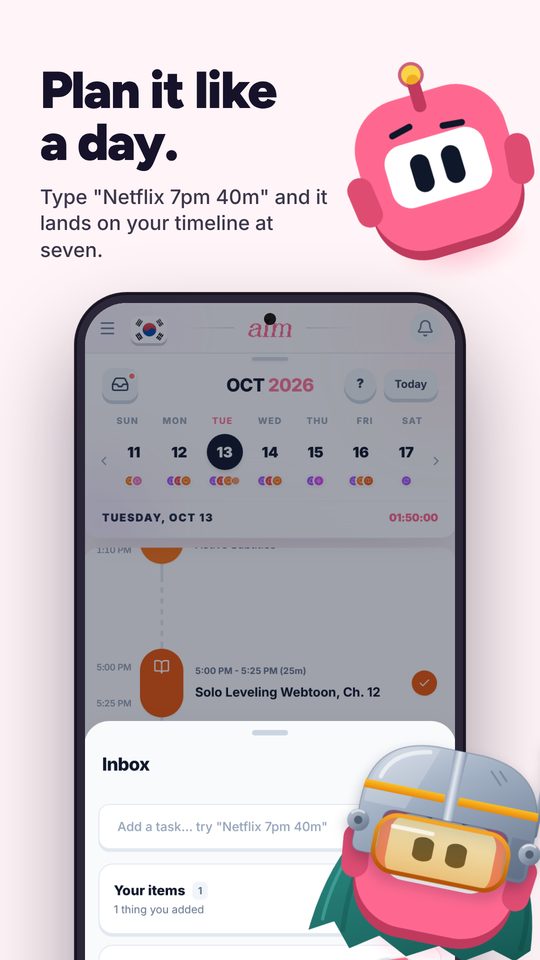
Immersed teaches no grammar and no vocabulary. It deals with the input that was never made for learners: a Netflix show, a YouTube channel, a podcast on the commute. It builds a daily routine around your life, sets milestones for your first months, suggests what to watch at your level and records every session.
- Rosetta Stone: lessons, Chat Missions, 500+ flashcard sets and Sapphire Studio for your own practice material
- Immersed: a free blueprint in about two minutes, then a timeline, sessions and reports
02Where the course stops
Lessons give you a base. Hours of input give you understanding.
Rosetta Stone's lessons are built from clear, simple language. That is what makes them learnable, and it is also why a learner can finish units and still lose the thread of a real conversation at native speed. The most common complaint in reviews is the other side of the same choice: with no translation or explanation, some learners are left guessing what a word means.
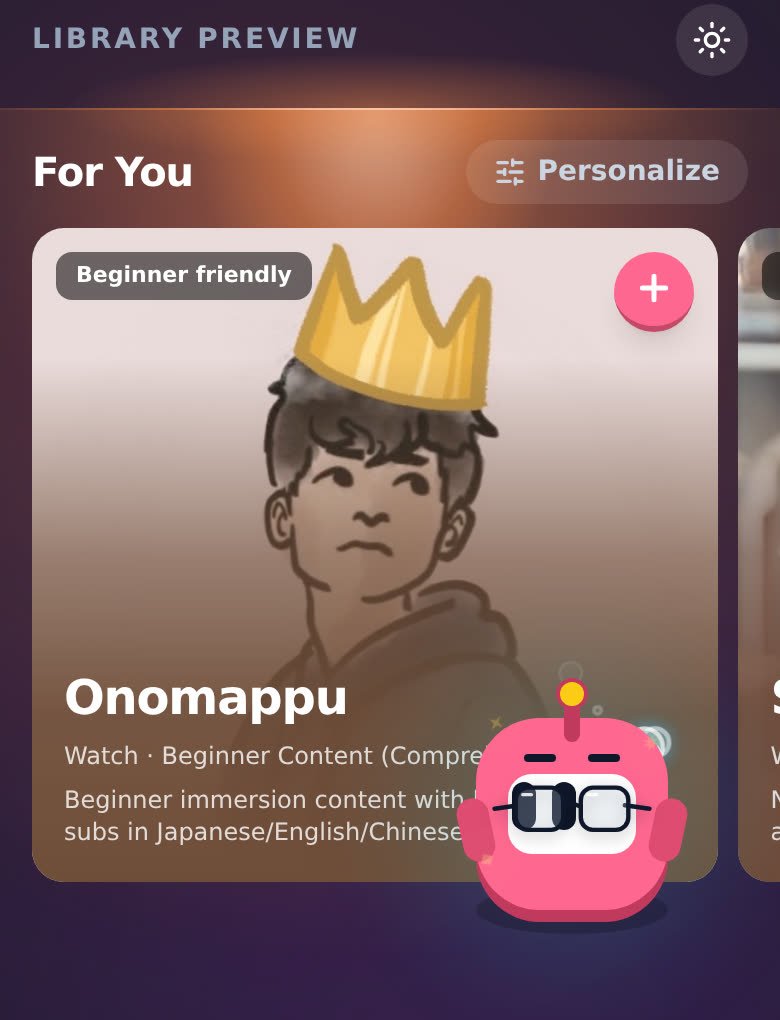
Real understanding comes from lots of real input. Immersed's Immersion Library lists what to watch, listen to and read for your language, on platforms you already use, and Discover gives you an endless feed of creators who post in your language. Scrolling Discover counts as immersion and lands on your timeline.
03Your day
Put the lesson on a timeline, and the input next to it.
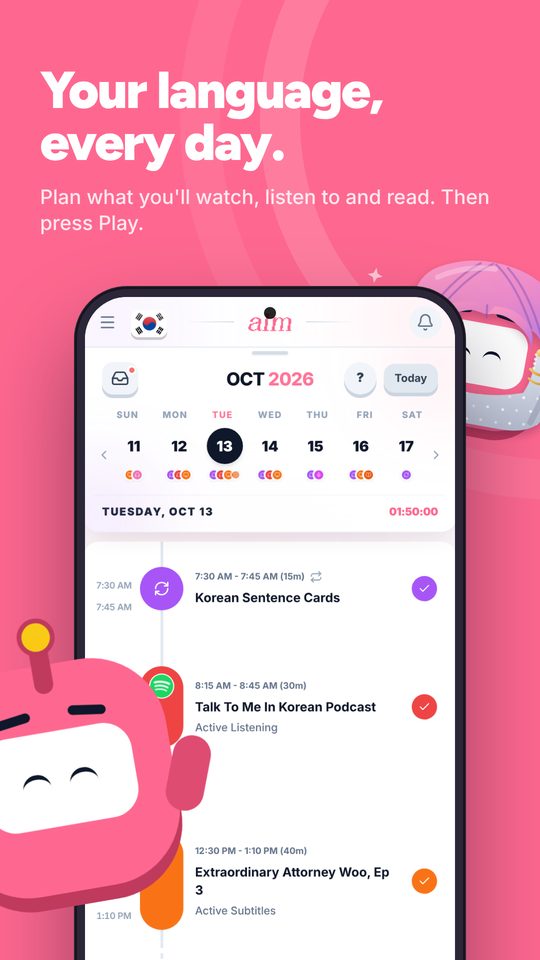
Rosetta Stone gives you lessons. It does not know that you have a job, a commute and an hour after dinner. Immersed's blueprint starts with your actual time and shows Hidden Immersion Time: the drive, the dishes, the gym, and the minutes each adds over a week.
Plan your Rosetta Stone lesson as a repeating task in the morning, a podcast for the commute and an episode after dinner. Press play on each, pick the activity, and tick it off. Log the lesson as Study, the podcast as Passive Listening, the episode as Active Subtitles.
- Nine activities built in, from Active Listening to Shadowing
- Paste a YouTube, Spotify or Apple Podcasts link and it plays inside the session
- Forgot to press play? Log it afterward
04Looking back
Units completed, or what your hours were made of.
Rosetta Stone shows your place in its learning path: which units and lessons you have done. That is a good measure of the course.
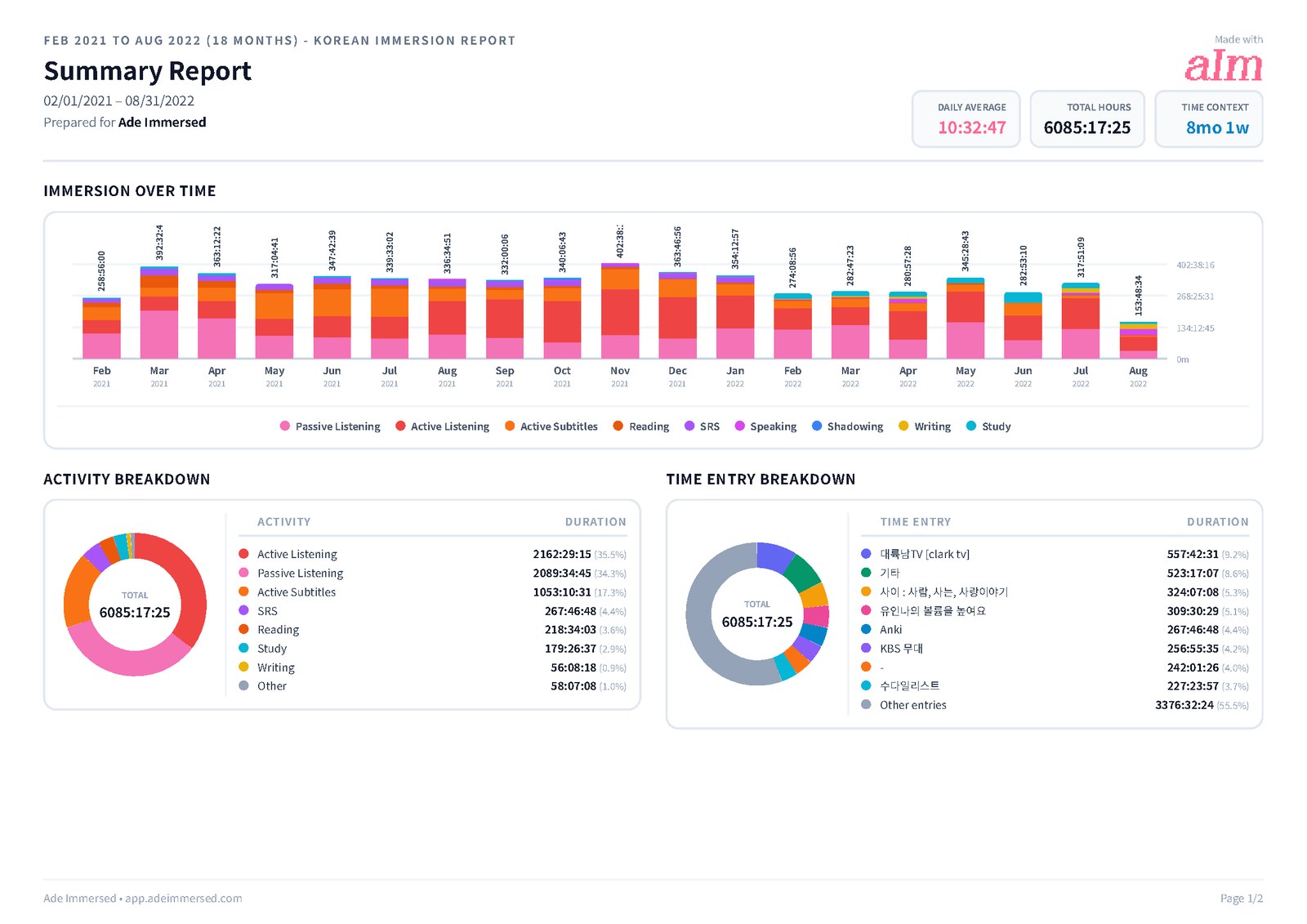
Hours on their own are one-dimensional. A learner two months in can be ahead of one six months in, because of how the time was spent: which activities, content at the right level, how closely they listened. Immersed's Growth page shows that. Your hours are stacked by activity, with a line of your comprehension over time and links back to the shows and channels you spent the most time with.
It also shows time immersed, daily average and a consistency grid with streaks. Export as PDF, Excel or CSV, or share a report link.
Side by side · checked October 24, 2026
Immersed and Rosetta Stone, feature by feature.
What it does
Teaches the language
Immersed · No
Rosetta Stone · Yes, a structured course
Pronunciation feedback
Immersed · No
Rosetta Stone · TruAccent speech recognition
Conversation practice
Immersed · No, you log speaking you do elsewhere
Rosetta Stone · Chat Missions with feedback
Flashcards
Immersed · No, log your SRS time from other apps
Rosetta Stone · 500+ topic sets
Real native content to watch and listen to
Immersed · Library and Discover for your language
Rosetta Stone · Course content made for learners
Planning
A plan built for your day and goals
Immersed · Free blueprint from your answers
Rosetta Stone · A set learning path
Immersion milestones for your first months
Immersed · Yes, on the free blueprint
Rosetta Stone · No
Daily planner
Immersed · Timeline from Wake up to Wind down
Rosetta Stone · No
Tracking
Tracks time across every app and platform
Immersed · Yes, nine activities
Rosetta Stone · Only its own lessons
Comprehension rating per session
Immersed · Yes
Rosetta Stone · No
Progress view
Immersed · Hours stacked by activity, comprehension line
Rosetta Stone · Units and lessons completed
Top shows and channels
Immersed · Listed in reports, with links
Rosetta Stone · No
Guided next steps after the course
Immersed · Fluency Checklist stages and monthly Sprints
Rosetta Stone · More units in the path
Export your history
Immersed · PDF, Excel, CSV
Rosetta Stone · Not that I found
Apps and price
Phone and computer
Immersed · Web app that installs on both; Android app in testing for Google Play
Rosetta Stone · iOS and Android apps, plus the web
Languages
Immersed · Any; Library in 22, hand-picked Toolkit in 11
Rosetta Stone · 25, all in one subscription
Free plan
Immersed · Blueprint, games with leaderboards, Discord, sample app
Rosetta Stone · No
Paid plan
Immersed · $60 a year or $9.99 a month
Rosetta Stone · $159 a year or $19.99 a month
Credit where it's due
Both are good. At different things.
What Rosetta Stone does well
- A clear, structured path, so you always know the next lesson
- Everything stays in the target language, which trains you to think in it instead of translating
- TruAccent gives instant feedback on your pronunciation, early, before bad habits set in
- One subscription covers all 25 languages, so switching or adding one costs nothing extra
- Chat Missions, 500+ flashcard sets and Sapphire Studio give you speaking and review practice beyond the lessons
- Apps on phone and computer from a company that has been teaching languages for decades
What Immersed does that Rosetta Stone doesn't
- Builds a plan from your time, goals and level, with milestones for your first months
- Puts your learning on a daily timeline, including the commute and chores where listening fits
- Tracks every hour in the language, not one app: courses, Netflix, YouTube, podcasts, books, tutors
- Suggests real native content for your language, and gives you a feed that counts as immersion
- Breaks your hours into nine activities and asks how much you understood after each session, so you see what the time was made of
- Keeps working after the course runs out, which is where most of the hours are
Pick Rosetta Stone if
- You are a beginner and want a structured course rather than choosing your own material
- You want pronunciation feedback from the first week
- You like learning without translation and enjoy working out meaning from pictures
- You want to try several of 25 languages under one subscription
- A company-backed course with a set path keeps you more motivated than a plan you run yourself
Pick Immersed if
- You have the basics and want to understand real shows, podcasts and YouTube
- You want a plan that fits your actual day
- You use several resources and want every hour tracked in one place
- You have finished Rosetta Stone, or stopped, and want to know what to do next
Use both, or move over
Use Rosetta Stone to learn, use Immersed to immerse
Early on, plan a Rosetta Stone lesson into your timeline each day and log it as Study. Next to it, add a little easy input from the Library: a podcast for learners, a YouTube channel at your level. The course gives you the pieces; input shows you how they are really used.
As lessons start to feel easy, or once you can follow slow, clear speech on a familiar topic, shift most of your time to input and let the course become a review. Immersed keeps the plan and the record the whole way through, so nothing resets when the course ends.
For what comes after the course, the Fluency Checklist lists 32 things an immerser has in place, in four stages, each with how to get there. The first stage, Foundations, is free on the blueprint; the rest comes with Pro, along with a monthly Sprint of daily quests.
Pricing · checked October 24, 2026
What each one costs.
Immersed
- Free: the blueprint for one language (with the Toolkit, Library picks and the Fluency Checklist's Foundations), the listening games in 12 languages with their leaderboards, Aim Runner, the Discord and the sample app. A free account also gets the Fitting Room's day-one outfits, Hour Marks and badges from game time.
- Immersed Pro: $60 a year (starts with a free week, about $5 a month) or $9.99 a month. Timeline, sessions, Discover, Library, Growth and reports, more languages.
Rosetta Stone
- Monthly: $19.99 a month, all 25 languages.
- Yearly: $159 billed once a year, about $13.25 a month, all 25 languages.
- Lifetime: not on their US buy page when I checked. Deal sites have sold lifetime access to all languages for roughly $150 to $200 against a $399 list price; check before you buy.
US prices from Rosetta Stone's buy page on the date checked; they change often and app store prices can differ. Rosetta Stone and Immersed pay for different things: one is a course, the other a plan and a record of your immersion. If you are a true beginner and can only afford one, start with the course.
FAQ
Questions people ask.
Is Immersed a Rosetta Stone alternative?+
No. Rosetta Stone is a course that teaches you. Immersed teaches no grammar or vocabulary; it plans, tracks and shows your immersion in real shows, podcasts and books. Most learners get more from using both than from choosing one.
Is Rosetta Stone really immersion?+
It is immersive in the sense that lessons stay in the target language with no translation. The content is still built for learners. Language immersion usually means hours of native material, like TV, YouTube and podcasts, which is what Immersed plans and tracks.
How much does Rosetta Stone cost?+
On their US buy page on 2026-10-24: $19.99 a month or $159 a year, both covering all 25 languages. A lifetime plan was not on that page; deal sites have sold it for roughly $150 to $200. Prices change often.
Does Rosetta Stone have a free plan?+
Not that I found on their buy page. Immersed's blueprint, listening games, Discord and sample app are free; the tracker itself is Immersed Pro.
How do I track Rosetta Stone in Immersed?+
Press play in Immersed when you start a lesson and pick Study, or log it afterward. Make it a repeating task on your timeline so it sits in the same slot each day.
When should I move from Rosetta Stone to immersion?+
Add easy input from the start. Move most of your time to native content once lessons feel easy or you can follow slow, clear speech on a topic you know. Keep the course as review if it helps.
More comparisons
Stop guessing. See what your hours add up to.
Answer a few questions and Immersed builds your plan: a daily routine that fits your life, milestones for your first months, and things to watch at your level. Free, about two minutes, no account needed.
The plan is free and stays free. No card.
Checked October 24, 2026 against published product information. Prices and features change; if something here is out of date, tell me on Discord and I'll fix it.