Why doesn't something show up on my other device?

Close Aim on the device where it's missing and open it again. That pulls the latest from my servers. Still missing? Check you're signed in to the same account and on the same language, and that the device you made the change on got back online with Aim open.
What syncs, and when?
Everything you do while signed in is saved to your account, so it's on every device. Some things show up on their own, and some wait until you open Aim again.
Usually on their own, within a few seconds:
- Tasks you plan on your timeline, and changes to them
- Your inbox
- A session that's running (start it on your laptop, and your phone shows it too)
- Your Wake up and Wind down times, and your play button settings
When you open Aim again:
- Sessions you logged, and the Growth numbers built from them
- Your Immersion List
- Your blueprints
When you switch back to Aim, or tap Sync now: your logged sessions and your Immersion List. Aim also sends anything that was waiting on that device first.
Never, because they belong to the device:
- Your weekly goal. Set it on each device. See How do the week strip and weekly goal work?.
- Date and time (24-hour clock, week starts on), the theme, and Reduce motion
- When you tap Get Immersed on a video (play it in Immersed, open it on YouTube, or just the timer)
- The full-screen session layout (Ring or Now playing)
- The order of your phone's bottom bar (Customize Bar)
- The little tips from Aim, which show once per device
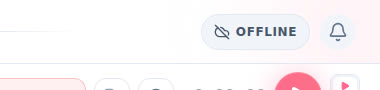
What's the button next to the bell?
It only shows up when something's off, so most of the time you won't see it.
- Offline. You've lost your connection. Keep going: everything you do is saved on this device and sends when you're back online.
- Sync now. You're back online and some changes are still waiting. Tap it and they go.
- Didn't sync. My servers refused some changes. Tap it to open Settings, then Sync to see which.
When everything's through, it says All synced for a moment and disappears. On a phone it's just the cloud icon.
It's missing. What do I do?
-
Open Aim again. On the device where it's missing, close Aim and open it again. In a browser, reload the page. Your logged sessions come in when Aim starts.
-
Check it's the same account. Open Settings (on desktop, the gear at the top of the menu; on a phone, open the menu, tap your profile, then the gear). Under Account, look at Email. It has to be the same on both devices. Signed in with Google on one and with an email and password on the other? If the emails differ, those are two separate accounts.
-
Check it's the same language. Your timeline and Growth show one language at a time. Look at the flag at the top on both devices. See How do I switch between languages?.
-
Check the first device got online. If you made the change with no signal, it waits on that device. It goes up when that device is back online with Aim open, or the next time you open or switch back to Aim there. Open Aim on that device on Wi-Fi or data.
-
Look at the Sync page. In Settings, under Account, scroll to This device and tap Sync. Tap Sync now. It sends anything waiting on this device, then pulls your logged sessions and your Immersion List again. Do it on both devices: first the one you made the change on, then the one where it's missing.
What does the Sync page tell me?
The Status at the top says one of these:
- Everything is saved. Nothing is waiting on this device.
- Syncing… It's working on it. Give it a moment.
- Waiting to sync. Something from this device hasn't gone up yet. Tap Sync now, or keep Aim open and online.
- Some changes didn't sync. Tap Try again next to the language that failed. If it keeps failing, email me (below). If it says changes were refused by the server, Aim tried a few times and my servers wouldn't take them. They're kept on that device, so don't clear its browser data, and email me.
- Offline. This device has no connection. "Your changes are saved on this device and will sync when you're back online."
Under By language, each of your languages shows when it last synced, with its own Sync now.
Good to know
- No account, no sync. The sample app saves nothing. A blueprint you make without an account lives only in that browser. Tap Save my blueprint to make a free account and keep it. See What can I do without Pro?.
- Don't clear your browser data while something is waiting. Changes made offline wait in the browser on that device. Clearing its data before they go up throws them away. The same goes for changes the Sync page says were refused.
- There's no "Force Sync Push". An old help article told you to tap it. It doesn't exist. Sync now on the Sync page is the button.
- Installing Aim on your phone or computer is the same account and the same data. See How do I install Aim on my phone or computer?.
Still missing?
Email me at support@adeimmersed.com, or poke me on Discord. Tell me:
- the email on your account
- which device you made the change on, and which one it's missing from
- what's missing (a session, a task, an inbox item) and roughly when you did it
I read everything, and I'll dig into it on my side.