How do I see my progress?

Open Growth. It's your immersion at a glance: how this week is going, how much time you've put in, and how it adds up over a month, a year or all time.
Growth is part of Pro (or your free week). Want to look around first? The sample app opens it on made-up data. See Can I try Aim without an account?.
Steps
-
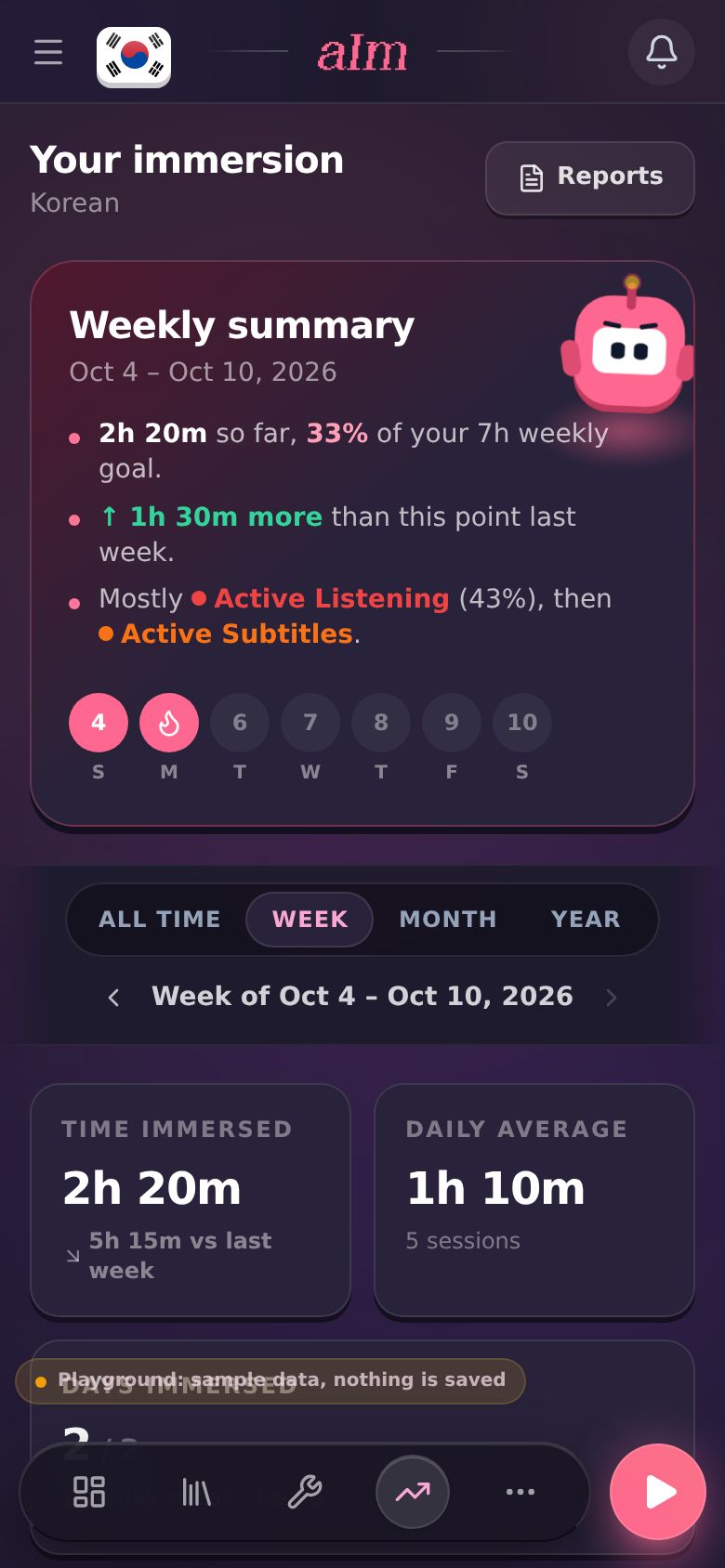
Open Growth. On a phone it's the icon with the rising line in the bottom bar. On desktop it's Growth in the sidebar. The page is called Your immersion, with your language under it.
-
Read the Weekly summary at the top. That's me telling you how the week is going, in two or three lines:
- how much you've done so far, and what share of your weekly goal that is
- how you compare with this point last week (or your streak, if that's the bigger news)
- what most of your time went to, or the last note you wrote
Under it there's one circle per day. A filled circle means you logged something that day. The flame marks your streak. I write this from your numbers, not with AI.
-
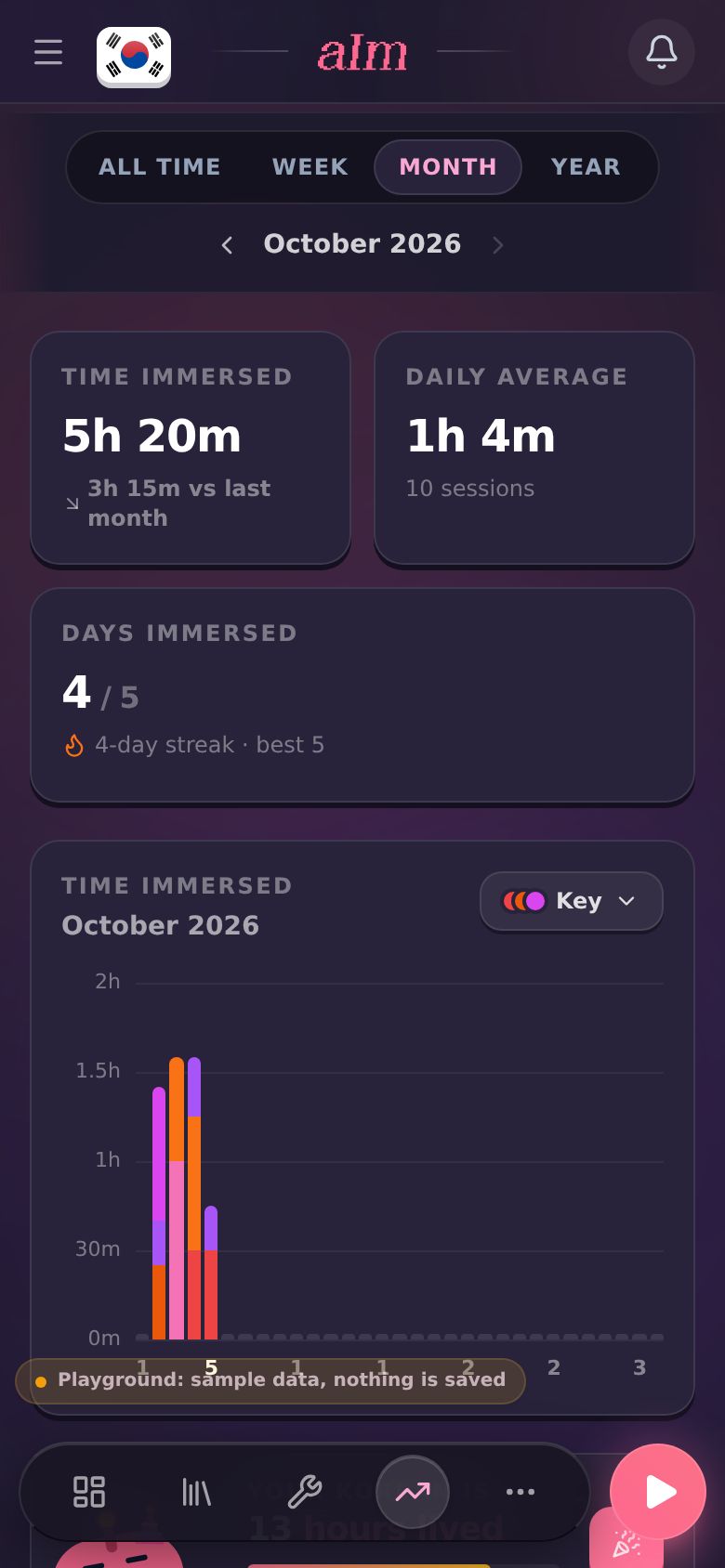
Pick a period: All time, Week, Month or Year. Use the arrows beside the dates to step back a week (or month, or year), and forward again. You can't go back past your first day, or forward past today.
-
Read the three numbers:
- Time immersed. Your total for the period. Underneath, an arrow shows how it compares with the whole of last week, last month or last year ("vs all of last week"). Step back to an older period and it compares with the one before that ("vs the week before"). On All time it says when you started instead.
- Daily average. Your time split over every day of the period so far. It says Days off included underneath, because that's what makes it different from the one in Reports & analytics.
- Days immersed. The days you logged out of the days so far ("2 / 2"), with your current streak and your best one.
-
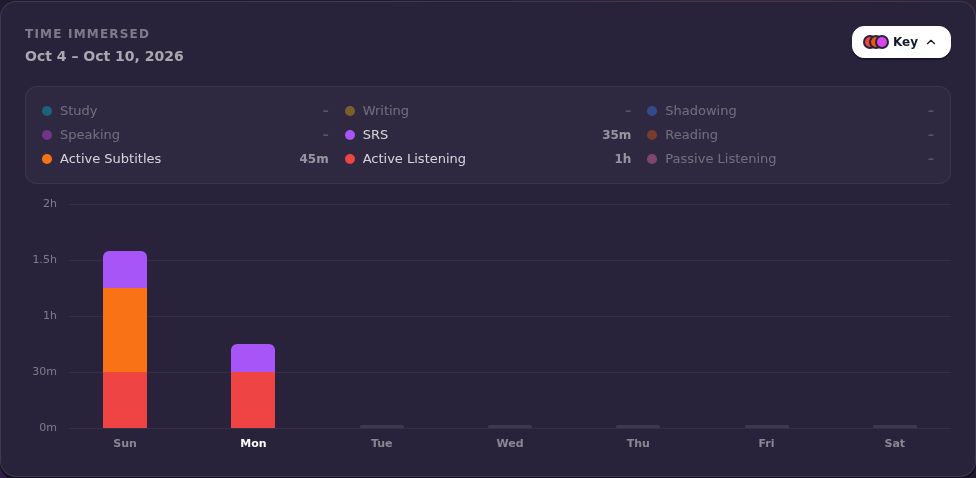
Look at the Time immersed chart. Week and Month show one bar per day. Year and All time show one bar per month (per year, if you've been at it more than two years). Each bar is split by activity, in that activity's colour. Hover or tap a bar to see its total.
-
Tap Key to see what each colour means and how much time each activity got in the period. The Key stays open or closed the way you left it.
-
Scroll down to Language Day. It says how old your language is in hours ("Your Korean is 13 hours lived"), with a bar filling up to the next milestone ("1.1h to 15 hours"). Tap it to celebrate and share your card. Before your first hour it says "Unlocks at your first hour", and tapping it opens the log window instead.
-
Under that is Recent activity: your last five sessions. Tap one that has a link to open it again. + Log adds something you did outside the app. View history opens all of them. See How do I look back at old sessions and revisit one?.
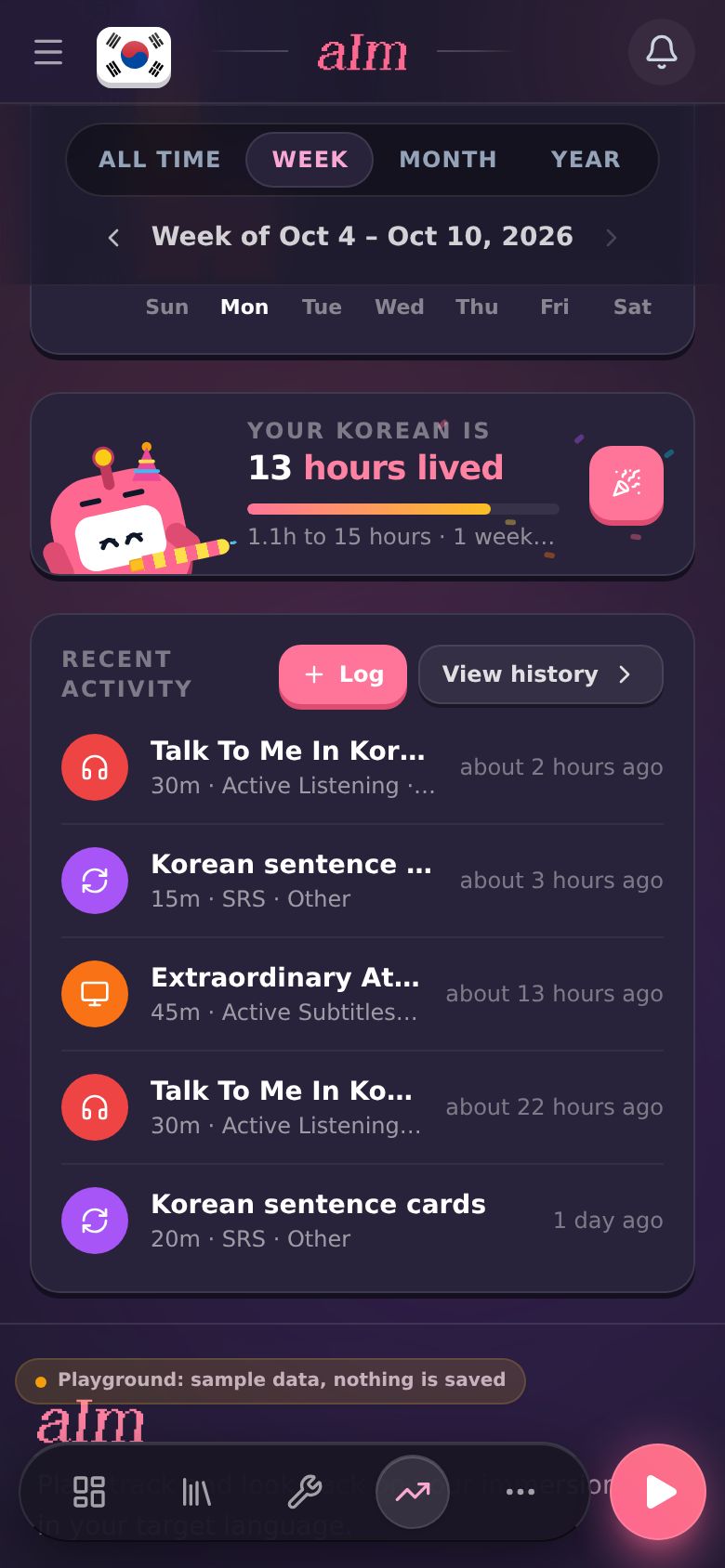
On desktop it's the same page, just wider.
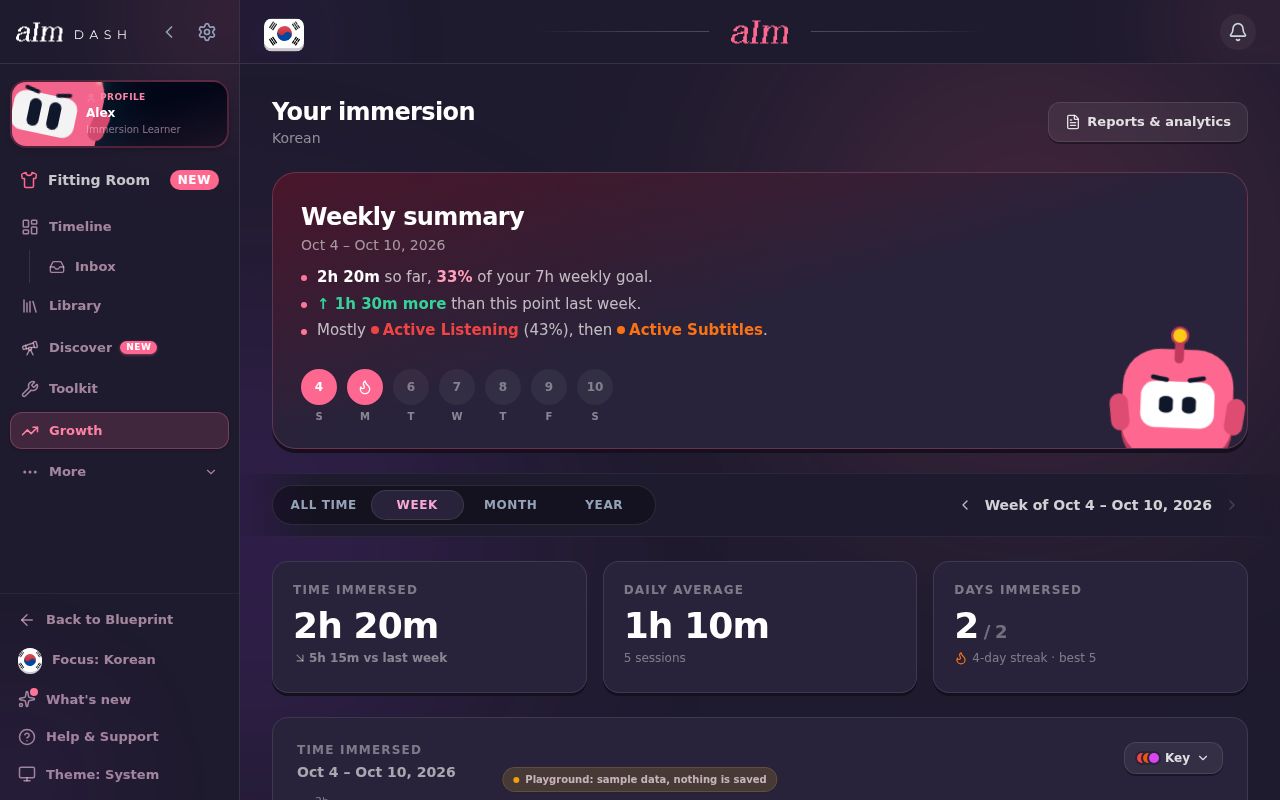
Why does the Weekly summary say I'm ahead when Time immersed says I'm behind?
They're two different comparisons, and both are right.
- The Weekly summary compares you with the same point last week. On Monday morning it looks at last week's Sunday and Monday morning. So "↑ 1h 30m more than this point last week" means you've started this week faster.
- Time immersed (on Week) compares this week so far with all of last week. Early in the week that's usually lower, so you'll see something like "↘ 5h 15m vs all of last week". It catches up as the week goes on.
Month and Year work the same way as Time immersed: this month so far against all of last month.
Good to know
- One language at a time. Growth shows the language you're focused on. Switch languages to see another one. Your history shows all of them together.
- The activities. The chart and Key use the nine activities: Passive Listening, Active Listening, Active Subtitles, Reading, SRS, Speaking, Shadowing, Writing and Study. Sessions with no activity show in grey.
- Two kinds of daily average. Here, days off count. In Reports & analytics, the daily average only counts the days you immersed, so that number is usually higher. See How do I get a report or export my data?.
- Your weekly goal is set on your timeline, with the weekly goal pill. The Weekly summary uses the same goal.
- When your week starts follows Week starts on in Settings.
- Pro. Growth, your history and Reports are in the dashboard, which is part of Pro (or your free week). See What can I do without Pro?.
- Reports & analytics (top right, Reports on a phone) has the deeper numbers, PDF reports and exports. See How do I get a report or export my data?.