How do I look back at old sessions and revisit one?

On Growth, tap View history. Every session you've logged is there, newest first. Tap one, then Revisit to watch, hear or read it again and see how much more you get this time.
History is part of Pro (or your free week).
How do I open my history?
-
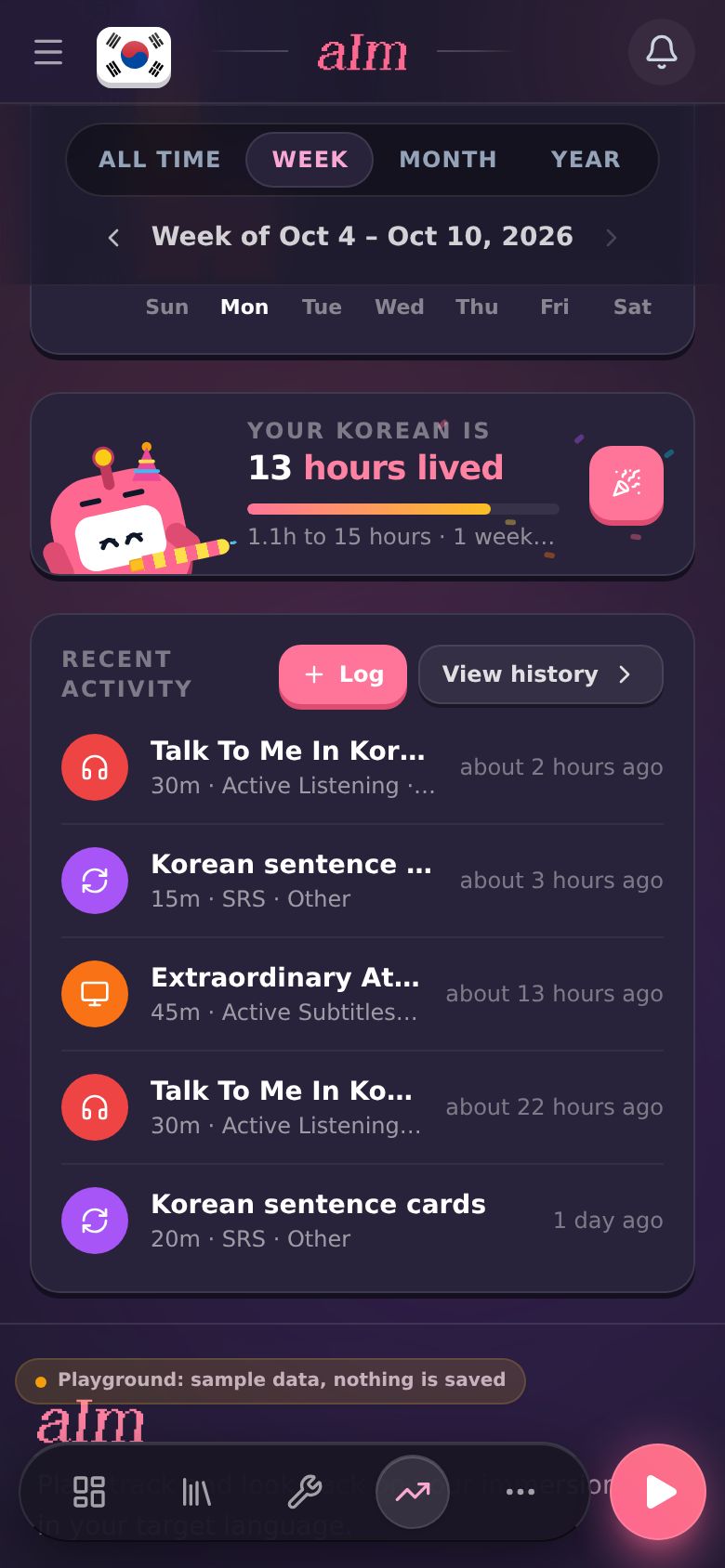
Open Growth and scroll to Recent activity.
-
Tap View history.
-
Immersion History opens (just History on a phone). On the left (on top on a phone) is a calendar. Days you immersed are pink: the more you did, the stronger the pink. Under it, Summary shows Total logs and Immersion time. On the right is every session, grouped by day, with each day's count and total.
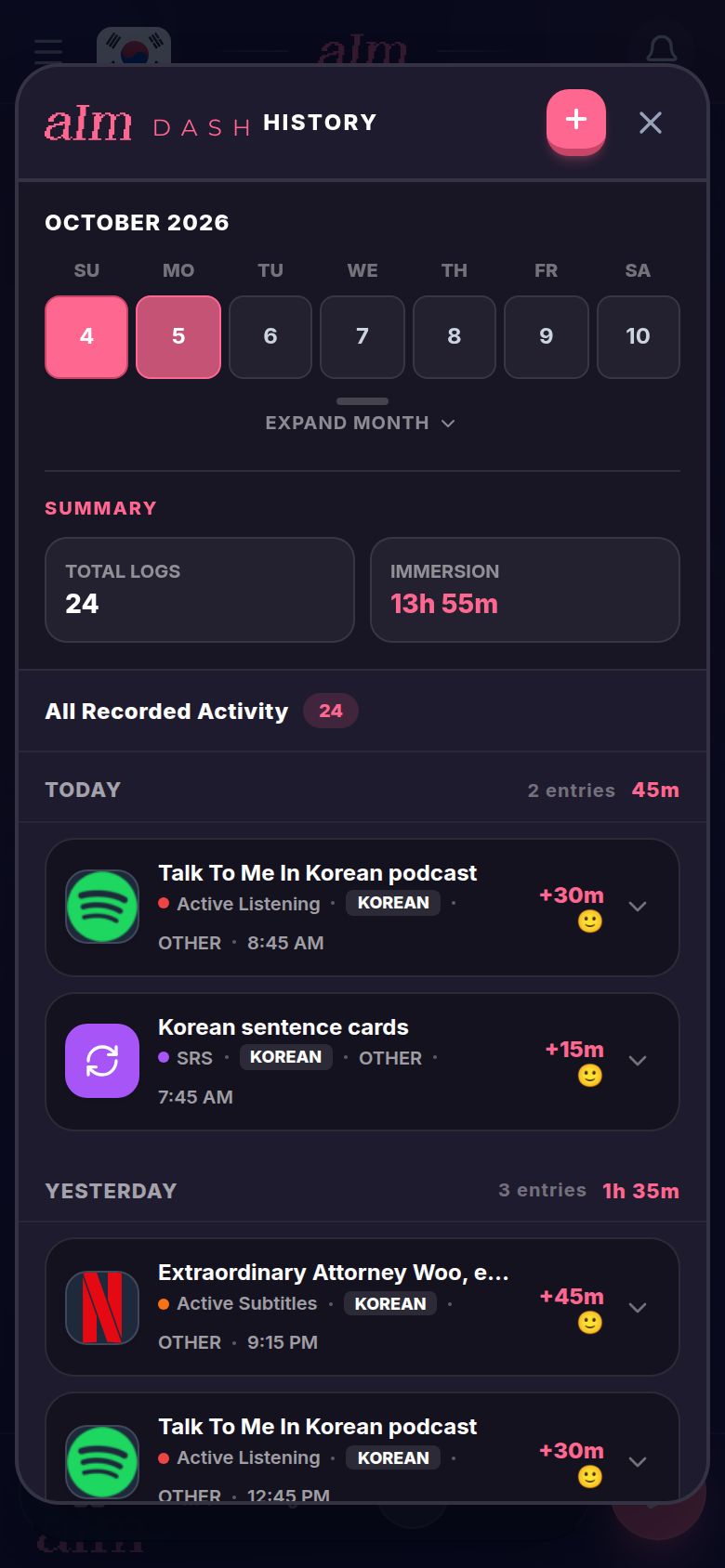
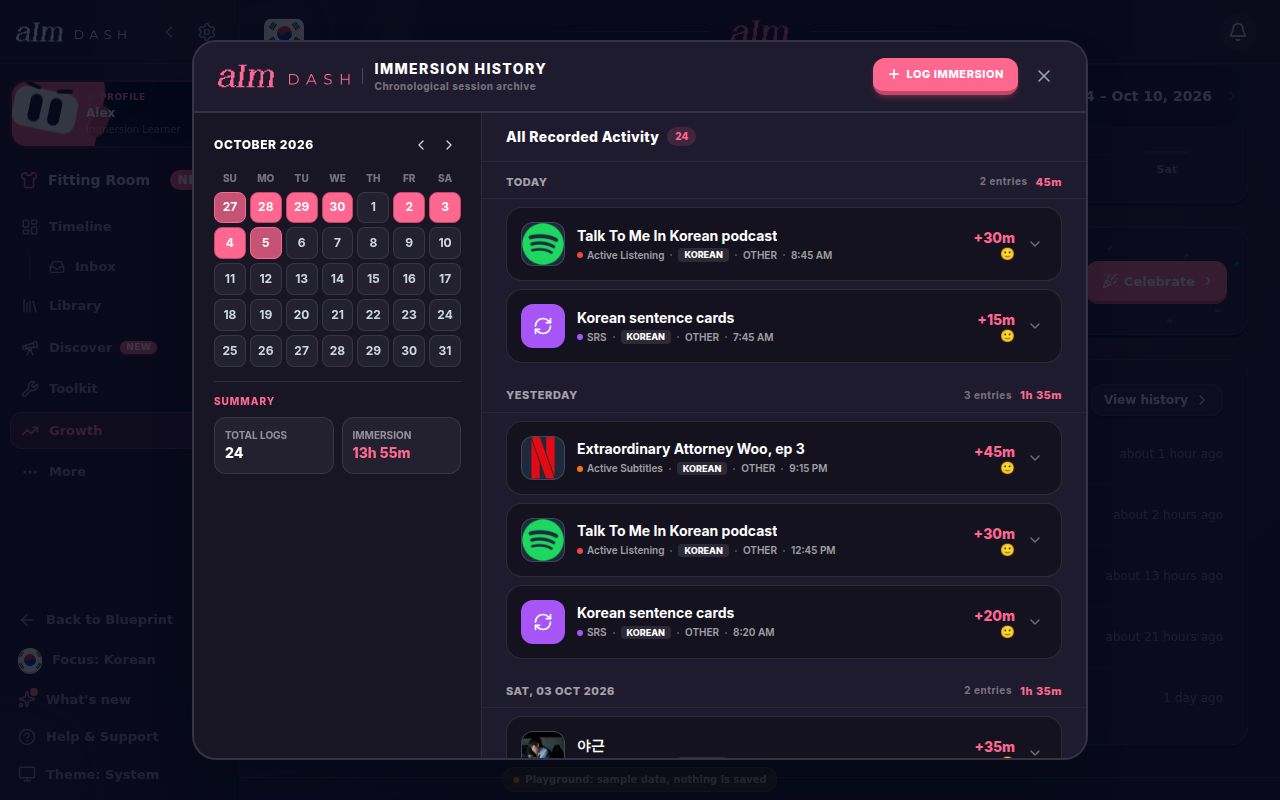
Each session shows its title, activity, language, platform and the time you did it. On the right is how long it was, and a face for how much you understood (from 🤯 to 😎).
How do I find a day or a stretch of days?
- Tap a day on the calendar to see only that day.
- Tap a second day to see everything in between.
- Tap the same day again, or tap Show All, to see everything again.
- Use the arrows by the month to go back a month. On a phone the calendar shows one week. Tap Expand Month for the whole month.
The Summary box follows what you picked. I show 30 sessions at a time. Scroll down and tap Load more for older ones.
How do I read my notes?
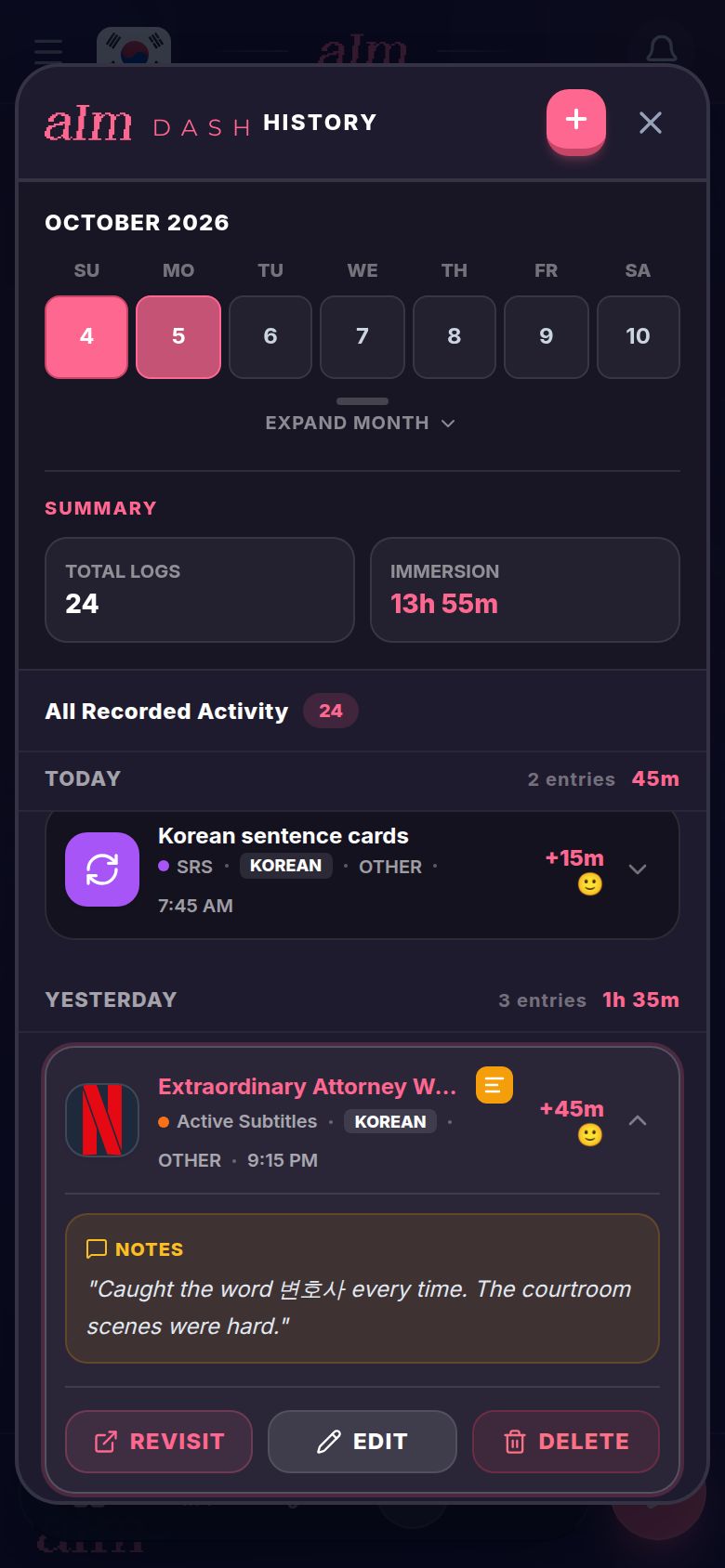
A session with a note has a small yellow note icon next to its title. Tap the icon to open the note. Tap it again to close it.
How do I revisit a session?
-
Tap the session. Three buttons slide open: Revisit, Edit and Delete.
-
Tap Revisit. Three things happen at once: the link opens in a new tab, a session starts on your timeline with the same title, link and activity, and the history window closes.
-
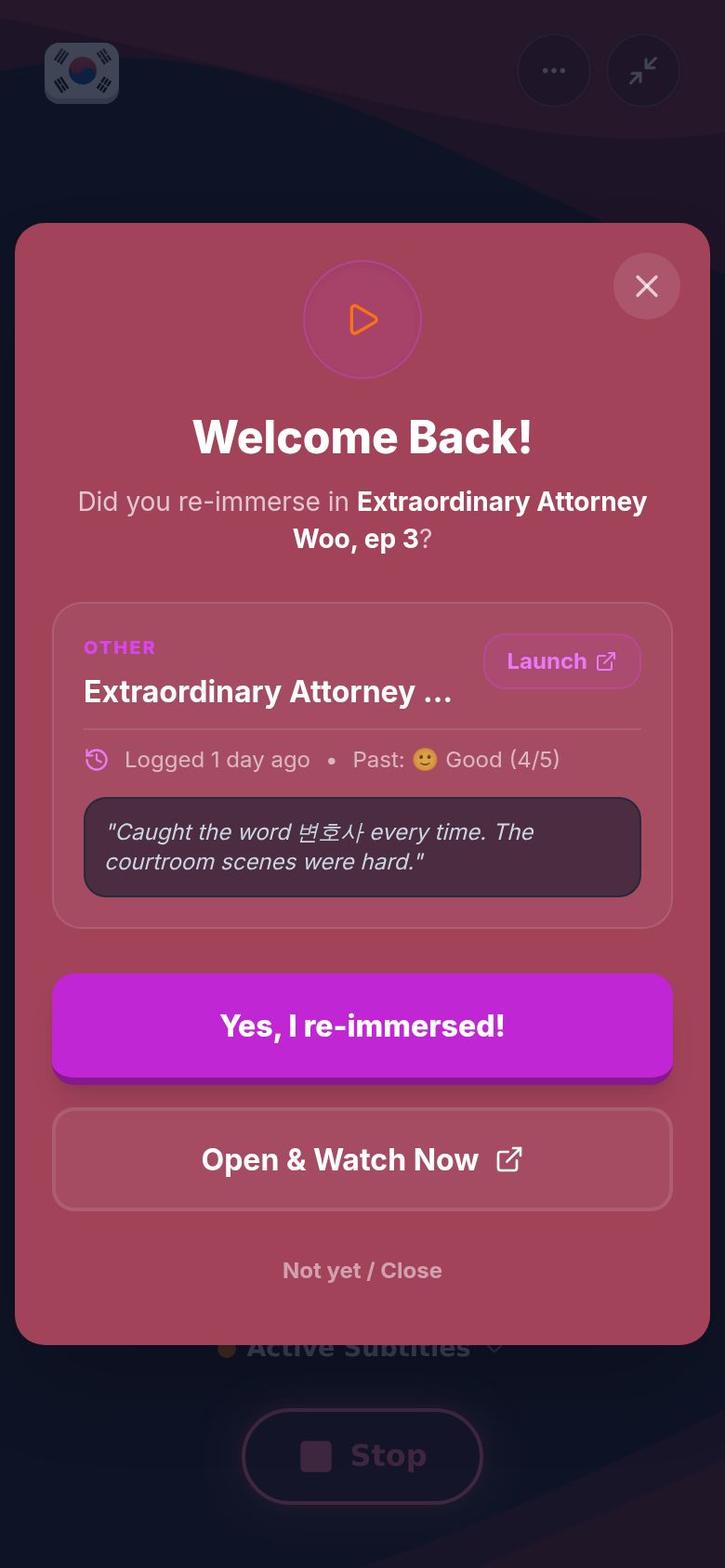
Welcome Back! is waiting, with what you logged last time: when, how much you understood, and your old note.
- Yes, I re-immersed! goes on.
- Open & Watch Now opens the link again.
- Not yet / Close puts it away. Your session keeps running.
-
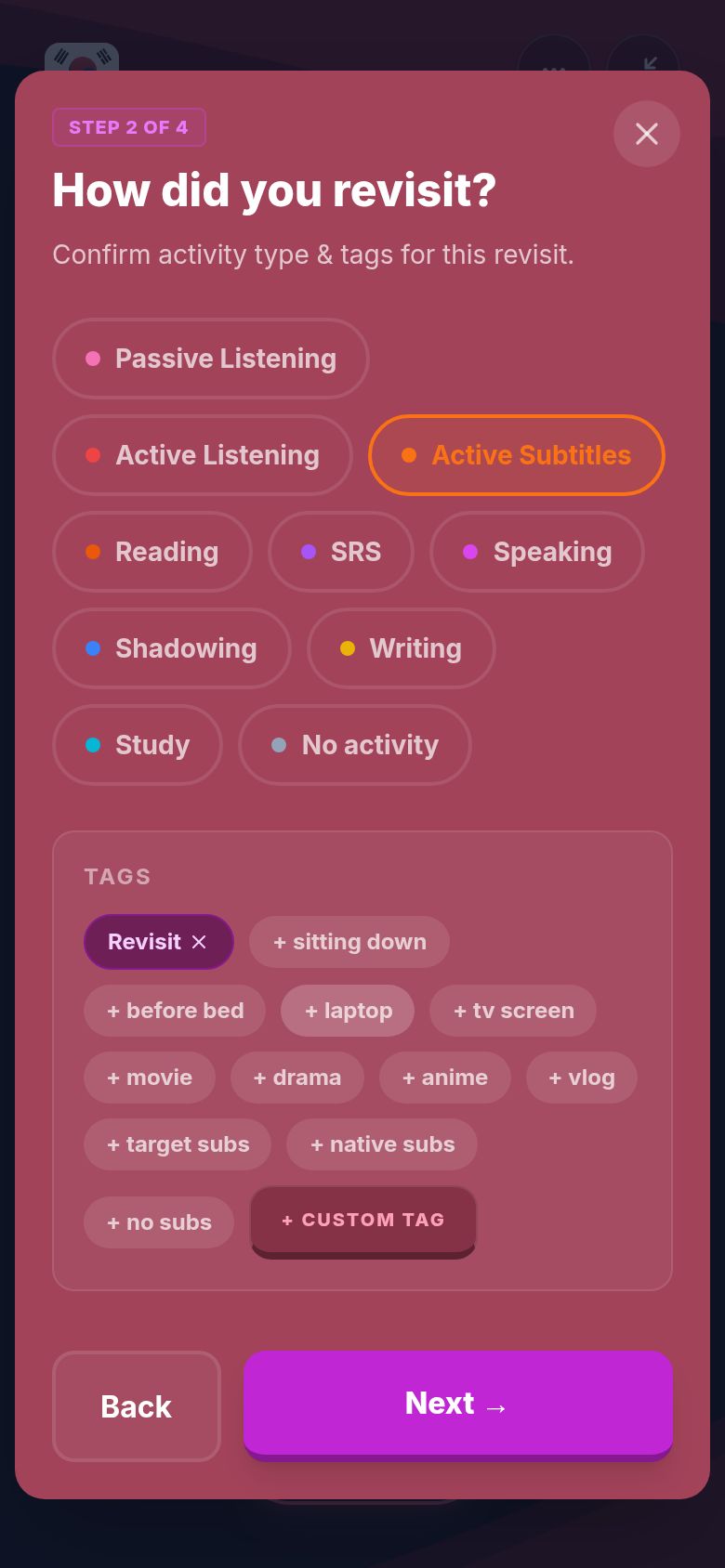
How did you revisit? Check the activity and add tags if you like. The Revisit tag is always on.
-
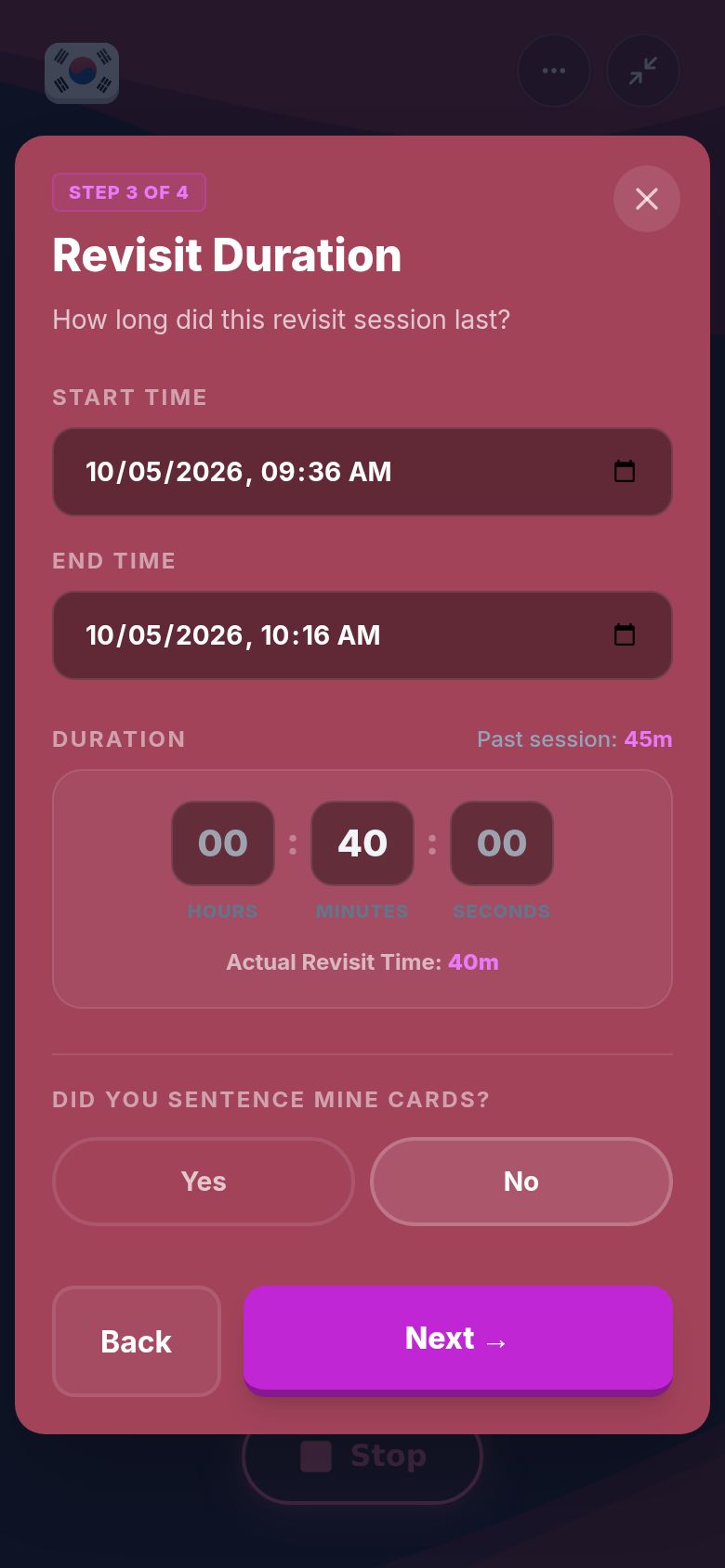
Revisit Duration. Set when you started and finished, or type the time. Your last session's length is shown for comparison. Say whether you sentence mined, and how many cards. Tap Next.
-
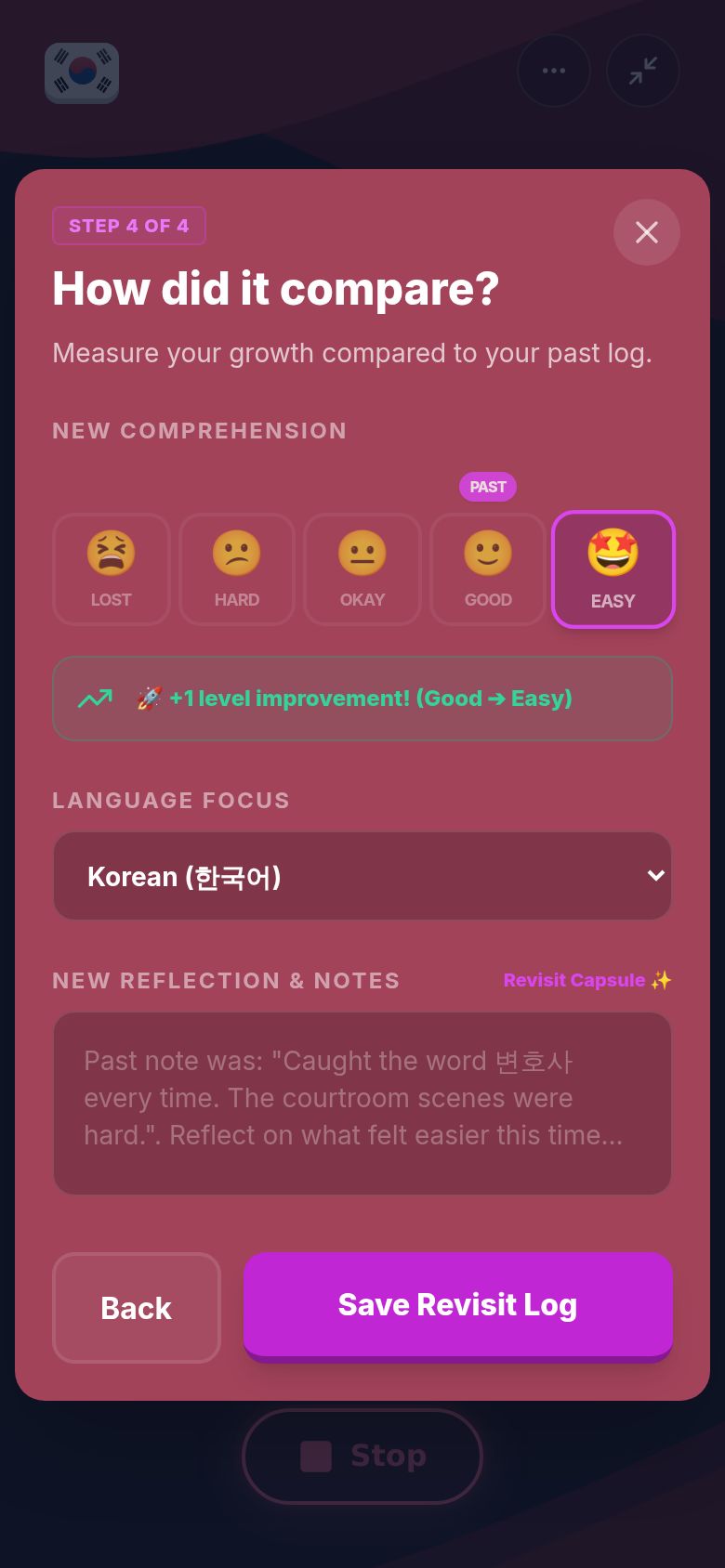
How did it compare? Under New Comprehension, pick how much you understood this time: Lost, Hard, Okay, Good or Easy. Your old rating is marked Past, so you can see the jump ("+1 level improvement!"). Check the language, and write a new reflection if you want. Your old note sits in the box as a hint.
-
Tap Save Revisit Log. Revisit Complete! shows your Growth Shift (old rating to new rating), how long you spent, and your reflection. Tap Done. The session Revisit started ends here, and the revisit is logged once.
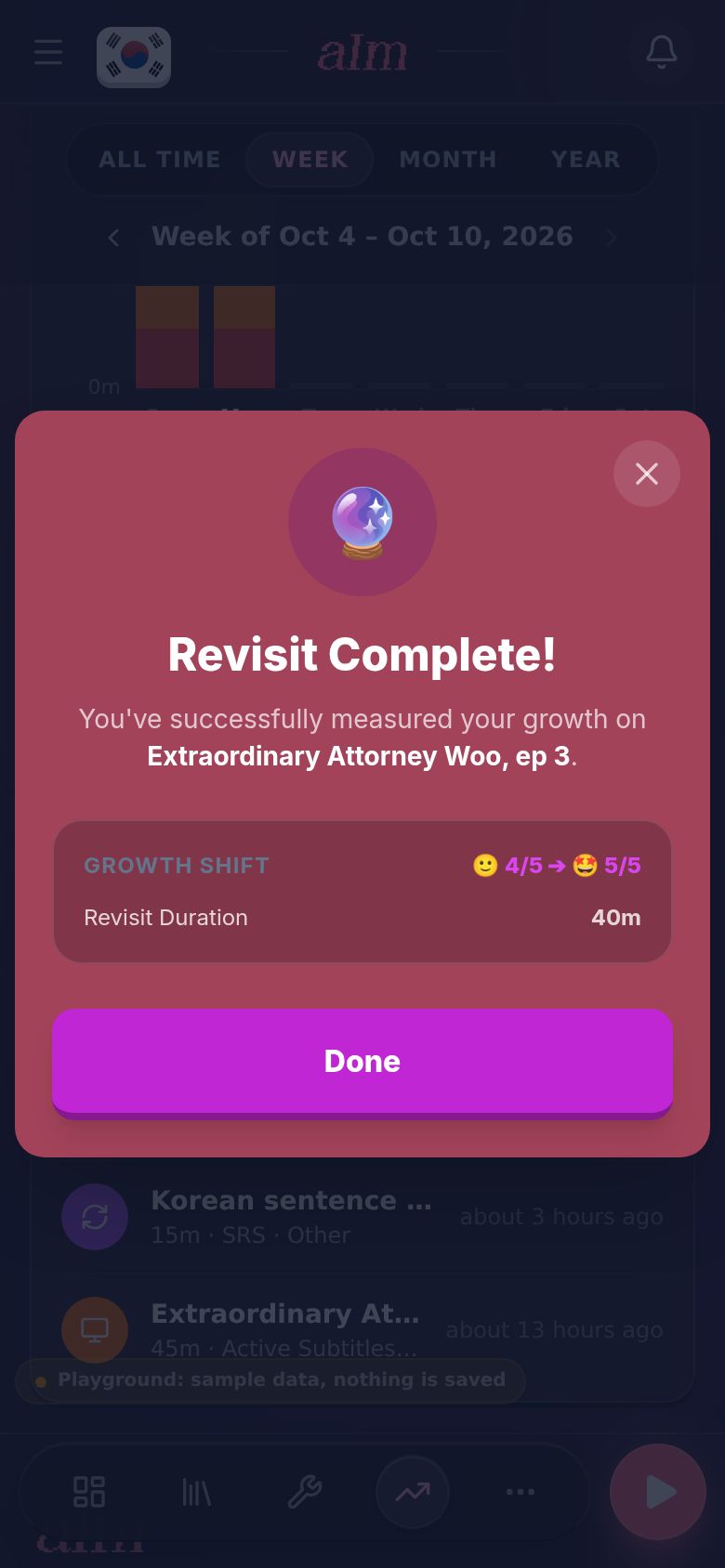
That's the best way I know to feel your progress. Same episode, a month later, way more of it makes sense.
What does Start do?
A session without a link shows Start instead of Revisit. Tapping it starts a new session with the same title and activity, and closes your history. There's no comparison card for these. Rate it when you finish, like any session.
How do I fix or delete an old session?
- Edit opens Edit Immersion Entry right inside History. Change the title, language, link or platform, tap Continue to details, change the time, activity, comprehension or notes, then tap Save Log Entry.
- Delete asks "Permanently delete this immersion log?" first.
- Log Immersion (the + on a phone) adds a session you did away from the app.
Good to know
- All your languages. History shows every language together, each session with its language tag. Growth only shows the language you're focused on.
- You choose what to revisit. I don't bring old sessions back on a schedule. Pick anything from your history whenever you want a check-in.
- Your old log stays. A revisit is saved as a new session with the Revisit tag. The original isn't changed.
- Recent activity on Growth shows your last five sessions. Tapping one with a link opens the link, but doesn't start a revisit. Use History for that.