Language Reactor makes the episode readable. Immersed makes the habit visible.
Language Reactor is a Chrome extension that puts two sets of subtitles on Netflix and YouTube, with a popup dictionary and playback controls built for learners. Immersed is a language immersion tracker and planner: a free plan built from your answers, then a daily timeline for the shows, podcasts and books you learn from, with reports of your hours. One works inside the video. The other works across your whole day.
Free. About two minutes. No account, no card.
This page mentions Migaku. I worked at Migaku, and Migaku links in Immersed are affiliate links. Language Reactor links in Immersed are not.
The short version
Checked October 24, 2026.
Something out of date? Tell me.
Language Reactor is the tool you open while you watch. It shows your target language and your own language at once, lets you click any word, and pauses or repeats a line when you need it. The core of it is free.
Immersed is the tool you open before and after. It plans when the watching happens, times it as Active Subtitles, asks how much you understood, and turns weeks of it into reports. Most learners who watch Netflix to learn will get the most out of using both.
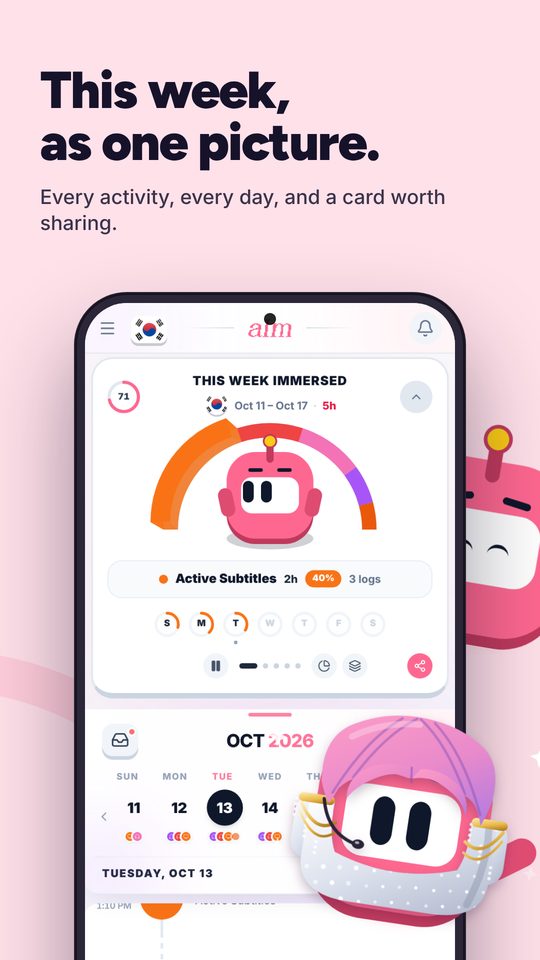
Language Reactor helps you with each line. Immersed shows what your hours were made of: which of nine activities, how much you understood, which shows and channels. Your 1,000 hours and someone else's 1,000 aren't the same.
01Two different jobs
Language Reactor helps you understand a line. Immersed keeps count of the hours.
Language Reactor works at the level of the sentence. Dual subtitles, a dictionary on hover, a list of every line in the episode you can jump between, and machine translation when a line beats you. With Pro, you can save words and phrases, see them highlighted next time they show up, and export them to Anki.
Immersed works at the level of your week. It doesn't change the video: no subtitles, no dictionary, and it never reads your viewing history. You start a session when you sit down, pick one of nine activities, and stop when you're done. That session goes on your timeline with a comprehension rating and lands in your reports.
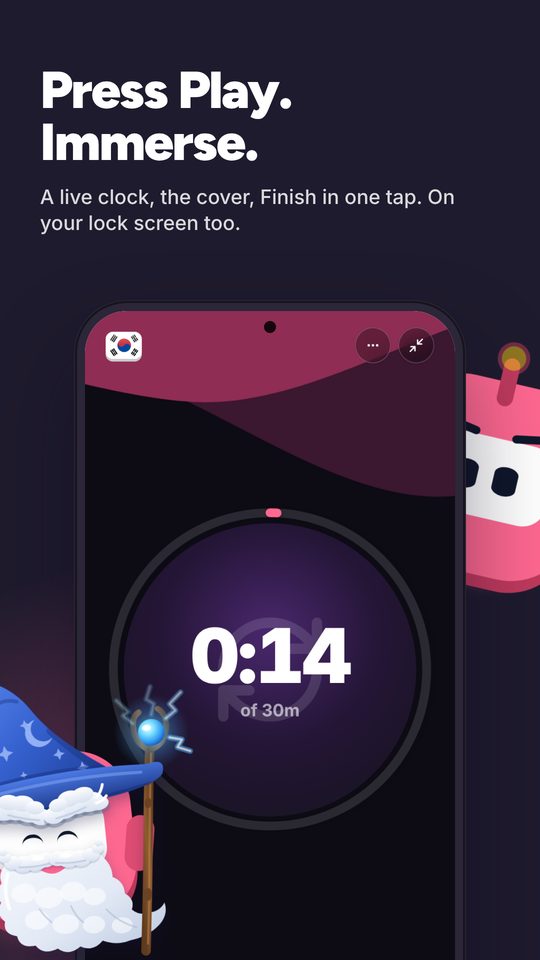
Its extension, Immersed for Chrome, runs on the same YouTube page as Language Reactor. Press Immerse on the watch page and the session starts; a small pill shows the clock as you move between tabs, and the next video from the same creator or playlist joins the session on its own. On Netflix and other media sites it adds an Add to Immersed button for saving what you watch.
- Language Reactor: subtitles, lookups, saved words, playback control
- Immersed: the plan, the timer, comprehension, hours by activity, streaks
02A night with both
An episode on Netflix, tracked from start to finish.
Your Immersed timeline has the episode planned after dinner. When you sit down, press play in Immersed and choose Active Subtitles. Open Netflix with Language Reactor and watch the way you like, with both subtitle tracks on, or only the target language, pausing to look things up.
When the credits roll, stop the session. Rate how much you understood and add a note: the show, the episode, the line you finally got. Next week, try the same show with your own language hidden and see whether the rating moves. That's the kind of proof a subtitle tool can't give you on its own.
Starting from a YouTube video saved in Immersed instead? Set it to Open it on YouTube (Settings, When you tap Get Immersed on a video): the timer starts and the video opens on YouTube, where Language Reactor works. The full-screen session also has a Copy link button for taking the video wherever you want it.
- Plan the episode into a free gap on the timeline, with a reminder
- Time it as Active Subtitles; log it afterward if you forgot to press play
- Rate comprehension each time and watch it change over the months
03Off the screen
The immersion that happens without Netflix.
Language Reactor lives in desktop Chrome. That's where a lot of active watching happens, but much of a learner's immersion doesn't: a podcast on the commute, an audiobook at the gym, a novel before bed, a call with a tutor.
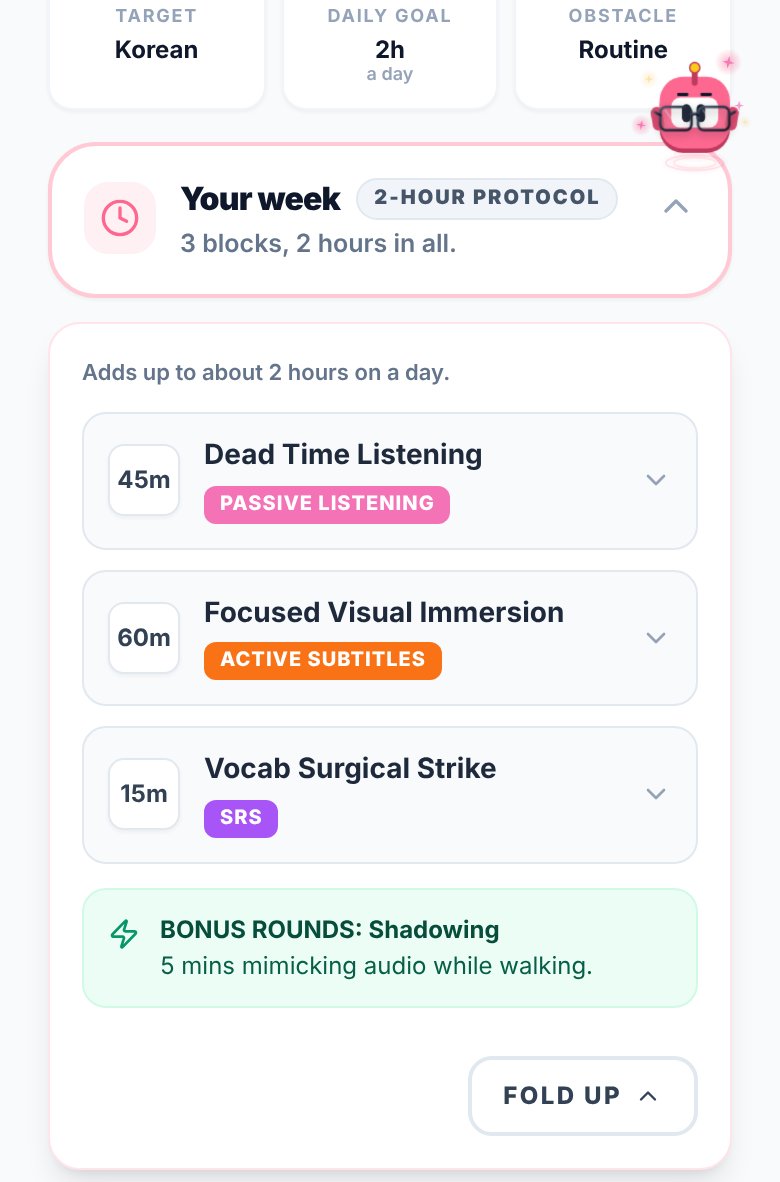
Immersed is built for all of it. The free blueprint shows your Hidden Immersion Time, the minutes that passive listening adds to a busy day. Make the play button default to Passive Listening and the walk to work is one tap. Paste a YouTube, Spotify or Apple Podcasts link and it plays inside the session.
04What to put on
Language Reactor works on what you bring. Immersed helps you find it.
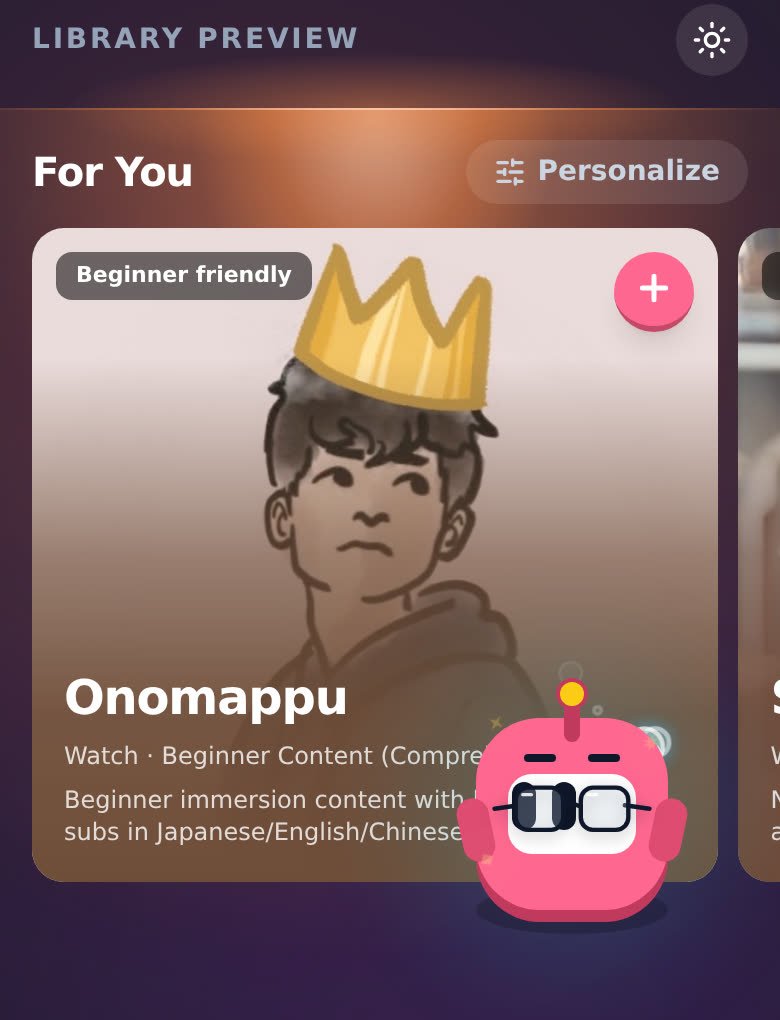
Language Reactor makes any Netflix show or YouTube video easier to study, but you still have to pick one at your level. Immersed comes with an Immersion Library for your language (Watch, Listen and Read, across the platforms native speakers use, in 22 languages) and Discover, a feed of creators and podcasts in your language, in 11 languages. Scrolling Discover counts as immersion and logs itself.
Immersed's free Toolkit points to Language Reactor as the helper to use while you watch for languages Migaku doesn't cover, Arabic among them, and to Migaku for the rest. The two were never meant to compete.
Side by side · checked October 24, 2026
Immersed and Language Reactor, feature by feature.
Inside the video
Dual subtitles on Netflix and YouTube
Immersed · No
Language Reactor · Yes
Popup dictionary
Immersed · No
Language Reactor · Yes
Playback controls for learners
Immersed · No
Language Reactor · Yes, pause, repeat and jump by line
Save words and export to Anki
Immersed · No
Language Reactor · Yes, with Pro
Subtitles for dubbed Netflix audio
Immersed · No
Language Reactor · Yes, with Pro
Planning
A plan built from your time and goals
Immersed · Free blueprint
Language Reactor · No
Daily timeline with reminders
Immersed · Yes
Language Reactor · No
What to watch, listen to and read
Immersed · Immersion Library and Discover
Language Reactor · Works on what you open
Tracking and reports
Hours by activity
Immersed · Nine activities, stacked in your reports
Language Reactor · No
Top shows and channels
Immersed · In your reports, with links
Language Reactor · No
Podcasts, books and offline time
Immersed · Yes
Language Reactor · No
Comprehension over time
Immersed · Rated per session, charted
Language Reactor · No
Streaks and consistency grid
Immersed · Yes
Language Reactor · No
Export
Immersed · PDF, Excel, CSV
Language Reactor · Saved words to Anki, with Pro
Apps and price
Where it runs
Immersed · Browser on phone and computer, installs like an app; Android app in testing for Google Play
Language Reactor · Chrome on Windows and macOS
Browser extension
Immersed · Yes, Immersed for Chrome (unlisted; saving and sessions are Pro)
Language Reactor · Yes, it is one
Free plan
Immersed · Blueprint, games with leaderboards, Discord, sample app
Language Reactor · Dual subtitles, dictionary, playback tools
Paid plan
Immersed · $60 a year or $9.99 a month
Language Reactor · Pro: $5.95 a month or $39.95 a year
Credit where it's due
Both are good. At different things.
What Language Reactor does well
- A free version that does the main job well: dual subtitles and a dictionary on Netflix and YouTube
- Playback built for learning: auto-pause after each line, repeat a line, jump through the subtitle list
- Pro is inexpensive, at $39.95 a year in the US
- Saved words get highlighted when they come up again, and export to Anki
- Can make subtitles for dubbed audio on Netflix, so you can watch a show dubbed into your language
- Also works on text: import a book or a web page, add translation and hear it read aloud
- A huge user base, about two million on the Chrome Web Store, and still updated in October 2026
What Immersed does that Language Reactor doesn't
- Builds you a plan first, from your time, your goals and your level
- Puts the plan on a daily timeline with reminders
- Tracks every kind of immersion, including podcasts, books and time away from the computer
- Asks how much you understood and charts it over time
- Shows your hours by activity, your streak and your daily average
- Suggests what to watch, listen to and read in your language, with a Discover feed that logs itself
- Starts a session in one click on YouTube's watch page with Immersed for Chrome, next to Language Reactor
Pick Language Reactor if
- You watch Netflix or YouTube to learn and can't follow it without help
- You want something free that works the moment you install it
- You like reading both languages at once while you build up to target-language subtitles only
- You want to save words from shows and review them in Anki
- Your language has few native resources and you want to study from dubbed Netflix shows
Pick Immersed if
- You want a plan for your day, not only help inside one video
- A lot of your immersion is podcasts, audiobooks or reading
- You want proof you are improving: hours, comprehension and streaks over months
- You study on your phone as much as on a computer
Use both, or move over
Language Reactor for the episode, Immersed for the record
Keep Language Reactor exactly as you use it now. Add Immersed around it: plan your episodes on the timeline, start a session as Active Subtitles when you hit play on Netflix, and rate comprehension when you stop. Log your Anki reviews of saved words as SRS.
A useful habit: when your comprehension ratings for a show stay high, turn off the second subtitle track in Language Reactor and keep going. Immersed's comprehension chart shows whether the dip that follows is temporary.
Pricing · checked October 24, 2026
What each one costs.
Immersed
- Free: the blueprint for one language (with the Toolkit, Library picks and the Fluency Checklist's Foundations), the listening games in 12 languages with their leaderboards, Aim Runner, the Discord and the sample app. A free account also gets the Fitting Room's day-one outfits, Hour Marks and badges from game time.
- Immersed Pro: $60 a year (starts with a free week, about $5 a month) or $9.99 a month. Timeline, sessions, Discover, Library, Growth and reports, more languages.
Language Reactor
- Free: dual subtitles, the popup dictionary and the playback tools on Netflix and YouTube.
- Pro: $5.95 a month, $13.95 every three months, or $39.95 a year. Adds better machine translation, saved words and phrases with highlighting and Anki export, and subtitles for dubbed Netflix audio.
- Prices are the US prices from Language Reactor's checkout on 2026-10-24 and may differ by country. Pro offers a free trial first.
Language Reactor's free version is one of the best deals in language learning, and Pro is cheap. Immersed costs more because it does a different job: planning and tracking all your immersion, not only what you watch in Chrome. Plenty of learners pay for neither and do fine; the ones who stall usually stall on time, not subtitles.
FAQ
Questions people ask.
Is Language Reactor good for tracking immersion?+
It's excellent for understanding what you watch, but it isn't a tracker. It doesn't log your hours, plan your day or count time you spend away from Netflix and YouTube. That's the part Immersed covers.
Does Immersed have dual subtitles or a popup dictionary?+
No. Immersed has no subtitle tool or dictionary. It does have a browser extension, Immersed for Chrome, but that one saves videos and times sessions rather than changing what's on screen. Use Language Reactor (or a tool like it) inside the video and Immersed around it.
How much is Language Reactor Pro?+
In the US on 2026-10-24, $5.95 a month, $13.95 every three months or $39.95 a year. The free version covers dual subtitles, the dictionary and the playback tools. Prices may differ in your country.
Does Language Reactor work on my phone?+
The Chrome Web Store lists it for Chrome on Windows and macOS computers. Immersed runs in the browser on phones and computers and installs to your home screen like an app.
Does Immersed track my Netflix watching automatically?+
No. Immersed doesn't read your Netflix or YouTube history. You press play when you start and stop when you're done, or log the session afterward with the start and stop time. With Immersed for Chrome, one click on the YouTube page starts the session, and the Discover scroll logs itself.
Should I watch with English subtitles on?+
Dual subtitles help when you are starting out. Over time most learners move to target-language subtitles only, then none. In Immersed, any watching with subtitles is Active Subtitles, and your comprehension ratings show when you are ready to drop a track.
More comparisons
Stop guessing. See what your hours add up to.
Answer a few questions and Immersed builds your plan: a daily routine that fits your life, milestones for your first months, and things to watch at your level. Free, about two minutes, no account needed.
The plan is free and stays free. No card.
This page mentions Migaku. I worked at Migaku, and Migaku links in Immersed are affiliate links. Language Reactor links in Immersed are not.
Checked October 24, 2026 against published product information. Prices and features change; if something here is out of date, tell me on Discord and I'll fix it.