How do I change my name, email or password?

Open Settings. It opens on the Account tab. Change your name and email at the top, your password under Sign-in, and find Log out and Delete account at the bottom.
How do I open Settings?
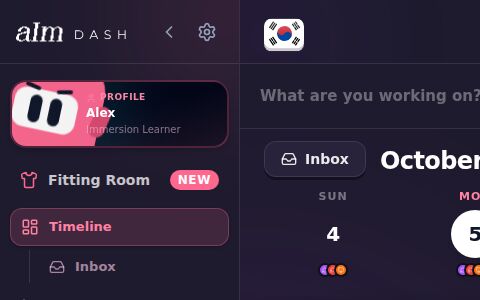
- Desktop: tap the gear at the top of the sidebar, next to the < arrow. With the sidebar folded up, the gear is under your profile picture.
- Any device: open the menu, tap your profile card at the top, then the gear at the top left of your profile.
- On your blueprint (no Pro needed): tap your initial at the top, then Profile, then the gear at the top left. Settings and your Profile are open to every account.
Settings has five tabs across the top: Account, Billing, Immersion, Notifications and Help. < Profile at the top left goes back to your profile, and the X closes Settings.
How do I change my name or email?
- Under Profile, tap Name and type the new one.
- Tap anywhere outside the box. It saves on its own and says "Name saved."
- For your email, change Email the same way. Then open the confirmation link I send to your new email. Depending on how your account is set up, I send a link to your old email too, and you open both.
Your email doesn't change until you open the link.
How do I change my password?
- Under Sign-in, tap Change password.
- Type your Current password (if it asks), then your New password twice. The checklist under it turns green as you go: enough characters, upper and lower case, a number and a symbol.
- Tap Save password. It says "Password changed."
If a password has shown up in a known data breach, I won't take it: "Found in a data breach. Pick another."
Signed in with Google? The row says "Signed in with Google", and your password is managed by Google, not here.
How do I log out?
Scroll to the bottom of the Account tab and tap Log out.
You can also sign out without opening Settings:
- On your blueprint, tap your initial at the top, then Sign Out.
- On the free week, the plans or the waitlist screen, tap Sign out next to "Signed in as …" at the bottom.
Signing out works without a connection too.
How do I delete my account?
- At the very bottom of Account, tap Delete account.
- Read the warning. It deletes your account and everything in it for good: sessions, logs, stats, streak, Immersion List, playlists, blueprints, reports, files and settings. It can't be undone.
- Type DELETE in the box.
- Tap Delete forever. Changed your mind? Tap Keep my account.
Paying for Pro? Cancel it first. Deleting your account doesn't cancel your subscription. Before deleting, the app checks with Stripe, and while a plan is still set to renew, Delete forever stops and shows a Manage subscription button that opens Stripe's billing page. Cancel there, then come back. See How do I cancel or change my plan?. If the plan was bought under your email but isn't linked to your account, it asks you to email support instead.
When it's done, you're signed out here right away and land on the home page. Your other devices and the Chrome extension are signed out within the hour. If deleting fails, it says so, and says whether any of your files were already removed. Email support@adeimmersed.com and I'll finish it for you.
What else is on the Account tab?
Under your name, email and password are Appearance, Date and time and This device. Those only change things on the phone or computer you're using. See How do I change how Aim looks and works on this device?.
Good to know
- The pink card at the top of most tabs ("Unlock Immersed Pro", or "Pro trial: 3 days left" during your free week) takes you to Billing. See How do I upgrade to Pro?.
- Billing is where you upgrade, change or cancel your plan. See How do I cancel or change my plan?.
- Your name shows on your profile and in the menu. Change it here or by tapping it on your profile.
- Phone vs desktop. On a phone Settings fills the screen. On desktop it's a box in the middle.