A spreadsheet holds the hours you remember to type. Immersed plans and times them.
The spreadsheet immersion log is the oldest tracker in the community: one row per session, a date, a type, the minutes, a running total. The best ones add a type column and a quality grade, because hours are one-dimensional: what you did in them is the thing, and Immersed builds that in with nine activities and a comprehension rating on every session. Immersed is a language immersion tracker and planner. It turns immersion into something you can see, plan and keep: a free plan built from your answers, a daily timeline for the shows, podcasts and books you learn from, and reports of your hours.
Free. About two minutes. No account, no card.
The short version
Checked October 24, 2026.
Something out of date? Tell me.
If you like owning your data, enjoy a good formula, and are happy to type a row after each episode, a spreadsheet is free, private and will still open in twenty years. Nothing beats it for control.
If the rows keep going missing, or you want a plan for your day, a timer and reports without building them, Immersed does that part. It imports your spreadsheet as a CSV, so your old hours come with you, and it exports back to Excel or CSV whenever you want.
01What people build
The community log, and why it works.
Learners have kept immersion logs in spreadsheets for years. One Latin and Greek teacher described his in 2018: Date, Language, Category (Audio, Video, Reading, Communicative, Grammar), a Quality grade from A to E, Time in minutes and Notes, with lower-quality hours weighted down. A Refold learner who reached about 1,800 hours of Spanish publishes totals by reading, listening, speaking and writing from a linked Google Sheet.
Others pair a timer with a sheet. One learner exports Toggl Track's weekly report as CSV into Google Sheets every week and builds stacked column charts, pie charts by language and a pixel grid of which language got each day. The Polyglot Fox gives away Balance & Growth activity trackers as a Google Sheets template for free.
All of these work because the learner designed them. That is the strength of a spreadsheet, and the cost.
02While you immerse
No more typing the row afterward.
A spreadsheet only knows what you type into it. Most logs are filled in at night from memory, and the podcast on the commute is the first thing to go missing.
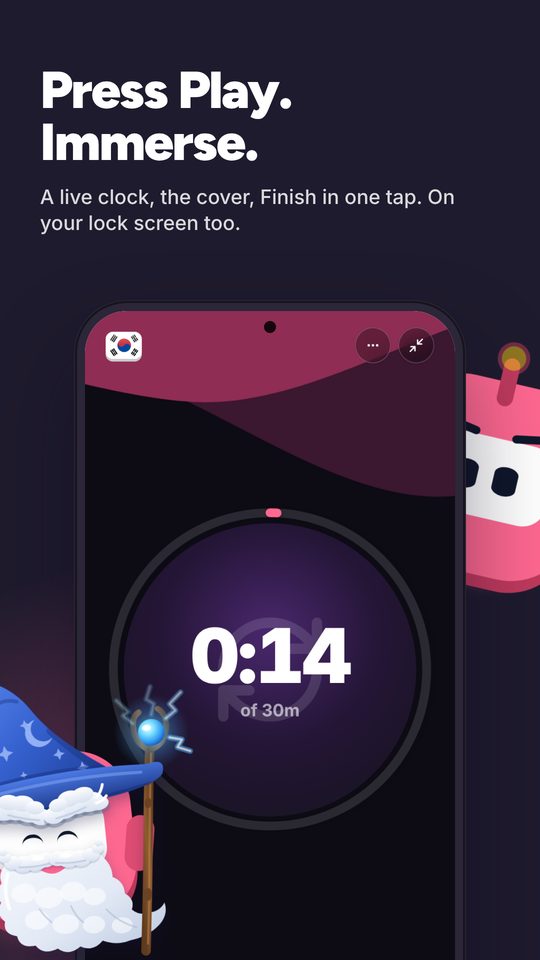
In Immersed you press play and pick one of nine activities: Active Listening, Passive Listening, Active Subtitles, Reading, Study, SRS, Speaking, Writing or Shadowing. Paste a YouTube, Spotify or Apple Podcasts link and it plays inside the session. Stop, rate how much you understood, add a note, and the row writes itself onto your timeline. Forgot to press play? Log it afterward with the start and stop time.
- The play button can default to one activity, like Passive Listening on the commute
- Comprehension rating per session, the same idea as a Quality column
- With Immersed for Chrome, the row starts from the YouTube page in one click, and later videos from the same creator or playlist join the running session
- Immersed doesn't read your Netflix or YouTube history: you press play or log it. The Discover scroll and the free listening games log themselves
03Before you press play
A sheet looks back. A plan looks ahead.
A log tells you what you did. It doesn't tell you what to do tomorrow, where it fits around work, or how many hours you have left.
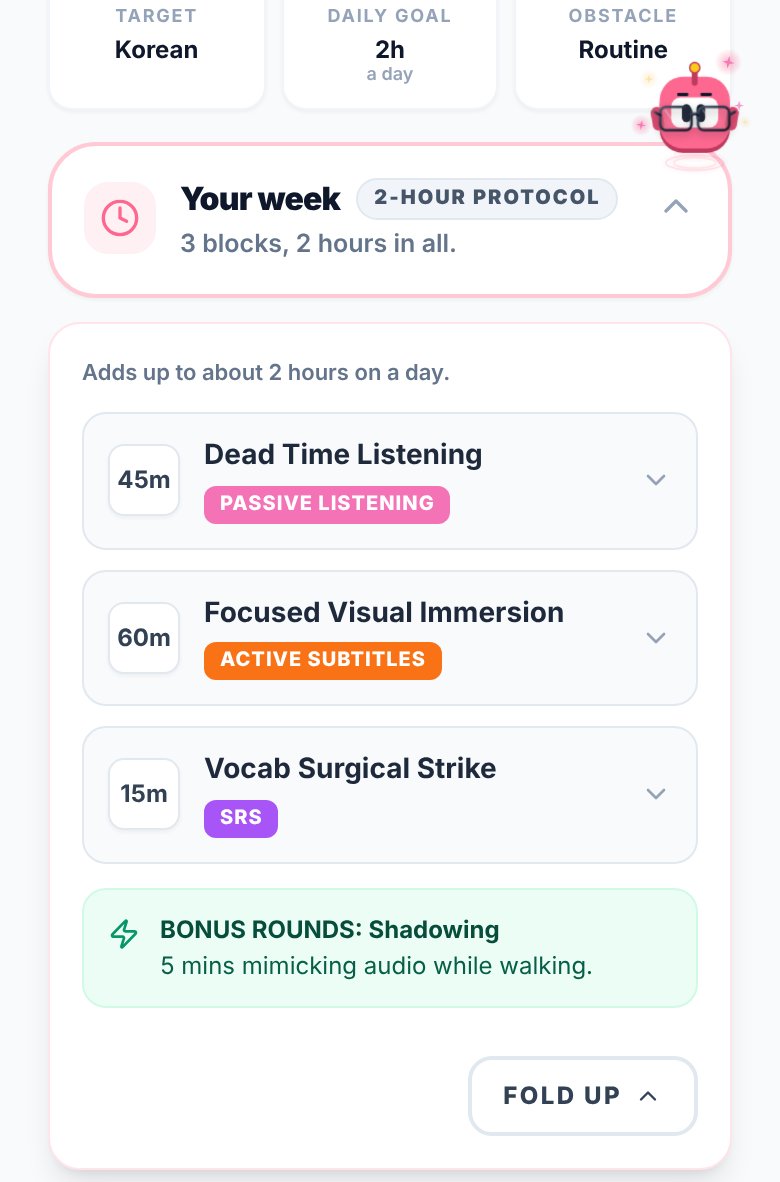
Immersed starts with a free blueprint: about two minutes of questions about your time, goals, level and what you already watch. It returns milestones for your first months, a daily protocol, the Hidden Immersion Time in your day (the commute, the dishes, the gym) and an Immersion Library of things to watch, listen to and read. With Pro, the timeline lays out your day from Wake up to Wind down, with repeating tasks and reminders.
04Looking back
The charts you would have built, already there.
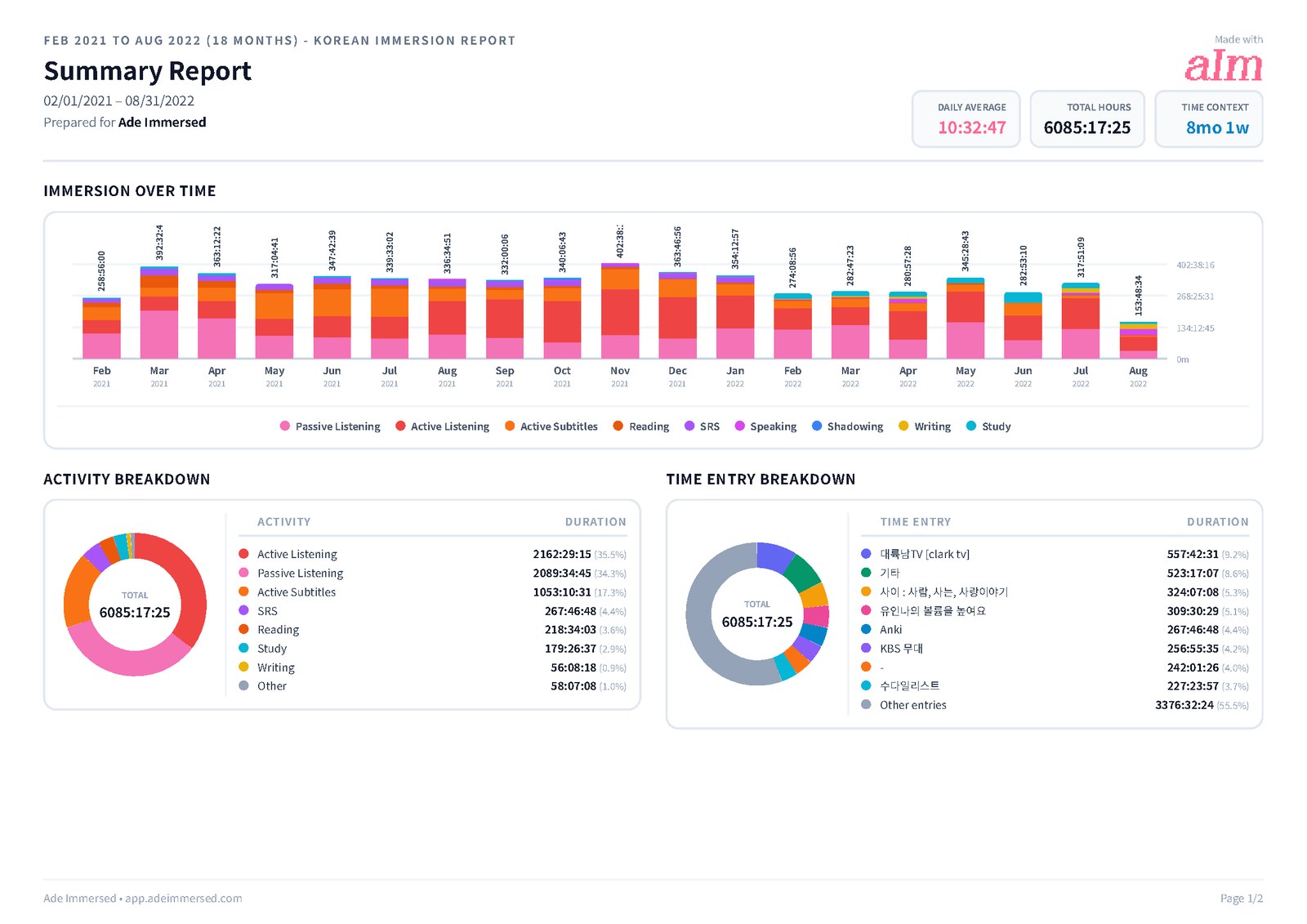
The teacher with the Quality column weighted his low-quality hours down for a reason: 1,000 hours of background audio and 1,000 hours of focused listening are not the same 1,000 hours. Immersed's Growth page stacks your week, month, year and all time by the nine activities, draws a comprehension line over time, and lists your top shows and channels with links back to them. The mix is what explains your progress, and you see it without a pivot table.
There is also the daily average, the days you showed up and a consistency grid with your streak. Monthly reports are saved in My reports, and you can share a report link.
You still keep the spreadsheet if you want it. Export a CSV from the Detailed tab and you get one row per session: language, activity, title, platform, link, start and end, duration, comprehension, tags, notes and time zone. Open it in Sheets or Excel and pivot all you like.
Side by side · checked October 24, 2026
Immersed and Google Sheets or Excel, feature by feature.
Control
Fully custom columns and formulas
Immersed · No, the structure is set
Google Sheets or Excel · Yes, anything you can build
Your data in a file you own
Immersed · Export PDF, Excel or CSV any time
Google Sheets or Excel · Yes, the file is the data
Built for language immersion
Immersed · Yes
Google Sheets or Excel · No, unless your template is
Tracking
Timer
Immersed · Yes, press play
Google Sheets or Excel · No; type the minutes in
Immersion activities built in
Immersed · Nine, from Passive Listening to Shadowing
Google Sheets or Excel · Your own Category column
Comprehension rating per session
Immersed · Yes, charted over time
Google Sheets or Excel · A column, if you add one
Play YouTube, Spotify, Apple Podcasts inside the session
Immersed · Yes
Google Sheets or Excel · No
Log time after the fact
Immersed · Yes
Google Sheets or Excel · Yes, that is how it works
Start from the YouTube page
Immersed · Yes, Immersed for Chrome (unlisted; saving and sessions are Pro)
Google Sheets or Excel · No
Automatic tracking
Immersed · One press to start; Discover scroll and games log themselves; never reads history
Google Sheets or Excel · No
Planning and content
A plan built for your language and your day
Immersed · Free blueprint from your answers
Google Sheets or Excel · No
Daily planner with reminders
Immersed · Timeline from Wake up to Wind down
Google Sheets or Excel · No
Guided next steps
Immersed · Fluency Checklist stages and monthly Sprints
Google Sheets or Excel · No
What to watch, listen to and read
Immersed · Immersion Library, Toolkit and Discover
Google Sheets or Excel · A list you keep yourself
Reports
Totals by week, month, year
Immersed · Yes, ready made
Google Sheets or Excel · Yes, with formulas or a pivot table
Hours broken down by activity
Immersed · Stacked by the nine activities, top shows and channels linked
Google Sheets or Excel · A pivot on your Category column
Streaks and consistency grid
Immersed · Yes
Google Sheets or Excel · Build it with conditional formatting
Bring your history across
Immersed · CSV or TSV import with column mapping
Google Sheets or Excel · Not applicable
Apps and price
Phone and computer
Immersed · Web app that installs on both; Android app in testing for Google Play
Google Sheets or Excel · Web, phone and desktop apps
Price
Immersed · Free blueprint; Pro $60 a year or $9.99 a month
Google Sheets or Excel · Sheets free with a Google Account; Excel in Microsoft 365 from $99.99 a year
Credit where it's due
Both are good. At different things.
What Google Sheets or Excel does well
- Free with a Google Account, and Excel is already on many computers
- Total control: any column, any formula, any chart, any weighting system
- Private and portable: a file you own that will open for decades
- Works offline and on every device
- Easy to share with a tutor or a study group
- No company decides how your hours are counted except you
What Immersed does that Google Sheets or Excel doesn't
- A timer, so sessions are recorded as they happen instead of from memory
- Builds you a plan first, from your time, your goals and your level
- Shows what your hours were made of: time by each of the nine activities, a comprehension line, your top shows and channels linked
- Starts a session from the YouTube page in one click with Immersed for Chrome
- Plays YouTube, Spotify and Apple Podcasts inside the session
- Ready-made Growth reports, streaks and a consistency grid
- Imports your spreadsheet as CSV and exports back to Excel or CSV
Pick Google Sheets or Excel if
- You want your data in a file you fully own and control
- You enjoy building formulas, pivot tables and your own weighting system
- You already log consistently and only want somewhere to put the numbers
- You want to pay nothing
Pick Immersed if
- Your spreadsheet has gaps because you forget to fill it in
- You want a timer and a plan for your day, not just a record of it
- You want reports and streaks without maintaining formulas
- You want help finding things at your level to watch, listen to and read
Use both, or move over
Bring your spreadsheet with you
Save your sheet as CSV (File, Download, CSV in Google Sheets, or Save As CSV in Excel). In Immersed, open Growth, then Reports & analytics, then CSV import. Choose Other as the source, say what your project column means (activity or language), pick a default language and time zone, and choose whether to skip duplicates. Check the mapping and import.
If you like your spreadsheet, keep it. Export a CSV from Immersed each month and paste it in. You get the timer and the plan, and your sheet keeps its charts.
Pricing · checked October 24, 2026
What each one costs.
Immersed
- Free: the blueprint for one language (with the Toolkit, Library picks and the Fluency Checklist's Foundations), the listening games in 12 languages with their leaderboards, Aim Runner, the Discord and the sample app. A free account also gets the Fitting Room's day-one outfits, Hour Marks and badges from game time.
- Immersed Pro: $60 a year (starts with a free week, about $5 a month) or $9.99 a month. Timeline, sessions, Discover, Library, Growth and reports, CSV import and export, monthly Sprints, more languages.
Google Sheets or Excel
- Google Sheets: anyone with a Google Account can use it, with 15 GB of free storage shared across the account.
- Excel: Microsoft 365 Personal is $99.99 a year or $9.99 a month in the US, and Family is $129.99 a year. A free Microsoft account includes 5 GB of OneDrive storage.
- Templates: free ones like The Polyglot Fox trackers, or paid ones on Gumroad and Etsy.
A Google Sheets log costs nothing, and that is hard to argue with. Immersed is about $5 a month on the yearly plan. What you pay for is the typing you no longer do, the plan for your day, and reports you would otherwise build and maintain.
FAQ
Questions people ask.
Is a spreadsheet a good way to track immersion hours?+
Yes. Many learners have done it for years with columns for date, type, minutes and notes. It is free, private and fully custom. The weak spot is that it only holds what you remember to type in.
Can I import my Google Sheets or Excel immersion log into Immersed?+
Yes. Save it as CSV and use CSV import in Growth, Reports & analytics. Choose Other as the source, map the columns, and choose whether to skip duplicates. TSV files work too.
Can I get my data out of Immersed into a spreadsheet?+
Yes. Export Excel or CSV from Reports, or export every session as CSV from the Detailed tab, with language, activity, title, platform, start and end, duration, comprehension, tags and notes.
Is there a free immersion tracker spreadsheet template?+
Yes. The Polyglot Fox offers free Balance & Growth activity trackers as a Google Sheets template, and many learners share their own. Paid ones are sold on Gumroad and Etsy.
Is Immersed free like Google Sheets?+
Partly. The blueprint, the listening games with their leaderboards, the Discord and the sample app are free. The timeline, sessions, Discover, reports and CSV import are Immersed Pro: $60 a year with a free week first, or $9.99 a month.
Does Immersed fill in my hours automatically?+
No. Immersed doesn't watch your Netflix or YouTube history. You press play when you start, or log a session afterward. With Immersed for Chrome, one click on the YouTube page starts the session, and the Discover scroll logs itself. The difference from a spreadsheet is the timer, the plan and the activity breakdown, not tracking behind your back.
More comparisons
Stop guessing. See what your hours add up to.
Answer a few questions and Immersed builds your plan: a daily routine that fits your life, milestones for your first months, and things to watch at your level. Free, about two minutes, no account needed.
The plan is free and stays free. No card.
Checked October 24, 2026 against published product information. Prices and features change; if something here is out of date, tell me on Discord and I'll fix it.
- So, you want to log hours of language activity (The Patrologist, 2018)
- Refold approach to language learning: Spanish ~1800-hour update
- How I visualize my tracked study time with spreadsheets (Study Notepad, 2024)
- Balance & Growth Language Activity Trackers (The Polyglot Fox, Gumroad)
- Google Sheets
- Google One plans (15 GB free storage)
- Microsoft 365 plans compared