Lingua Logger counts where your study time went. Immersed plans where it goes next.
Lingua Logger is a phone app for iPhone, iPad and Android: you log minutes of listening, reading, speaking or grammar, set daily, weekly or monthly goals, and watch your streak and charts grow. Immersed starts from a different idea: hours are one number, and what you did in them is what moves you, so every session is one of nine immersion activities with a rating of how much you understood. Immersed is a language immersion tracker and planner. It turns immersion into something you can see, plan and keep: a free plan built from your answers, a daily timeline for the shows, podcasts and books you learn from, and reports of your hours.
Free. About two minutes. No account, no card.
The short version
Checked October 24, 2026.
Something out of date? Tell me.
If you want a native phone app to write down your study minutes, with goals, streaks, charts and a CSV export, for very little money, Lingua Logger does that cleanly.
If you want a plan for how much to immerse and where it fits in your day, a timer that knows passive listening from active subtitles, and ideas for what to watch next, Immersed is built for that. Its reports show what your hours were made of: the activity mix, how much you understood, and the shows behind them. Immersed costs more, and it has no App Store app yet.
01Before you start
A goal in minutes, or a plan for the day.
Lingua Logger lets you set a target that fits your routine, like 30 minutes a day or 10 hours this month, and holds you to it with a streak and per-language reminders. You decide what fills those minutes.
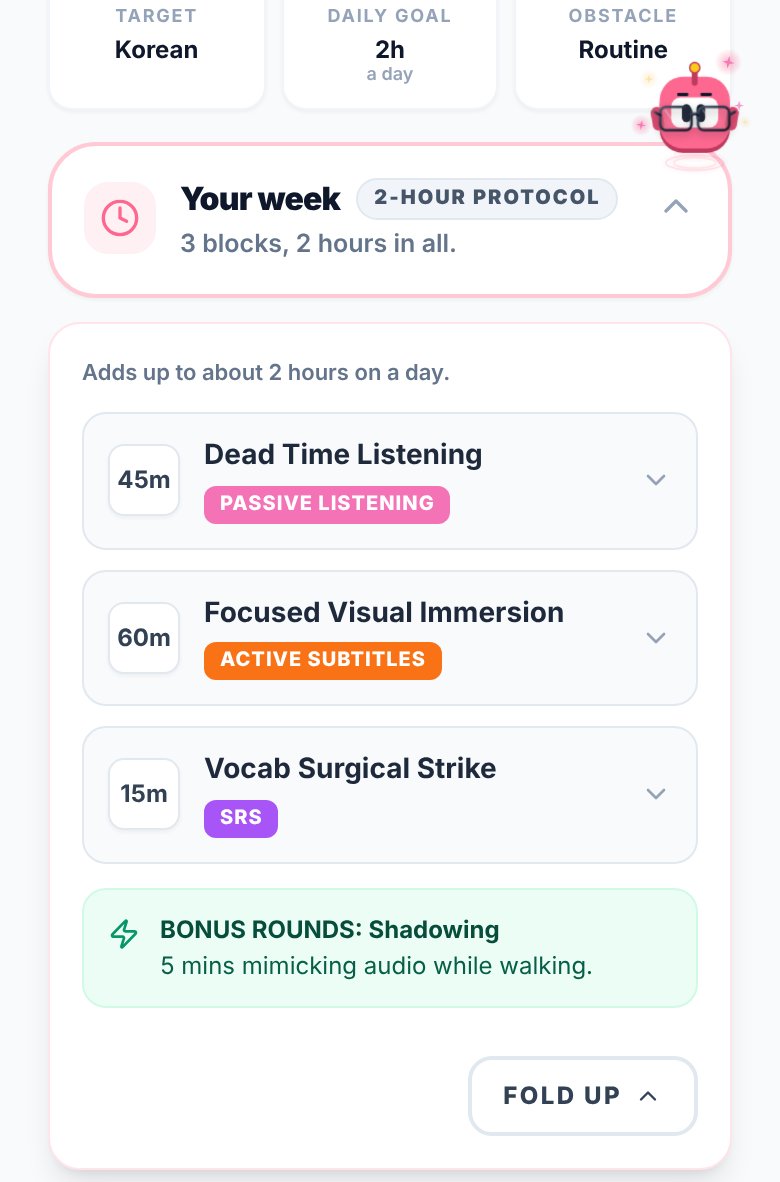
Immersed starts one step earlier. A free blueprint, about two minutes of questions, sets milestones for your first months, a daily protocol, and Hidden Immersion Time: the commute, the dishes, the gym, where passive listening fits. The timeline then turns that into a day from Wake up to Wind down that you plan and tick off.
- Free blueprint in about two minutes, no account needed (just a name and email)
- Plan tasks into the free gaps of your day, repeat them, get reminders
- The Fluency Checklist for what to put in place next, and with Pro a monthly Sprint of one Mission and Daily Quests
02Logging it
Study categories, or immersion activities with a timer.
In Lingua Logger you log the minutes or hours you spent on an activity: listening, reading, speaking, grammar drills or app practice. It is built for study time in general, so a tutoring hour, an Anki session and a podcast all sit in the same log. Its store listing describes time logging; it does not describe a timer or a record of which show or book you used.
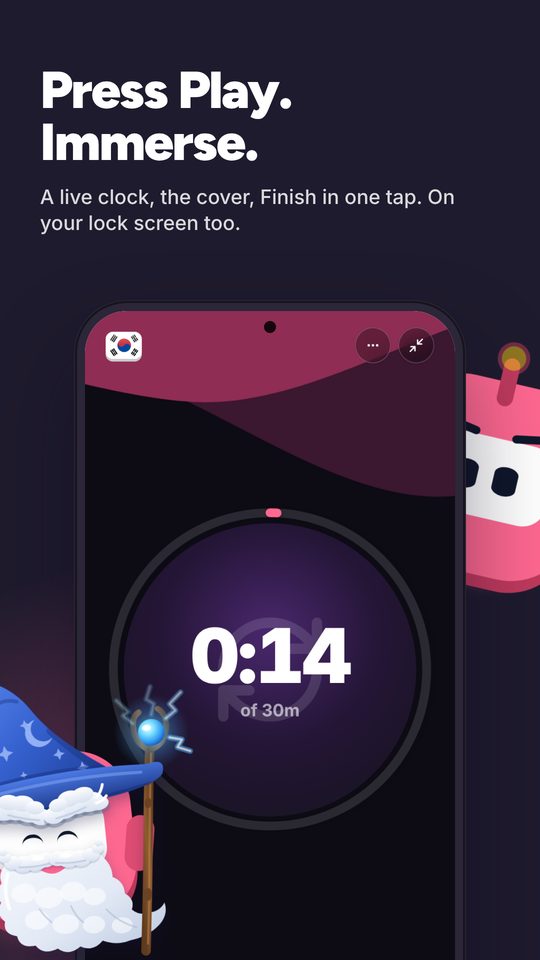
Immersed has a timer at the center: press play, pick one of nine activities (Active Listening, Passive Listening, Active Subtitles, Reading, Study, SRS, Speaking, Writing, Shadowing), stop, and it lands on your timeline. Paste a YouTube, Spotify or Apple Podcasts link and it plays inside the session. Rate how much you understood, and add notes. Forgot to press play? Log it afterward.
- The play button can default to one activity, like Passive Listening on the commute
- Comprehension rating after each session, charted over time
- Immersed doesn't read your viewing history: you press play (one click on YouTube with Immersed for Chrome) or log it. The Discover scroll and the free listening games log themselves
03What to put on
Immersed also suggests what to watch, listen to and read.
Lingua Logger records the time you put in. It doesn't suggest content, and it isn't trying to.
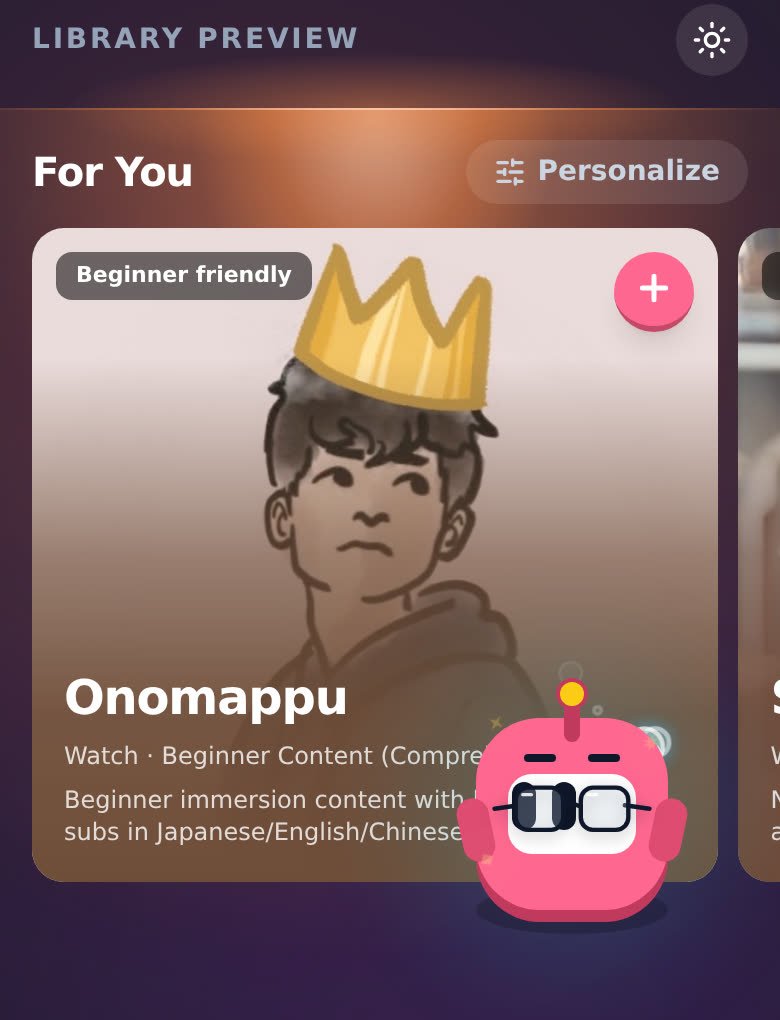
Immersed comes with an Immersion Library in 22 languages, built around the platforms native speakers use, and the free blueprint gives you picks from the main platforms for Watch, Listen and Read. Discover is a feed of creators and podcasts in your language, in 11 languages, and scrolling it logs itself as immersion.
04Looking back
Charts of your study mix, or what your immersion was made of.
Lingua Logger's dashboard shows totals and compares activities over days, weeks or months, so you can see if you have been skipping speaking. A free account backs your logs up and syncs them across devices, and you can export them as a CSV.
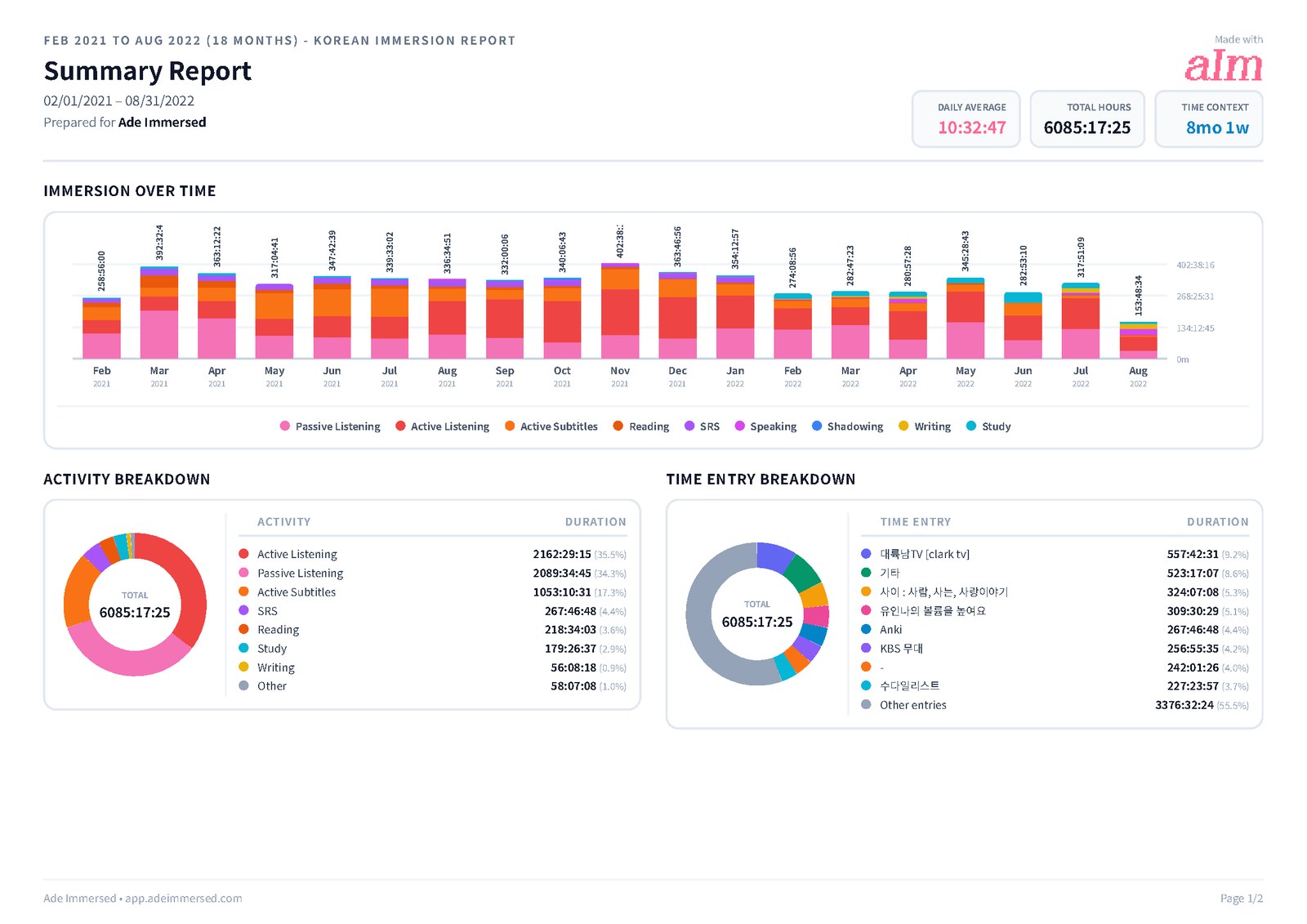
Immersed goes one level down inside immersion. Growth shows week, month, year and all time with your hours stacked by the nine activities, so an hour of a podcast in the background and an hour of a drama with target-language subtitles are counted apart. A comprehension line shows whether you understand more over time, and your top shows and channels are listed with links back to them.
That mix is what explains progress. Your 1,000 hours and someone else's 1,000 are not the same hours, which is how a learner two months in can be ahead of one six months in. Export a PDF, Excel or CSV you can customize, keep monthly reports in My reports, or share a report link.
Side by side · checked October 24, 2026
Immersed and Lingua Logger, feature by feature.
Planning
A plan built for your language and your day
Immersed · Free blueprint from your answers
Lingua Logger · No
Daily planner
Immersed · Timeline from Wake up to Wind down
Lingua Logger · No
Goals
Immersed · Fluency Checklist stages and monthly Sprints
Lingua Logger · Daily, weekly or monthly time goals
Tracking
Log time
Immersed · Timer, or log afterward
Lingua Logger · Enter minutes or hours
Activities
Immersed · Nine immersion activities
Lingua Logger · Listening, reading, speaking, grammar, app practice
Comprehension rating per session
Immersed · Yes
Lingua Logger · No
Play YouTube, Spotify, Apple Podcasts inside the session
Immersed · Yes
Lingua Logger · No
Automatic tracking or browser extension
Immersed · Immersed for Chrome (unlisted); one press to start, never reads history
Lingua Logger · No
Content
What to watch, listen to and read
Immersed · Immersion Library and Toolkit
Lingua Logger · No
A feed in your target language
Immersed · Discover, counted as immersion
Lingua Logger · No
Reports and rewards
Totals by day, week, month
Immersed · Week, month, year, all time
Lingua Logger · Days, weeks or months
Hours broken down by what you did
Immersed · Stacked by the nine activities, with a comprehension line
Lingua Logger · Compared across its study categories
Top shows and channels
Immersed · Listed in the report, with links
Lingua Logger · Not described on the listing
Streaks
Immersed · Consistency grid with streaks
Lingua Logger · Daily streak
Rewards
Immersed · Badges that level up; outfits for Aim earned by immersing
Lingua Logger · Streaks and goals
Export
Immersed · PDF, Excel, CSV
Lingua Logger · CSV
Apps and price
Where it runs
Immersed · Web app on any phone or computer; Android app with widgets in testing for Google Play
Lingua Logger · iPhone, iPad and Android apps
Languages
Immersed · Any; Library in 22, hand-picked Toolkit in 11
Lingua Logger · Over 60
Free plan
Immersed · Blueprint, games with leaderboards, Discord, sample app
Lingua Logger · Free download with ads
Paid plan
Immersed · $60 a year or $9.99 a month
Lingua Logger · $14.99 a year or $1.99 a month on the US App Store
Credit where it's due
Both are good. At different things.
What Lingua Logger does well
- Native apps for iPhone, iPad and Android, with a free account that syncs between them
- Simple, quick logging of study time in any category, including grammar and app practice
- Daily, weekly or monthly goals in plain terms, like 10 hours this month
- Per-language reminders to study and to log
- Charts that compare activities, so you can see what you have been skipping
- Over 60 languages, recently including Latin, and CSV export
- A very low price: $14.99 a year on the US App Store
- Active updates since its 2025 launch, and warm early reviews
What Immersed does that Lingua Logger doesn't
- Builds you a plan first, from your time, your goals and your level
- Plans your day on a timeline from Wake up to Wind down
- Has a timer with nine immersion activities, so the report shows what your hours were made of, not only how many
- Asks how much you understood, and charts comprehension over time next to your top shows and channels
- Tells you what to watch, listen to and read, and gives you a feed in your language that counts
- Rewards hours with badges that level up from grey to gold, Hour Marks, and outfits for Aim, its mascot, earned only by immersing
- Exports PDF and Excel reports as well as CSV, with share links
Pick Lingua Logger if
- You want a native app from the App Store or Google Play
- You track general study time, tutoring and grammar as much as immersion
- You only want to write minutes down against a goal, for as little money as possible
- You prefer a short, phone-first tool with nothing to plan
Pick Immersed if
- You want a plan that fits your actual day, not just a goal number
- You want a timer that separates passive listening, active listening and active subtitles
- You want to track how much you understood, not only how long you spent
- You want help finding things at your level to watch, listen to and read
Use both, or move over
Moving across from Lingua Logger
Lingua Logger exports your logs as a CSV. Immersed has a CSV import (it reads Toggl exports and maps them to languages and activities), so check the help pages for how another file will map before you rely on it.
There is little reason to run both every day, since both log time by hand. If you like Lingua Logger for tutoring and grammar, and want Immersed for the immersion plan and timer, that split works.
Pricing · checked October 24, 2026
What each one costs.
Immersed
- Free: the blueprint for one language (with the Toolkit, Library picks and the Fluency Checklist's Foundations), the listening games in 12 languages with their leaderboards, Aim Runner, the Discord and the sample app. A free account also gets the Fitting Room's day-one outfits, Hour Marks and badges from game time.
- Immersed Pro: $60 a year (starts with a free week, about $5 a month) or $9.99 a month. Timeline, sessions with the nine activities, Discover, Library, Growth and reports, monthly Sprints, more languages.
Lingua Logger
- Free to download, with ads.
- Premium: $1.99 a month or $14.99 a year on the US App Store. Google Play lists in-app items from $1.99 to $12.99. The listings do not say what Premium adds, so check in the app.
Lingua Logger is very cheap, and the free version logs, charts and exports. Immersed costs more, about $5 a month on the yearly plan, and what you pay for is the plan, the timeline, the nine activities, the library and the reports built around immersion.
FAQ
Questions people ask.
Is Lingua Logger free?+
It is free to download and shows ads. Premium is $1.99 a month or $14.99 a year on the US App Store. The store listings do not say what Premium adds.
Is Lingua Logger on Android?+
Yes. It is on the App Store for iPhone and iPad and on Google Play. The Android version is newer and has a small number of downloads so far.
Does Lingua Logger have a timer?+
Its store listing describes logging minutes or hours you spent, not a running timer. Immersed times sessions with a play button, and you can also log one afterward.
Does Immersed have an iPhone app?+
Not on the App Store yet; a native iPhone app is coming. Immersed runs in the browser on any phone and installs to your home screen like an app. A native Android app is in testing for Google Play, with nine home-screen widgets and the running session as a card in the notification shade.
Do either of them track automatically?+
Neither reads your viewing history. In Lingua Logger you enter the minutes. In Immersed you press play or log it afterward; with Immersed for Chrome, one click on the YouTube page starts the session, and the Discover scroll and the free listening games log themselves.
Which is better for immersion rather than study?+
Immersed. It separates passive listening, active listening and active subtitles, asks how much you understood, and suggests what to watch. Lingua Logger is a good fit for general study time across categories.
More comparisons
Stop guessing. See what your hours add up to.
Answer a few questions and Immersed builds your plan: a daily routine that fits your life, milestones for your first months, and things to watch at your level. Free, about two minutes, no account needed.
The plan is free and stays free. No card.
Checked October 24, 2026 against published product information. Prices and features change; if something here is out of date, tell me on Discord and I'll fix it.