How do I change what the play button does?

Open Settings, then the Immersion tab. The first part, Play button, decides what a tap on play starts. Under it you set your default goal. Changes save by themselves.
Sessions are part of Pro (or your free week), so these settings matter once you have it.
What can I change?
-
Open Settings and tap Immersion.
-
Under Play button, pick what a tap starts:
- Repeat my last activity (Recommended). "Pick up where you left off." Play starts the same activity you did last.
- Always the same activity. "Start with one activity you choose." A list appears under it. Pick the activity, like Active Listening or Reading.
- Decide as I go. "Start the timer now, pick the activity later." The timer starts as "No activity" and you choose in the session.
-
With Repeat my last activity, there's one more switch: Reuse the title and link. "Reopen the same video, book or page you had last time." It's on to start with. Turn it off if you want the activity repeated but a fresh, empty title.
-
Under Session length, set your Default goal per session. Use the minus and plus, or tap 15, 25, 30, 45, 60 or 90. It goes from 5 minutes up to 6 hours. Every new session starts with this goal, and you can still change it inside a session. See How do I change the goal?.
What if I just want to pick each time?
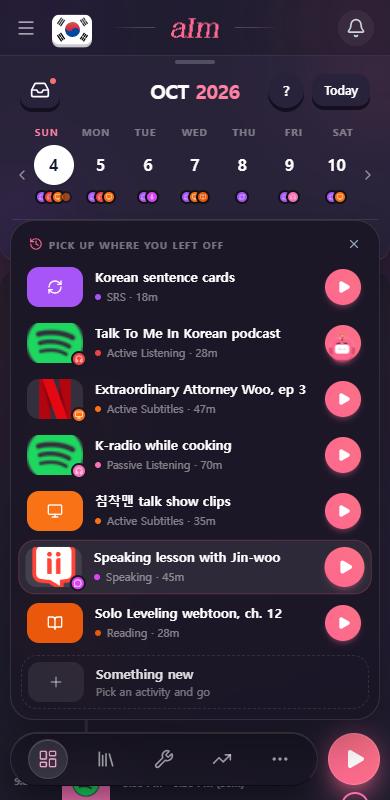
You don't need a setting for that. Hold the play button instead of tapping it. A list opens with your recent things and Something new. Tapping is your default, holding is your choice of the moment.
What is "When a planned session is on"?
The third part of the page has two choices: Start it right away, or Open it in my Inbox first ("Look it over before the timer starts"). It's about what play should do when your timeline has something planned for right now.
To be straight with you: right now play doesn't read this choice yet.
- On a phone, a tap on play always starts a new session from your play settings above. To start the planned task itself, tap it on your timeline.
- On desktop, if a planned task is on right now and the name box in the session bar is empty, play starts that task. If it has a link, the timer starts and the link opens. If it doesn't, it opens in your Inbox first.
How do I get the Play setup screen back?
At the bottom of the page, tap Show the Play setup again. I say "You'll see the Play setup next time you press Play." It asks the same two things in one screen: When you tap Play (your last activity, one activity you pick, or no activity) and your Session Goal Duration.
Good to know
- Saved for you. The page says "Changes save automatically." No save button.
- Changing your mind in a session. The settings only pick how a session starts. Inside a session you can change the activity, the goal, the title and the language any time.
- The goal on desktop. Right now play in the desktop session bar starts without a goal, whatever you set here. Tap Set a goal under the clock to add one.