What is "How did it go?" and do I have to fill it in?

It's the page I show when you finish a session and want to say something about it: a short note and how well it went. You never have to fill it in. The rating starts at Okay, the note is optional, and Save log saves it either way.
When do I see it?
-
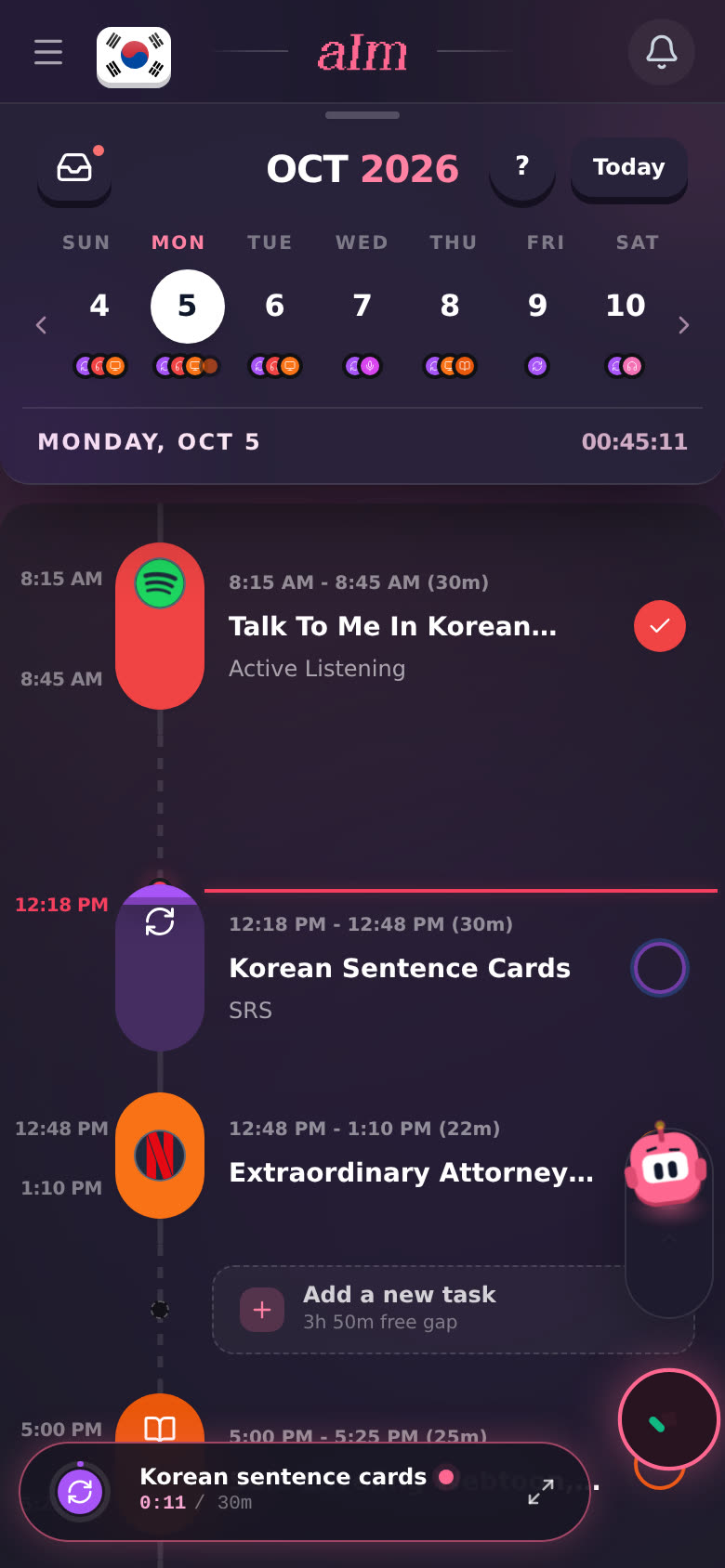
Phone: slide the stop button in the session bar up (instead of tapping it). Aim rises with your thumb and catches it.
-
Desktop: hold the stop button instead of clicking it.
-
Ticking off a planned task on your timeline.
-
Logging something afterward with Log Session. See I forgot to start the timer. How do I log it afterward?.
A plain tap on Stop skips it and saves straight away. No questions.
What's on it?
-
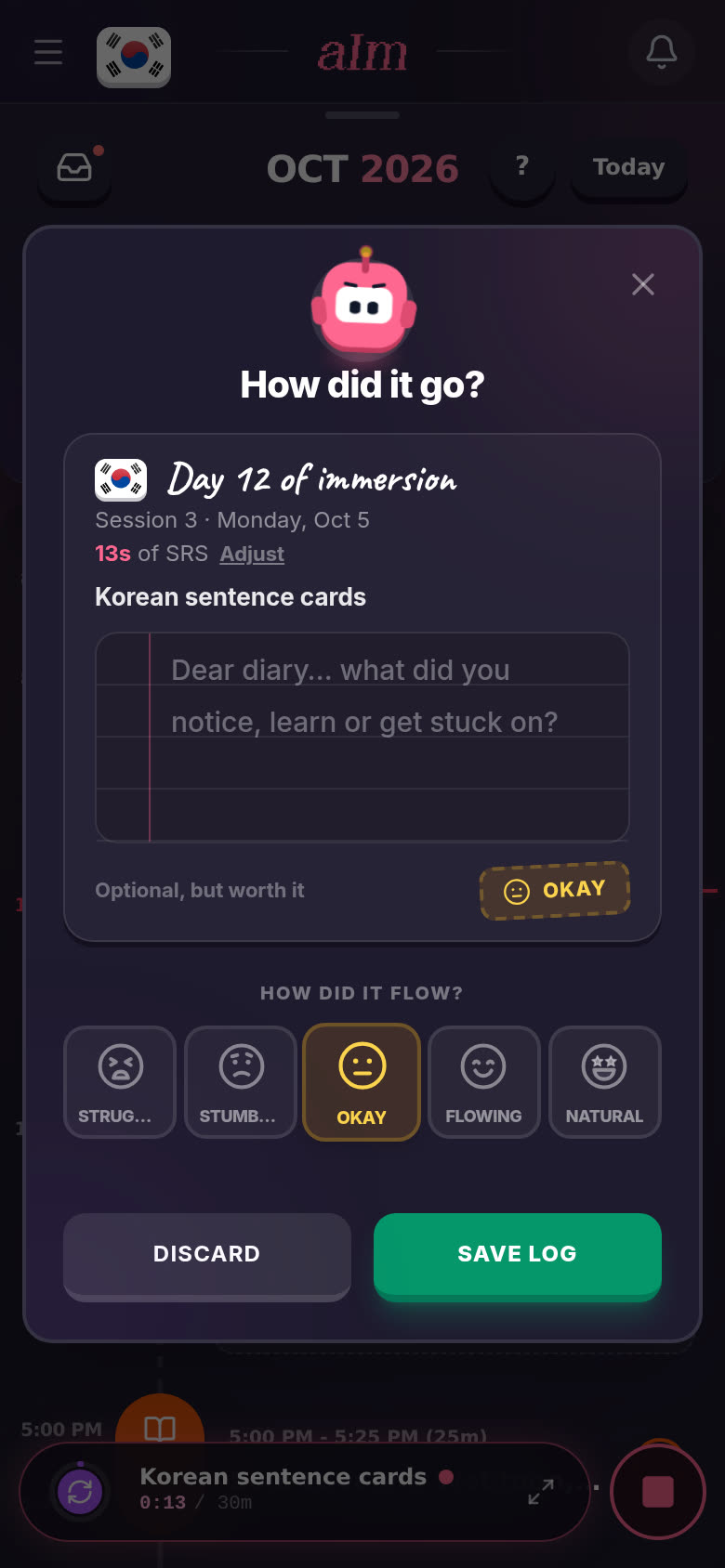
Day 12 of immersion. The page is a diary page. The day number counts the days you've actually immersed in this language, not calendar days. Under it: which session of the day this is (in the order they began), and the date.
-
"13s of SRS · Adjust". How long you did and what. Tap Adjust to fix the start, the end, the length, the activity or the language. Handy if you stopped late.
-
The title of what you did.
-
The note. "Dear diary… what did you notice, learn or get stuck on?" Write as much or as little as you like. A word you finally caught, a scene you didn't get, anything.
-
The rating. It depends on what you did:
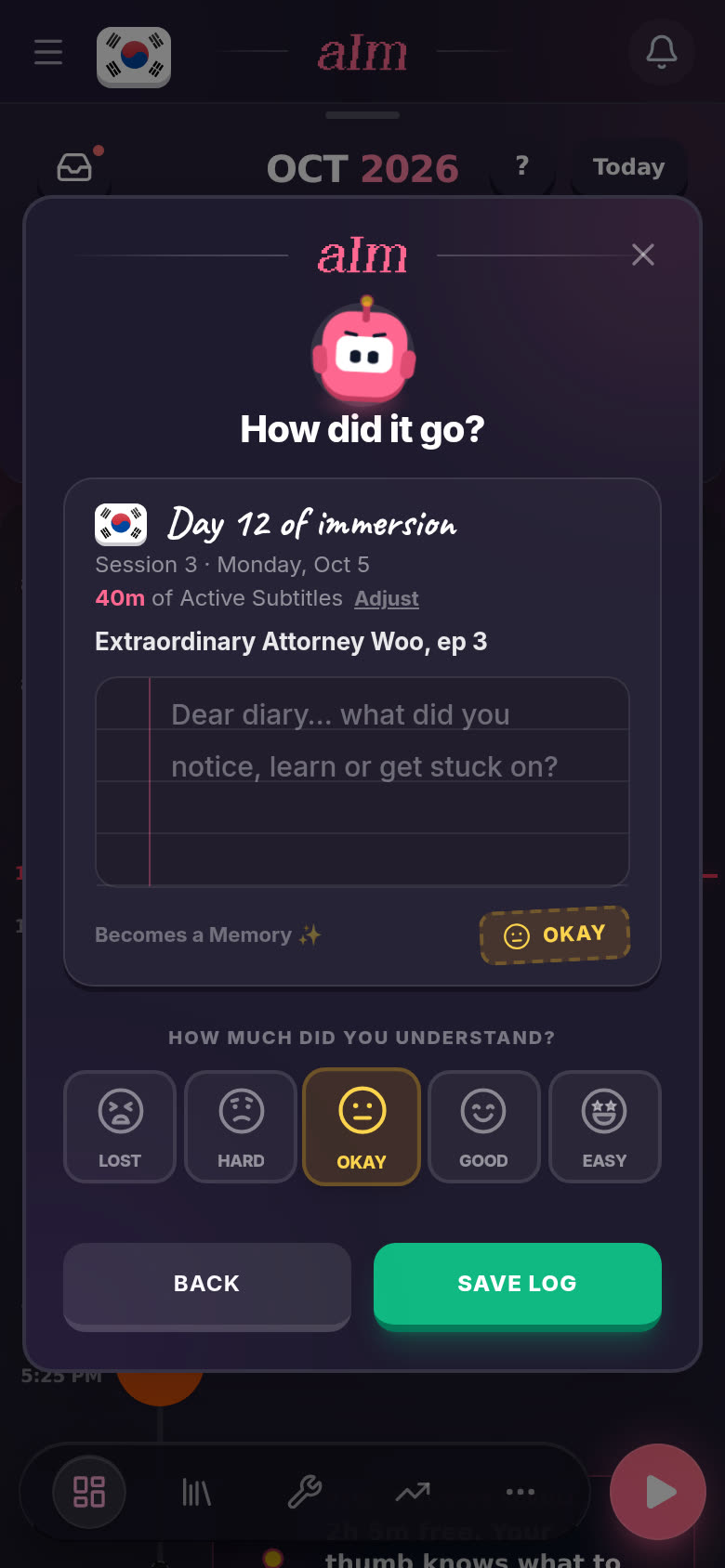
- Taking something in (watching, listening, reading): How much did you understand? Lost, Hard, Okay, Good or Easy.
- Putting something out (speaking, writing, shadowing, chatting, SRS): How did it flow? Struggled, Stumbled, Okay, Flowing or Natural.
Your pick shows as a stamp on the page.
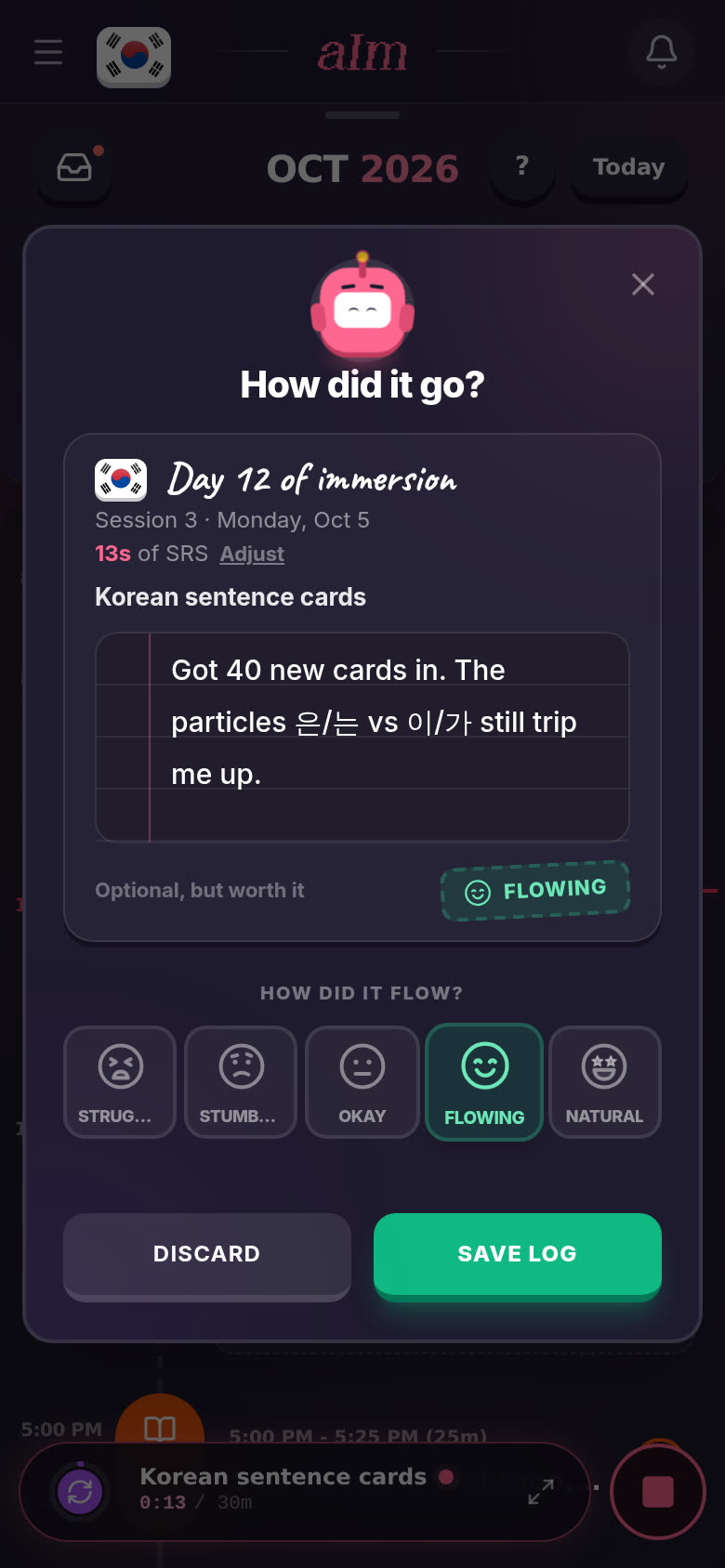
Then tap Save log.
Do I have to fill it in?
No. If you don't touch anything, it saves as Okay with no note. It says so right on the page: "Optional, but worth it."
Why bother? Your note shows up again whenever you open that session from your timeline or your history. And your ratings show how things get easier over time. Rewatch something a month later and compare. See How do I look back at old sessions and revisit one?.
What does "Becomes a Memory" mean?
When the session has a link (a video, an episode, a page), the page says Becomes a Memory ✨ instead of "Optional, but worth it". A session with a link and a note is a Memory: something you can go back to, with what you thought of it the first time. Your first few get a little celebration.
What do the other buttons do?
- Discard (when you got here by sliding stop up). Throws the session away. I ask first: "Discard Session?" Tap Keep Session to go back, or Discard Session to lose that time.
- Back (when you got here from ticking a task or from Log Session). Goes back a step.
- X (top right). Closes the page without saving. A running session keeps running. A task you were ticking stays unticked.
Can I add or change a note later?
Yes. Tap the session on your timeline. Its details show the same diary page. Tap the page to write, then tap Save changes. See How do I edit or delete something I logged?.
Good to know
- Slide left to throw it away. On a phone, sliding stop left bins the session without asking how it went.
- SRS is rated on flow. Flashcards count as putting your language to work, so they get the flow scale.
- Phone vs desktop. Same page. Phones slide, desktop holds.