How do I change Aim's outfit?

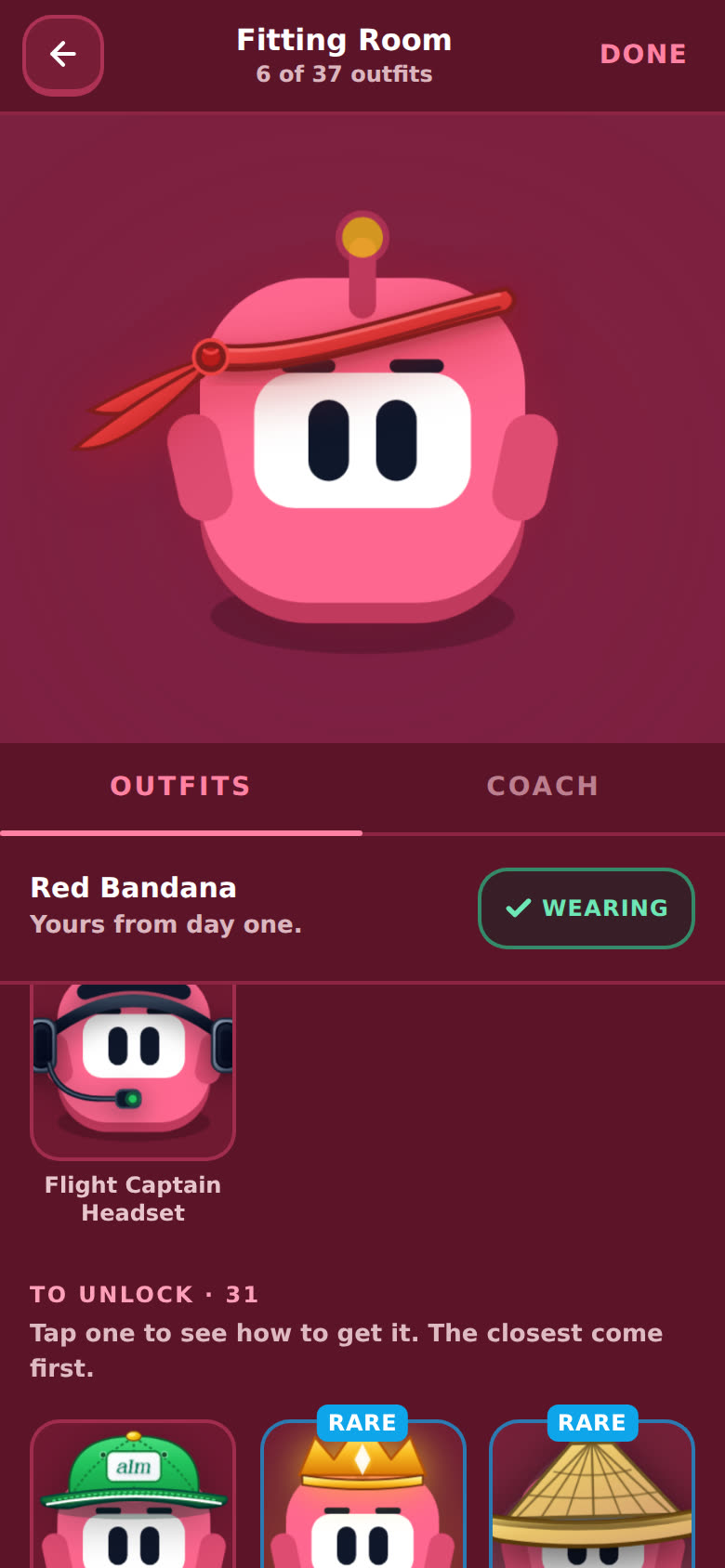
Open the Fitting Room. Tap an outfit to try it on, tap Wear it to keep it, and tap Done to leave. New outfits unlock as you immerse.
How do I open the Fitting Room?
- On a phone: tap the menu (top left), then Fitting Room. It sits right under your profile.
- On desktop: Fitting Room is in the sidebar, under your profile. With the sidebar folded up, it's the little shirt icon.
- From your profile: open your profile (the card at the top of the menu), then tap Aim or the Fitting Room button under him.
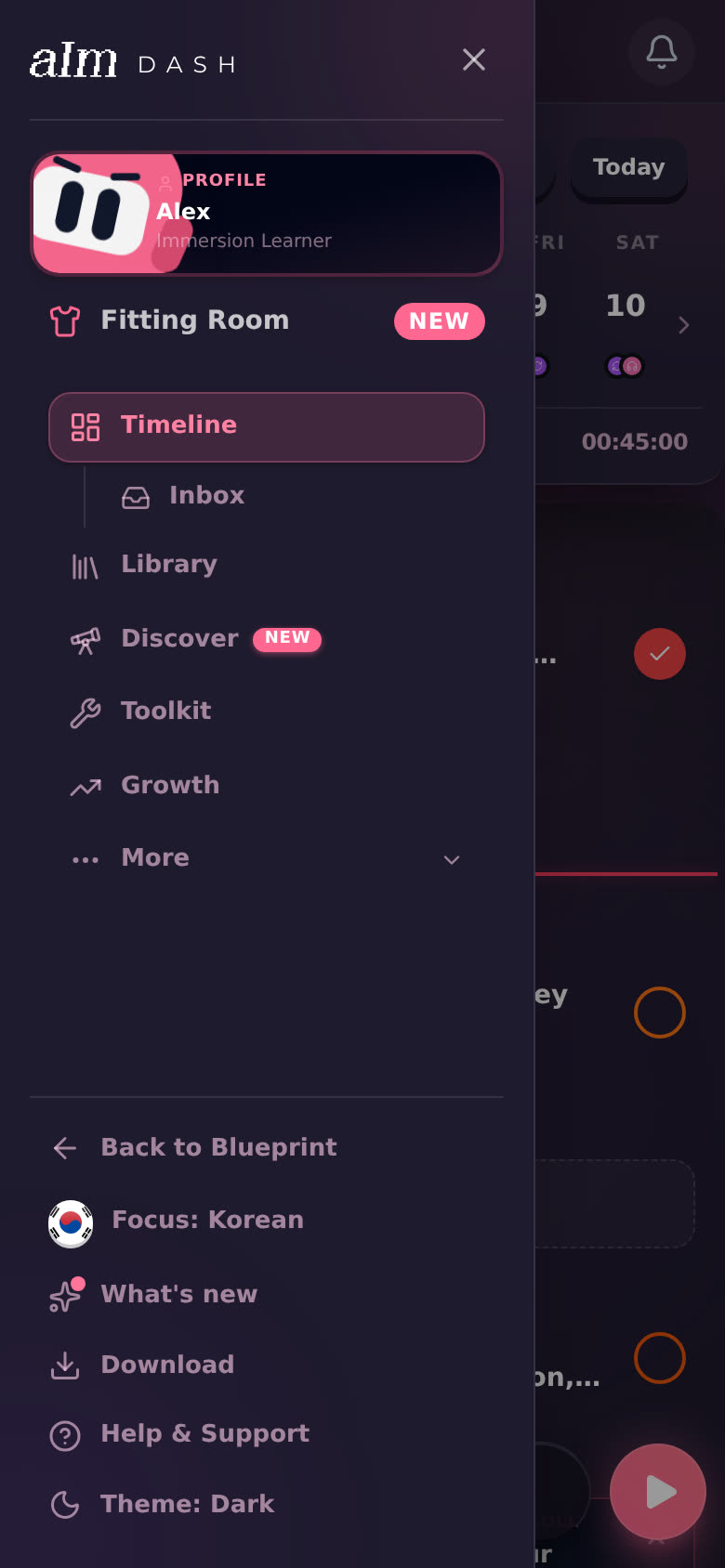
It opens as one full page: Aim on a big stage up top, your outfits in a grid below. The top bar shows how many you own, like "6 of 37 outfits".
How do I try on and wear an outfit?
-
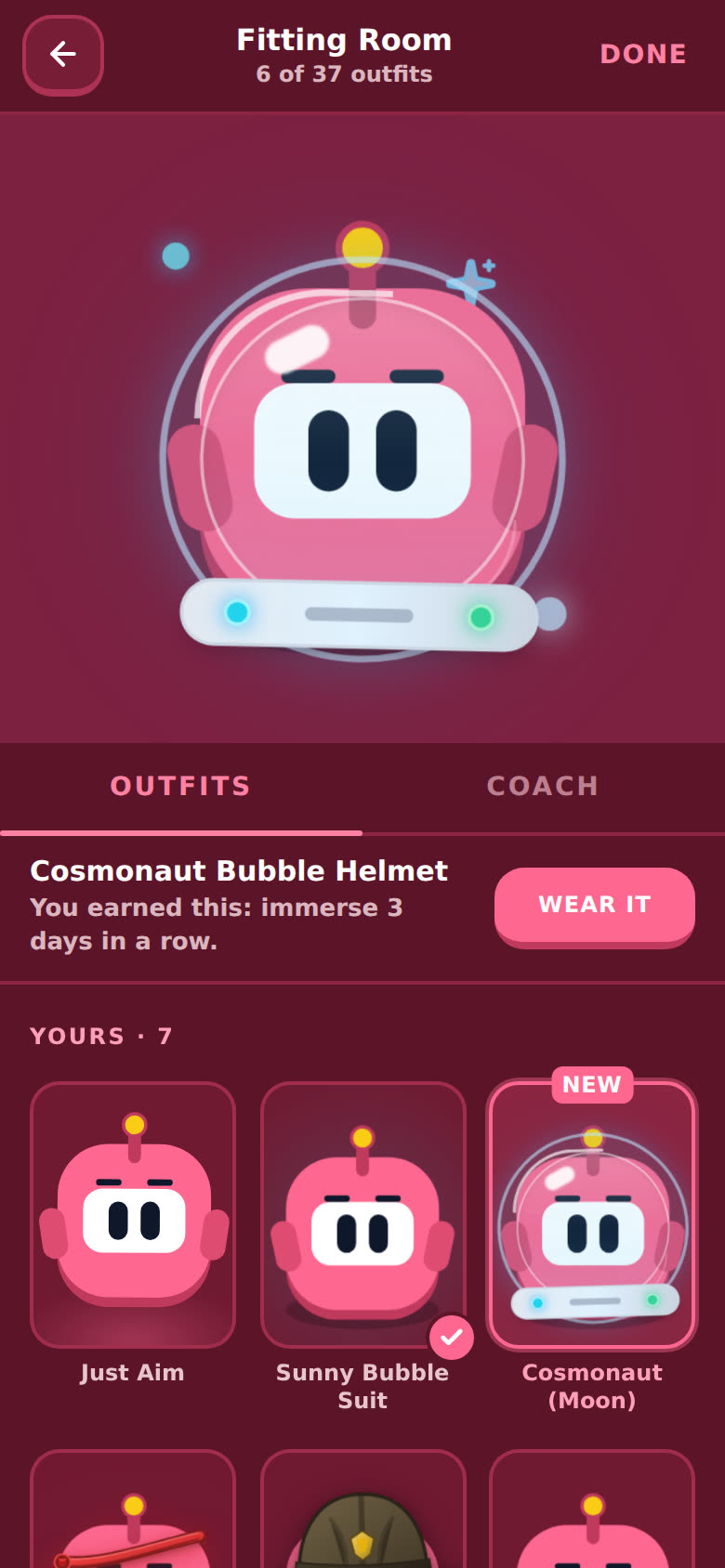
Tap an outfit card. Aim puts it on up on the stage. Nothing is saved yet, so try as many as you like.
-
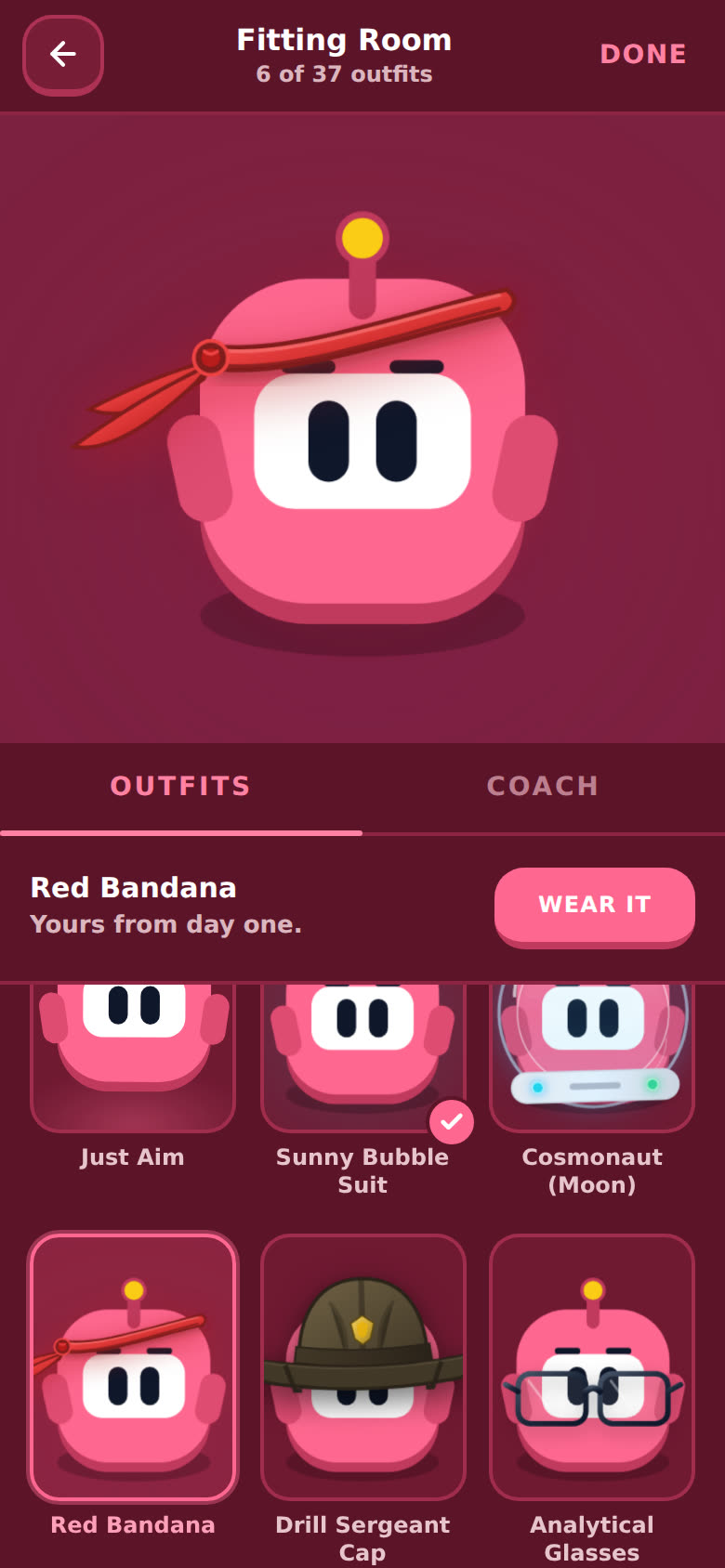
Under the stage you see the outfit's name and how you got it ("Yours from day one", or "You earned this: …").
-
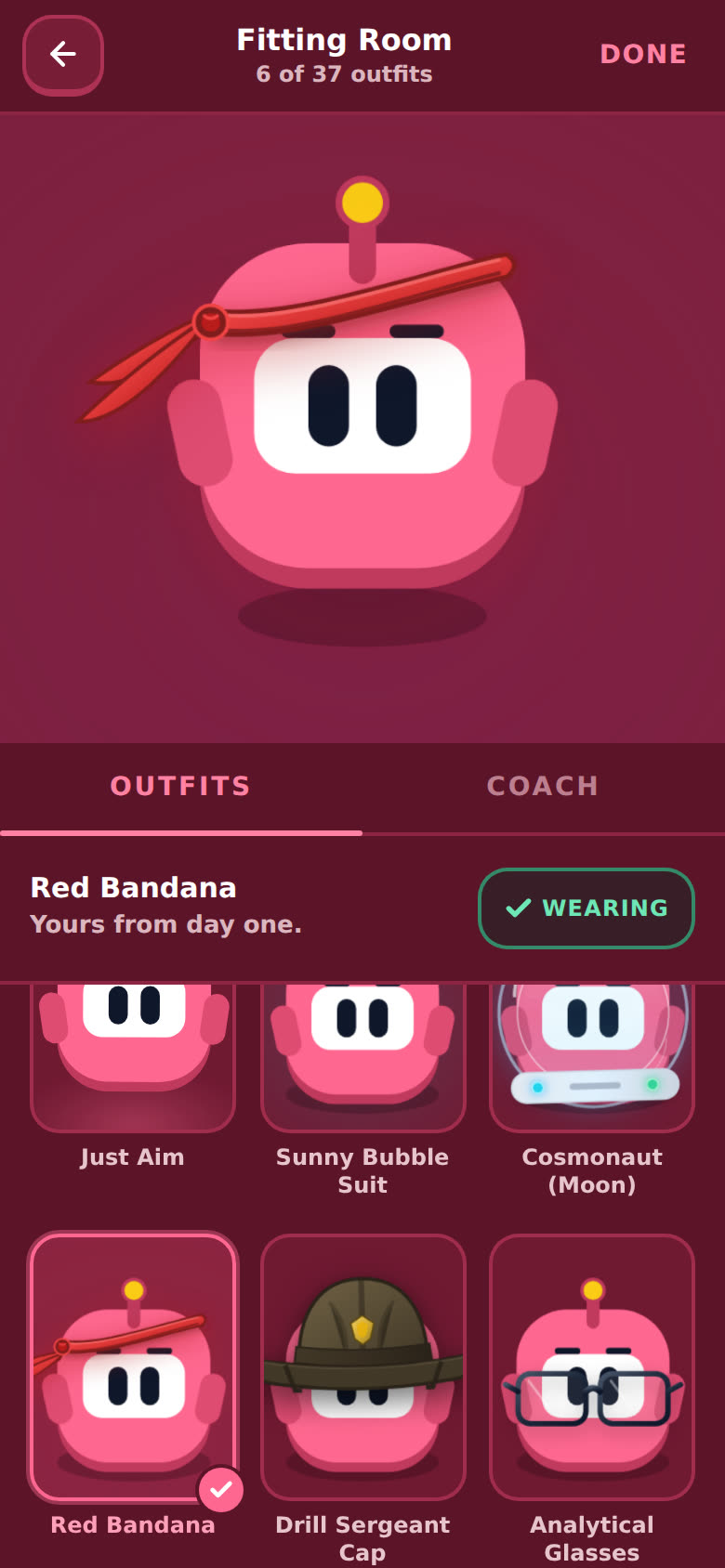
Tap Wear it. The button turns into a green Wearing, and the card gets a check mark. Aim wears it everywhere in the app.
-
Tap Done (or the back arrow) to leave.
Want no outfit at all? Pick Just Aim, the first card.
How do I unlock more outfits?
Scroll past Yours to To unlock. The ones you're closest to come first. Tap any of them to see exactly what it takes, with a progress bar and your numbers so far.
There are three kinds.
Hour Marks. Your first hours get their own looks: Blueprint Grid Glasses after your first hour, the Strategic Hard Hat at 5 hours and the Emerald Hero Cape at 10. The card says "Immerse 1 hour" (or 5, or 10), and the bar shows something like "0.4 / 1 hr".
- They count your total hours, in every language.
- Hours you log in Aim count right away: sessions, the timer, the widget, quick and manual logs, the browser extension.
- Time in the listening games counts too, once you're signed in (a sitting of a minute or more goes on your timeline). The games are free, so a free account can earn Hour Marks.
- Imported hours (a Toggl or CSV import) count once I've checked them. I check the hours imported up to that moment; anything you import after that waits for my next check. Your totals everywhere else show every imported hour either way.
- Pro doesn't earn them faster, and nobody buys them.
| Hours | Hour Mark |
|---|---|
| 1 | Blueprint Grid Glasses |
| 5 | Strategic Hard Hat |
| 10 | Emerald Hero Cape |
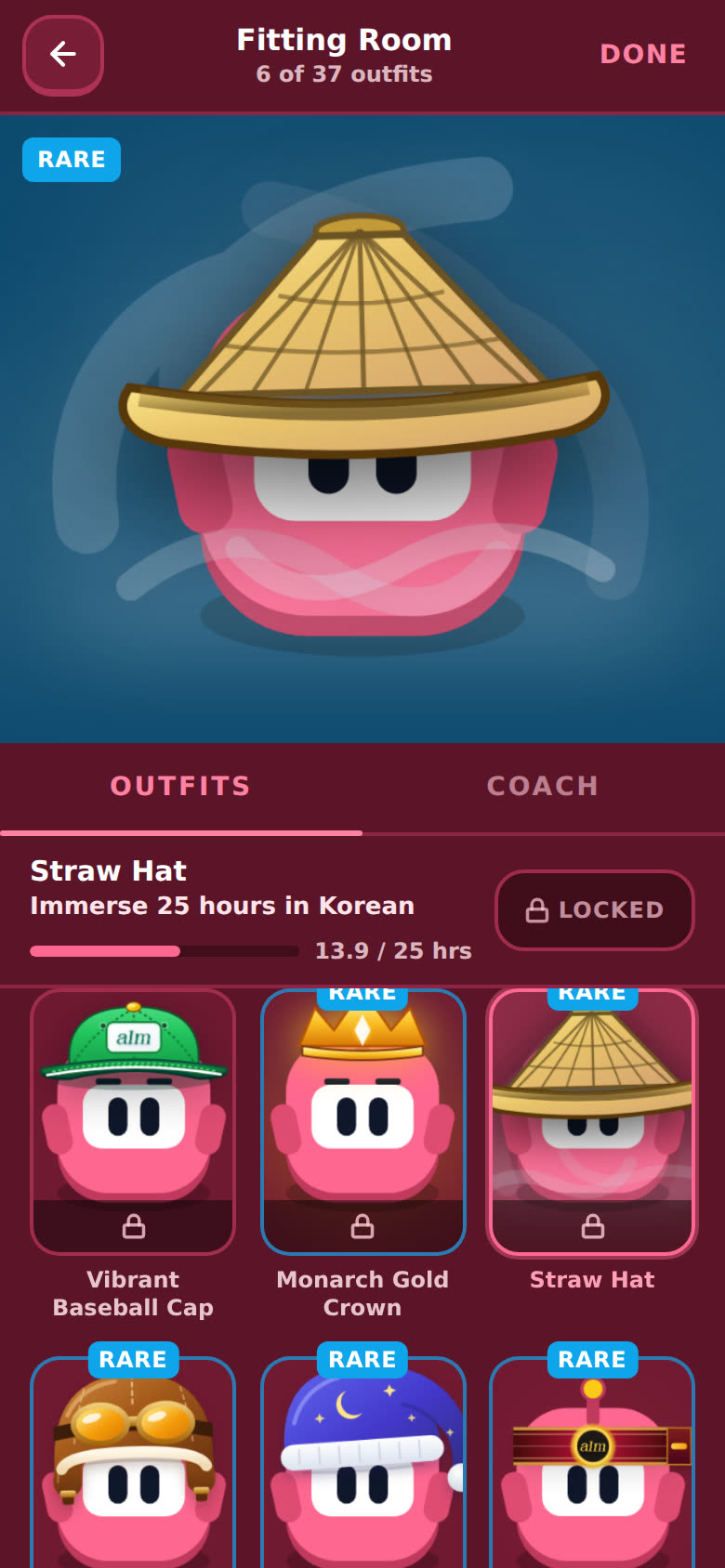
Hours in your language. The card says "Immerse 25 hours in Korean" (or whatever language you're on), and the bar shows something like "13.9 / 25 hrs".
| Hours | Outfits |
|---|---|
| Day one | Red Bandana, Drill Sergeant Cap, Sunny Bubble Suit, Analytical Glasses, Flight Captain Headset |
| 25 | Straw Hat, Monarch Gold Crown |
| 50 | War Paint |
| 100 | Golden Aura, Crimson War Cloak |
| 300 | Flaring Overdrive, Volcanic Core |
| 600 | Double Flame Burst, Titan Fire Overlord, Radiant Dopamine Aura, Quantum Cyber Visor, Command Pilot Sovereign |
| 1,200 | Golden Storm, Ares War God Ultimate |
Things you do. Streaks, sessions at certain times, hours in one skill, and a few for helping me build Immersed.
| Outfit | What it takes |
|---|---|
| Cosmonaut (Moon) | Immerse 3 days in a row |
| Vibrant Baseball Cap | 7-day streak |
| Victory Hachimaki | Lose a streak, then rebuild 14 days |
| Cosmonaut (Mars) | Immerse on 180 different days |
| Dawn Patrol | 20 sessions between 4am and 10am |
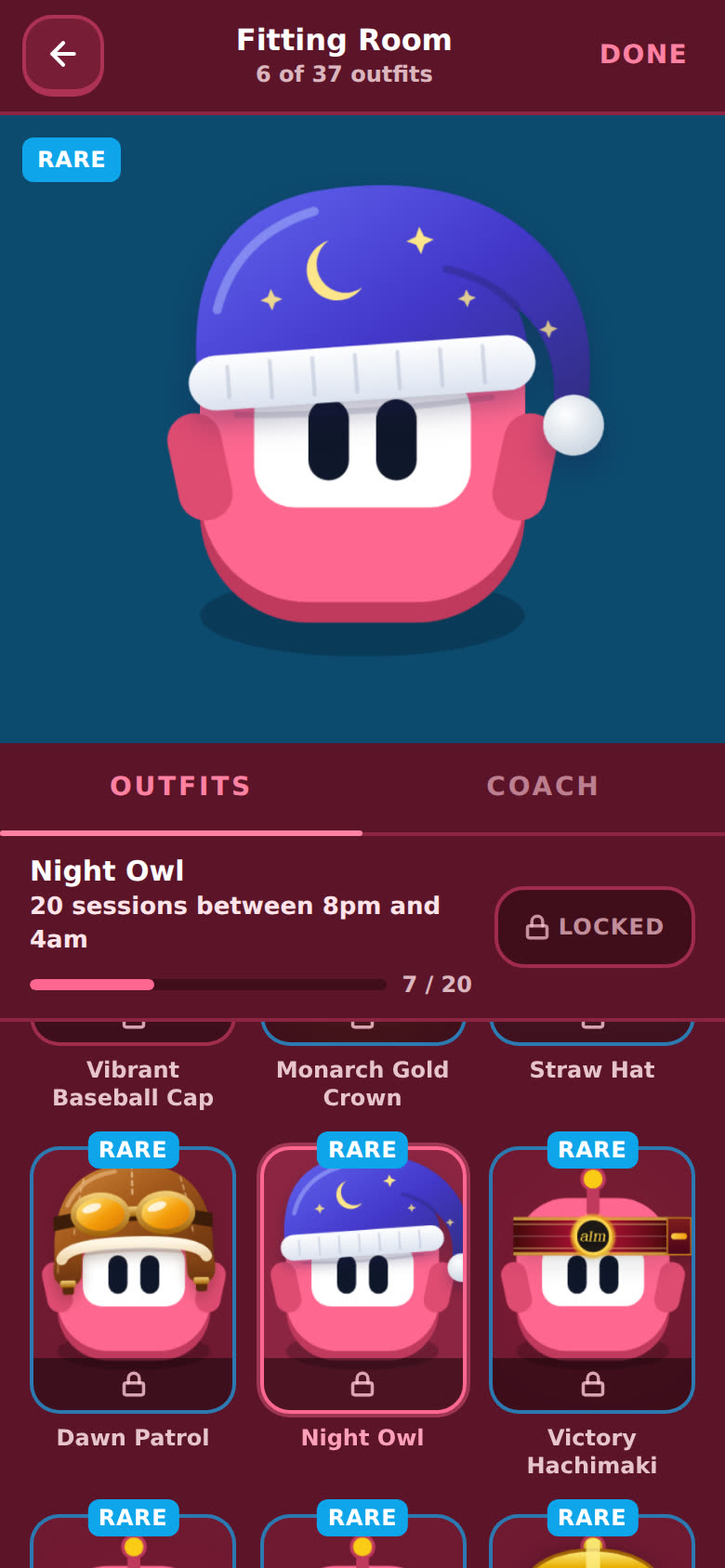
| Night Owl | 20 sessions between 8pm and 4am |
| Fluffy Headband (Spa) | 50 hours of passive listening |
| Code Rain | 60 hours of reading |
| K-pop Idol | 40 hours of speaking and shadowing |
| Archmage | 30-day SRS streak |
| Pirate Crewman | 20 hours in each of the 5 skills |
| Single-Skill Specialist | 100 hours in one skill |
| Accountability Coach | Write 100 memories |
| Detective | Get 3 of your ideas shipped |
| Exterminator | Report 1 bug that we confirm |
| Bounty Hunter | Get 30 shared items approved |
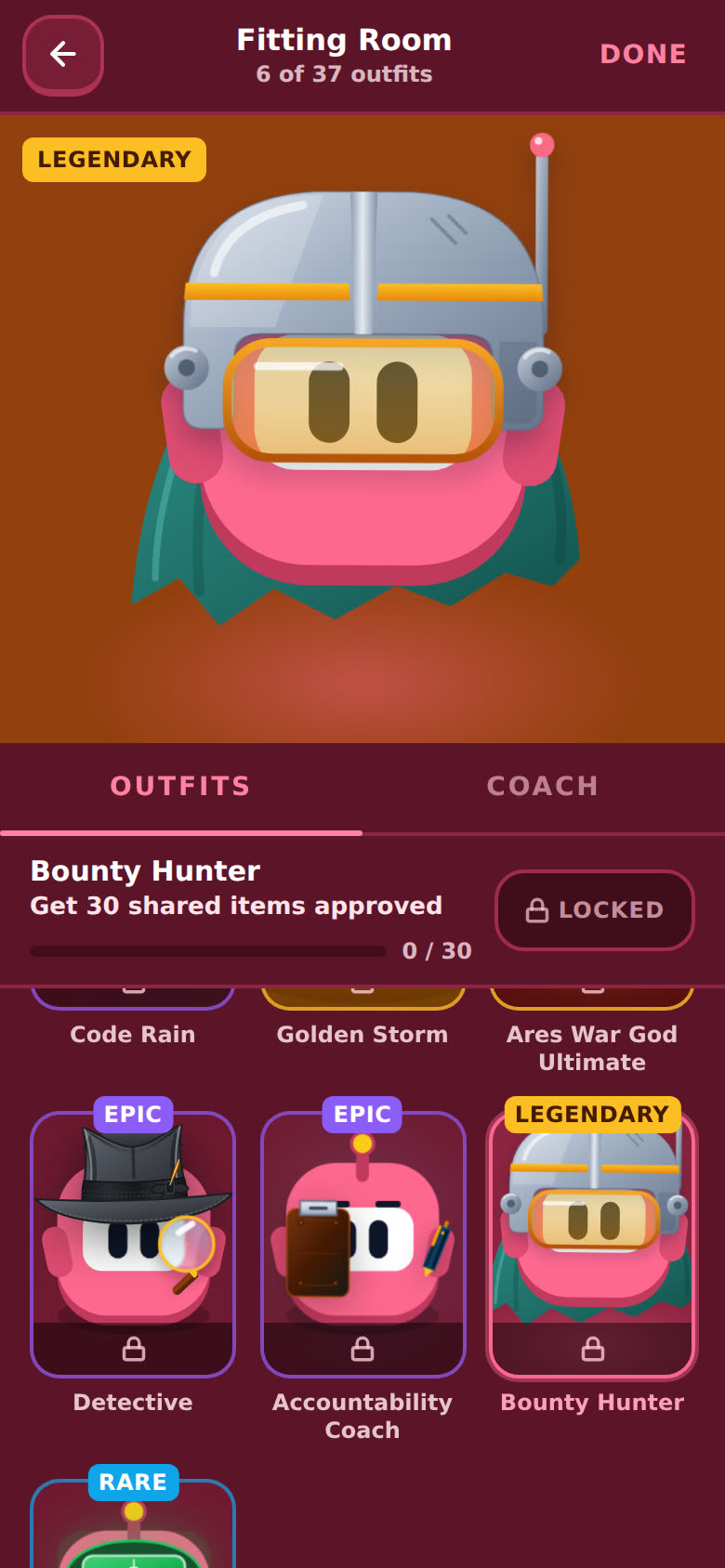
A locked outfit says Locked where the Wear it button would be. You can still try it on to see how it looks.
What do Rare, Epic and Legendary mean?
How hard an outfit is to get. Rare ones have a blue tag, Epic purple, Legendary gold. The stage changes to the same color when you try one on. Outfits with no tag are the everyday ones, like the first two Hour Marks. The Emerald Hero Cape keeps its Rare tag.
What's the "New outfit unlocked" card?
When you earn an outfit, a card pops up at the top with its name. For an Hour Mark it says which one, like "Hour Marks · 1 hour". Tap Try it on to jump straight into the Fitting Room with it on the stage. If you earned more than one, it says "(+2 more)", and the lowest Hour Mark comes first. Tap the X to close it, or just leave it. It goes away by itself after about 12 seconds.
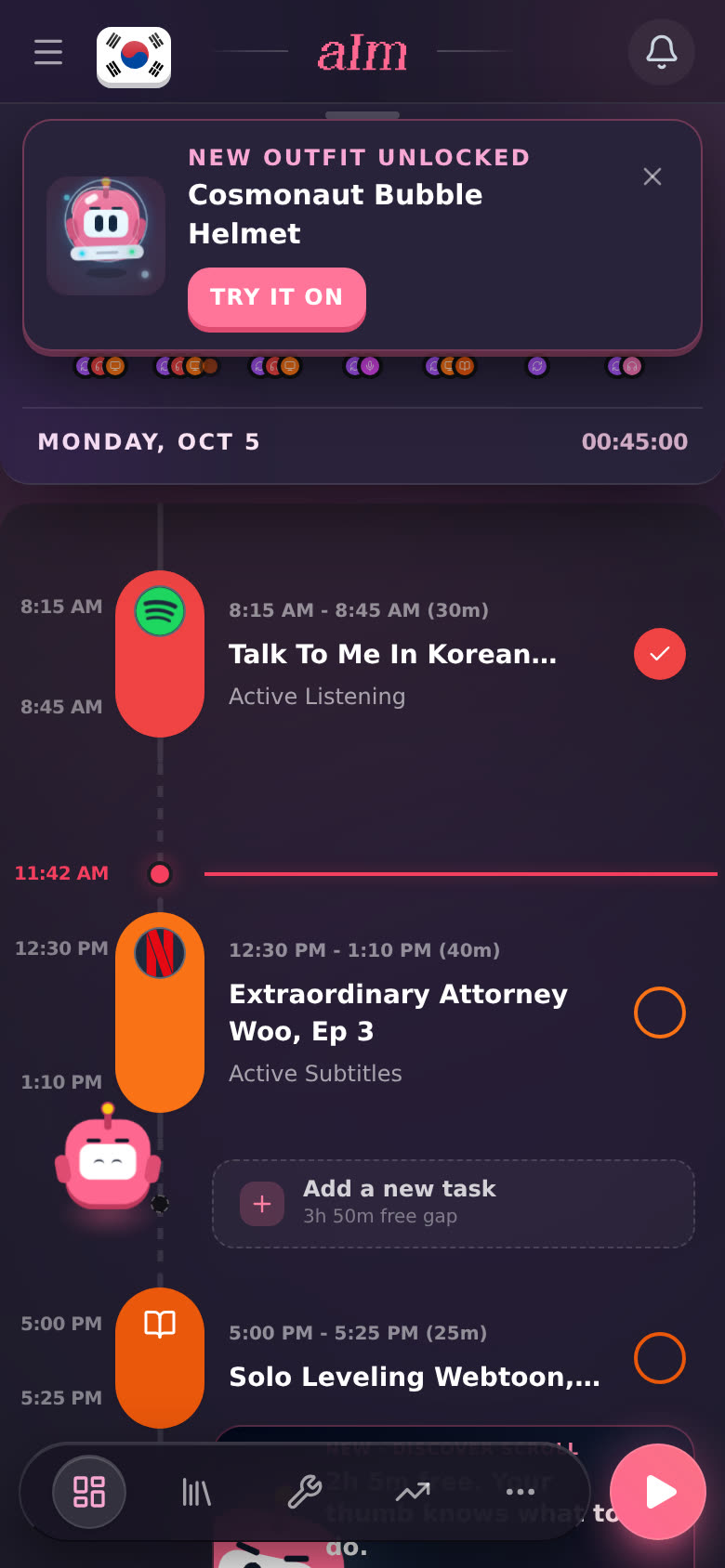
Until you open the Fitting Room, a pink New marker sits on the menu's Fitting Room row and on the Fitting Room button on your profile (a pink dot on the folded sidebar's shirt icon). Inside, the new outfit's card has a New tag. Opening the room counts as seeing it, so the markers clear.
What's the Coach tab?
The Fitting Room has two tabs: Outfits and Coach. On Coach you pick the kind of coach Aim will be: Positive, Challenger, Brutal honesty, Realistic or Just the plan.
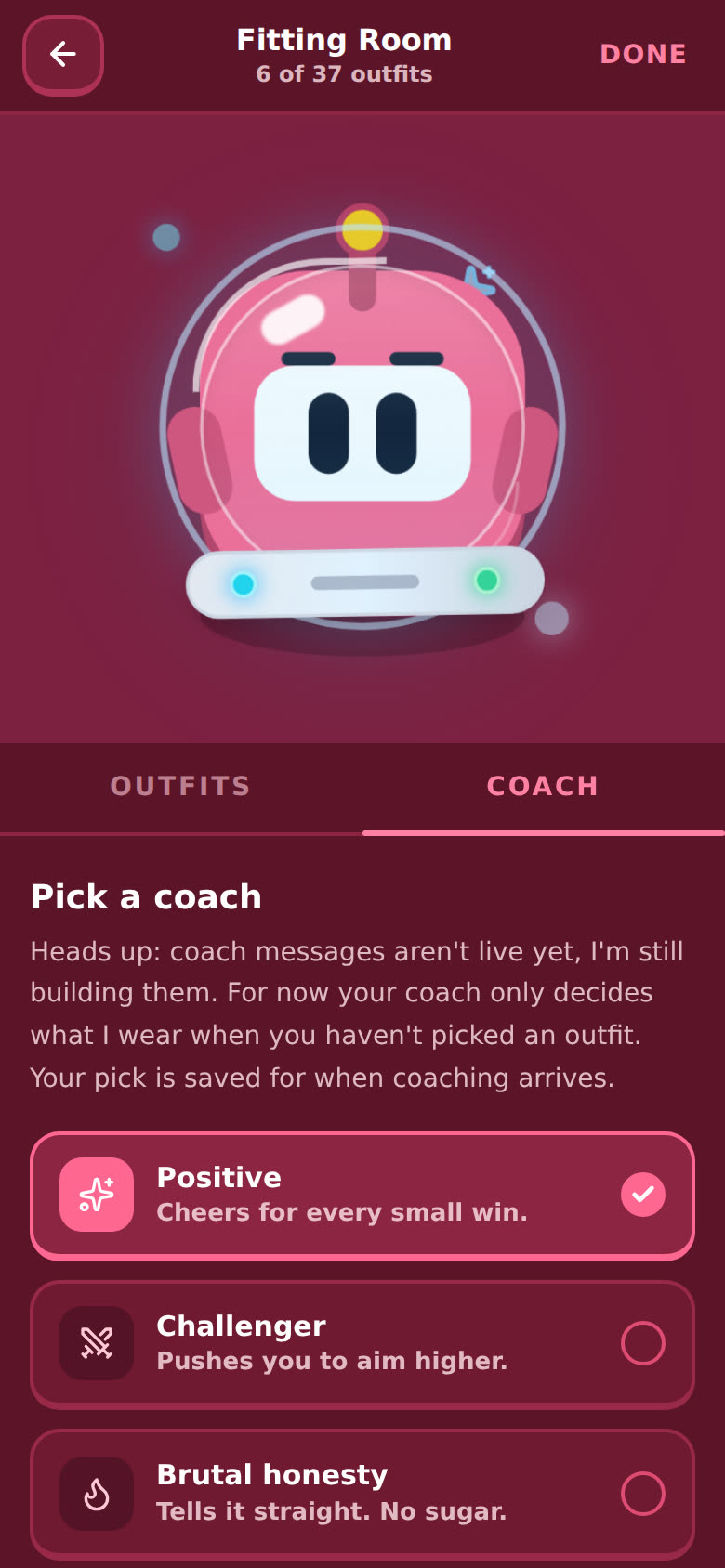
Heads up: coach messages aren't live yet. I'm still building them. For now your coach only decides what Aim wears when you haven't picked an outfit. Your pick is saved to your account, ready for when coaching arrives.
What does it look like on desktop?
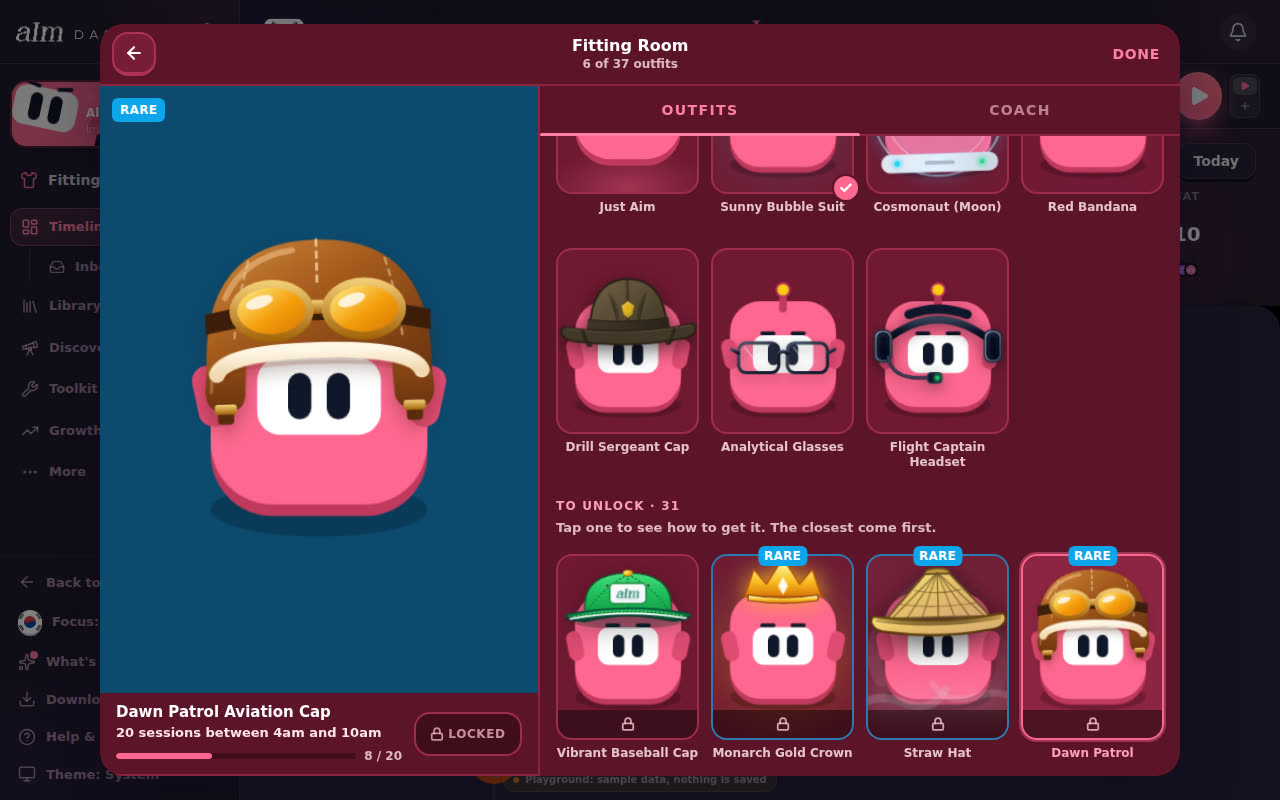
Same room, in a big window. Aim's stage is on the left with the outfit's name and the button under it. The tabs and the grid are on the right.
Why does Night Owl look different?
Three outfits got new art: Bounty Hunter (a steel helmet with an amber visor and a cape), Dawn Patrol (an old leather flying cap with the goggles pushed up) and Night Owl (a long nightcap with a moon and stars, where it used to be a visor). What it takes to unlock them didn't change, and if you already had one, you still have it.
Good to know
- Earned is earned. Once you unlock an outfit it stays yours, even if your streak breaks later. That's kept on your account.
- What Aim wears is saved on this device. On a new phone or computer, open the Fitting Room and tap Wear it again.
- Hour Marks count every language; the rest count the language you're on. Switch languages and the 25-hour and up outfits show your hours in that one.
- No outfit picked? Aim wears a look that goes with your coach and your hours in the language. The Hour Marks aren't part of that yet, so to wear one, pick it in the Fitting Room.
- Free accounts. Anyone with an account can open the Fitting Room from their profile and wear the day-one outfits. Hour Marks unlock from game time too. The rest unlock from what you log, and logging (sessions, the timeline) is part of Pro. See What can I do without Pro?.
- Try it first. The sample app has the Fitting Room too. In the menu tap Fitting Room, or tap the profile card at the top. See Can I try Aim without an account?.