How do I personalize my For You row?

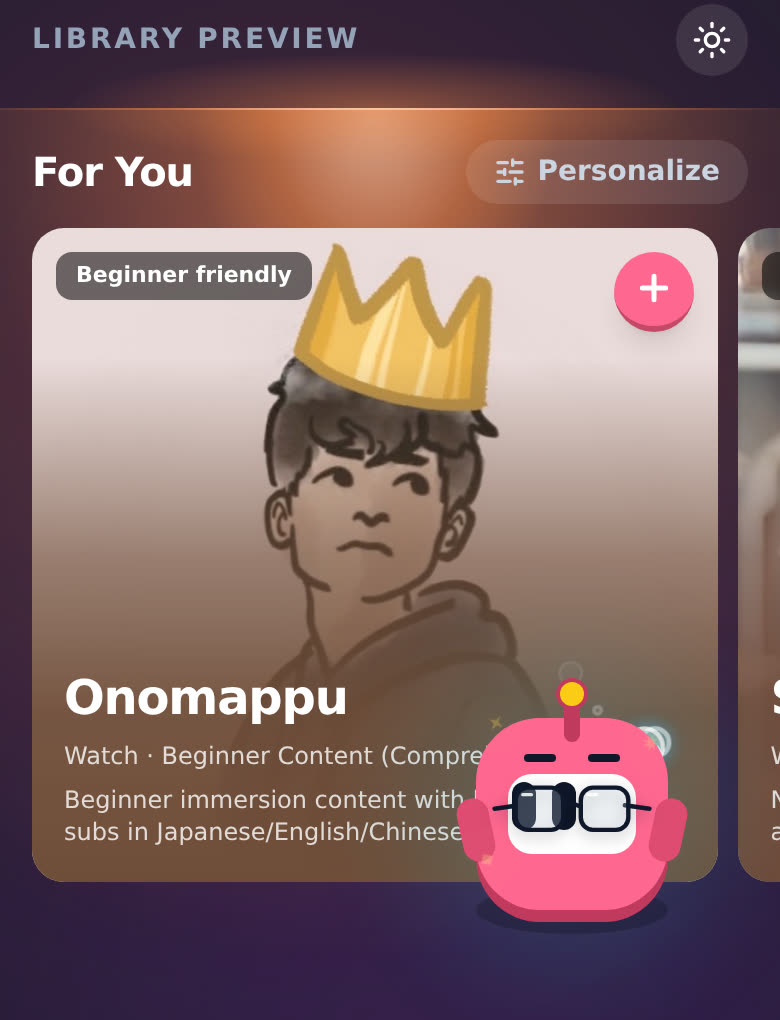
Tap Personalize next to For You on the Library page. Pick at least three things you're into, tap Continue, and I show you your first picks. Save them all with one tap, or just save your interests.
For You lives on the Library page, which is part of Pro. See How does the Library page work?. Saving picks to your Immersion List is Pro too: on the free plan, the + and Add 3 and save say "Your Immersion List is a Pro feature. Upgrade to save this." Tap See Pro on that message to see the plans. Just save still saves your interests.
Steps
-
On the Library page, tap Personalize at the top right of For You.
-
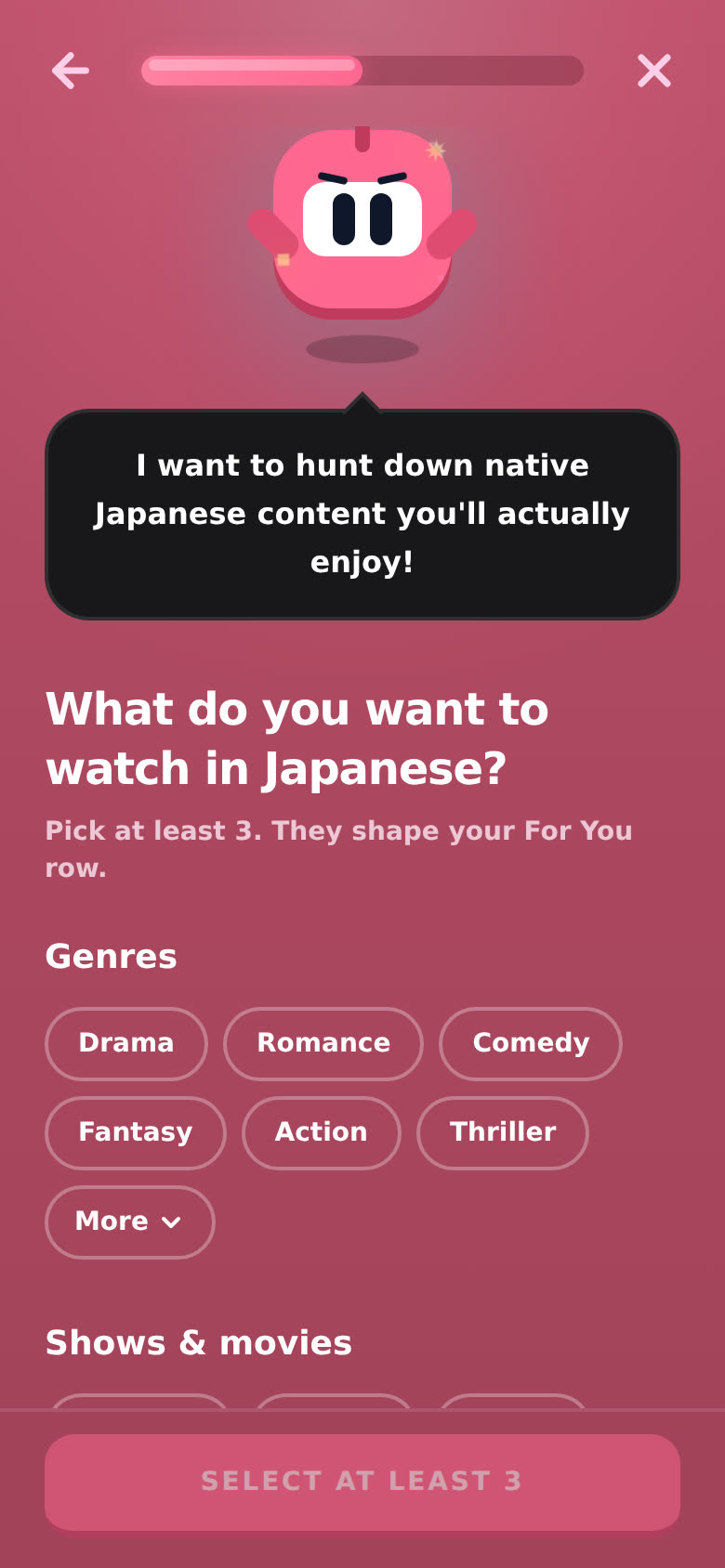
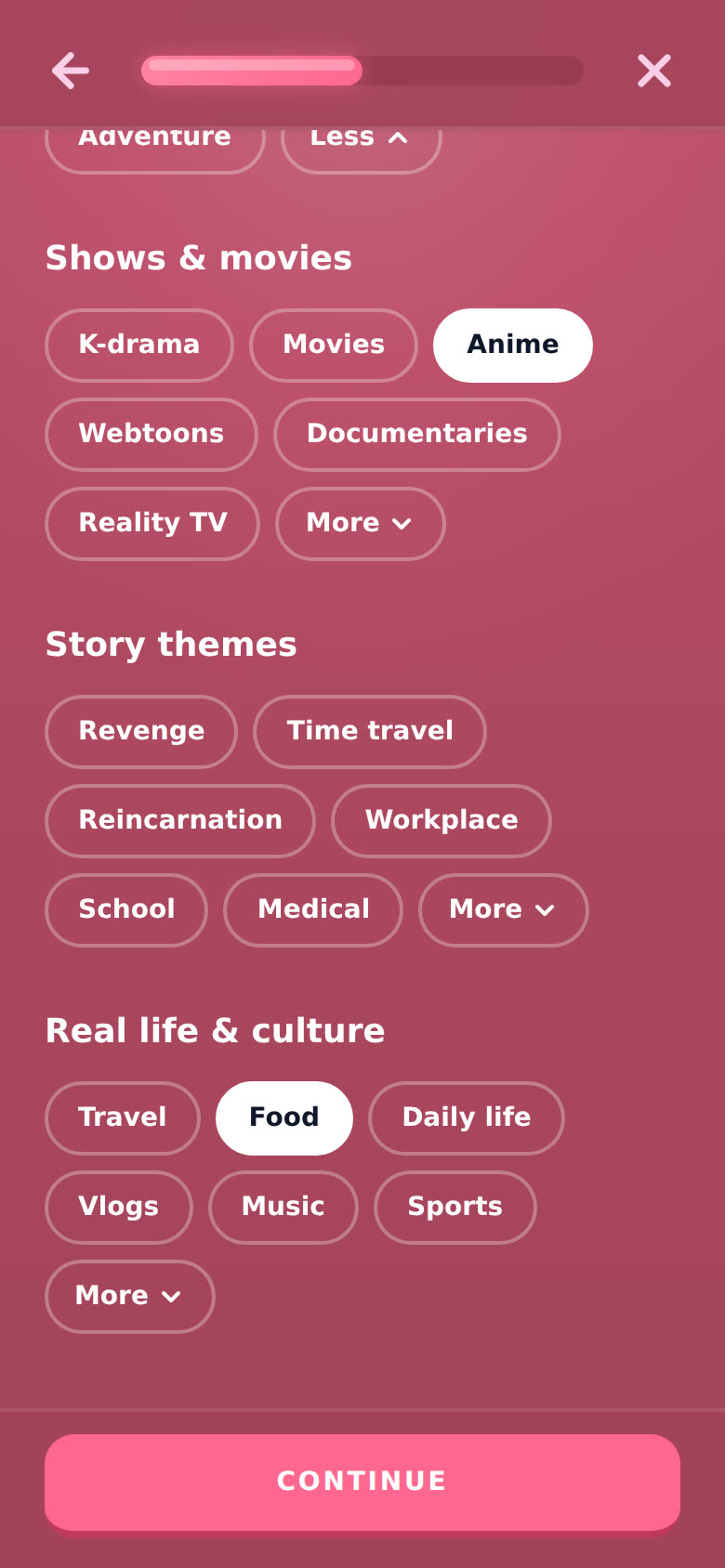
"What do you want to watch in Japanese?" (with your language) opens full screen. The topics come in four groups: Genres, Shows & movies, Story themes and Real life & culture. Tap More under a group to see the rest of it.
-
Tap the ones you like. They light up. Tap one again to drop it. The button at the bottom counts down for you: Select at least 3, then Add 2 more, Add 1 more, then Continue.
-
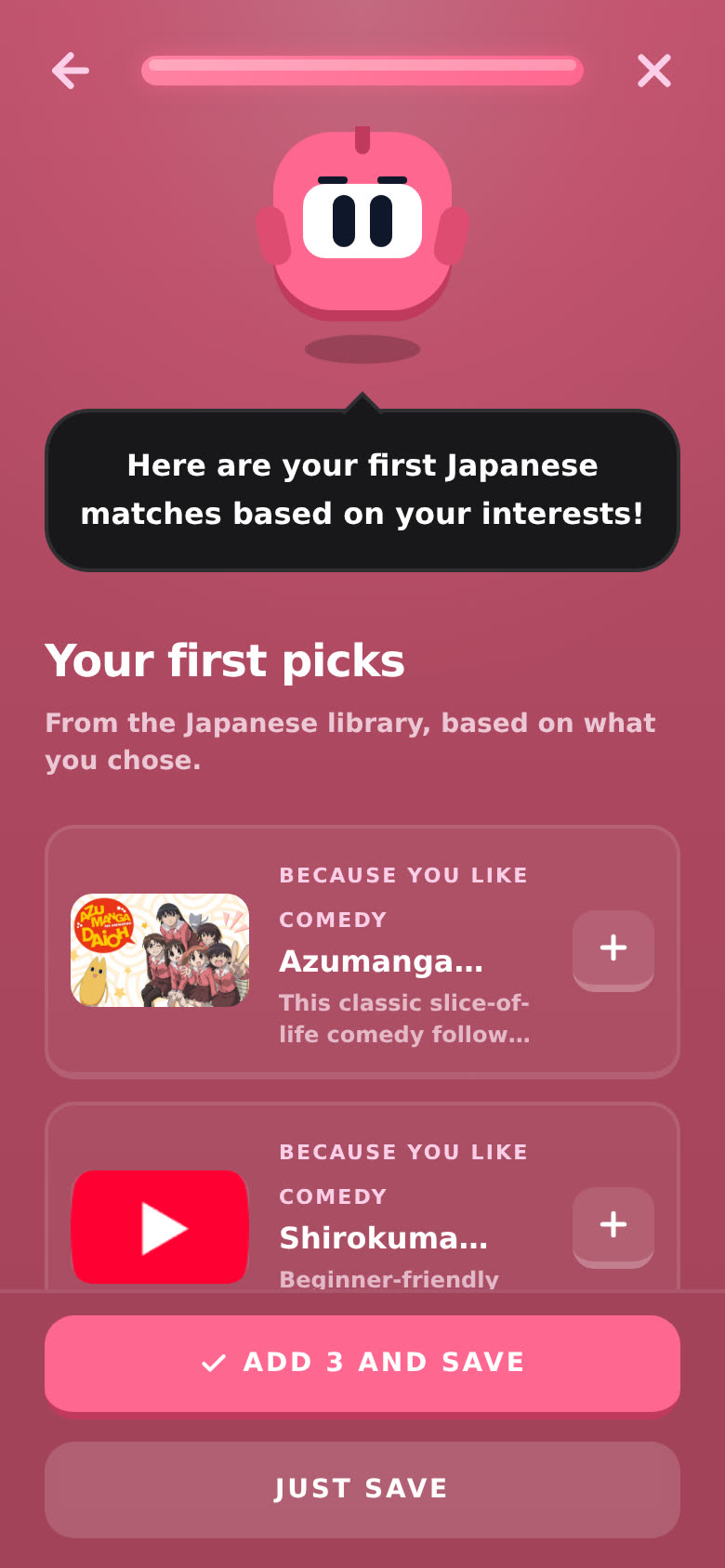
Tap Continue. Your first picks shows up to three things from the library for your language, each with the reason, like "Because you like Comedy". Tap one to see its details. Tap its + to save just that one to your Immersion List.
-
Finish with one of the two buttons:
- Add 3 and save saves all of them to your Immersion List and saves your interests.
- Just save saves your interests only.
You'll see "Picks added and interests saved" or "Interests saved. Your For You row is updating."
Nothing matches yet? It says "Nothing in Japanese matches yet. Your interests will still be saved." Tap Just save. As the library grows, For You catches up.
Can I change them later?
Any time. Tap Personalize again. What you picked last time is already lit up, so just add or drop a few. The arrow at the top left takes you back a step, and the X closes it without saving.
You can also get here from your profile: Personalize Your Immersion ("Tell Aim what you love so we can recommend content in your target language."), then LET'S GO ➔.
Good to know
- Your interests are saved to your account, so For You follows you to your other devices.
- They shape the row, they don't lock it. You still get my starter picks, beginner-friendly picks and what's trending. The tag on each card tells you why it's there.
- Interests you picked a long time ago that aren't in the list anymore show up under Saved earlier. Tap one to drop it.
- Things already on your Immersion List are left out of For You.
- No interests yet? For You still fills up. If it's empty, it says "Nothing lined up yet" with a Choose interests button that opens the same screen.