Can I track a language that isn't in the main list?

Yes. Aim has a section called Other languages for languages beyond the main ones. Tracking, reports and streaks all work, and eleven of them have a Library too. Tools picks don't exist for them yet.
The main languages are Spanish, French, Japanese, Korean, Mandarin, Cantonese, Vietnamese, German, Portuguese, Italian and Arabic.
How do I add one?
-
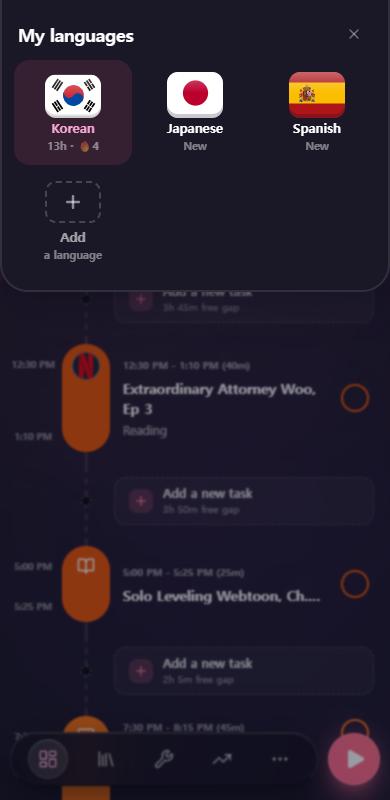
Tap the flag at the top of the screen. That opens My languages.
-
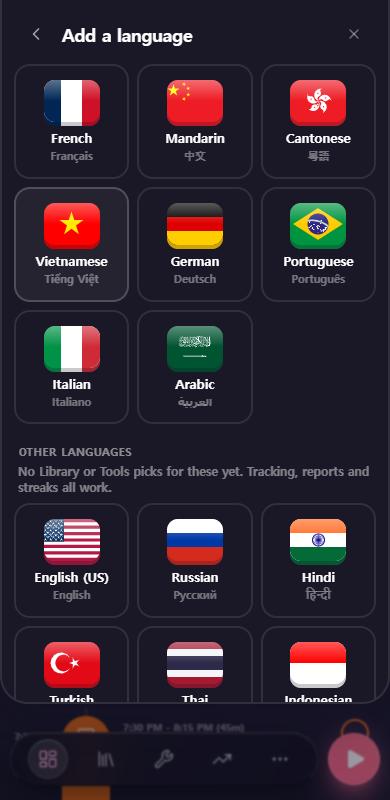
Tap Add a language.
-
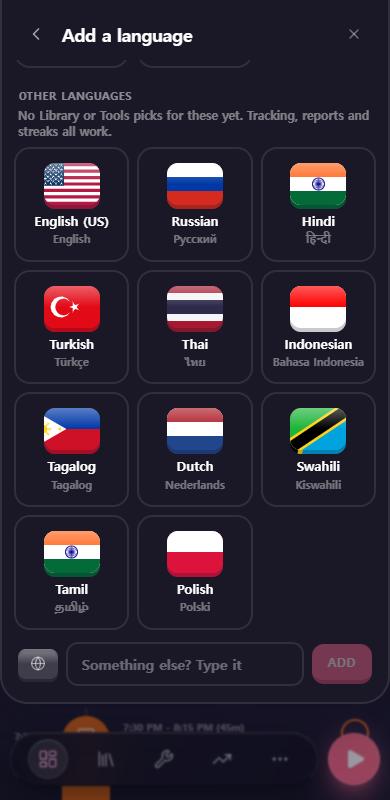
Scroll down to Other languages. You can pick one of these: English (US), Russian, Hindi, Urdu, Turkish, Thai, Indonesian, Tagalog, Dutch, Swahili, Tamil, Polish, Czech, Swedish, Norwegian or Hebrew. The ones with a little book icon have a Library.
-
Not on the list? Type it in the Something else? Type it box at the bottom and tap Add. You can type up to 40 characters.
-
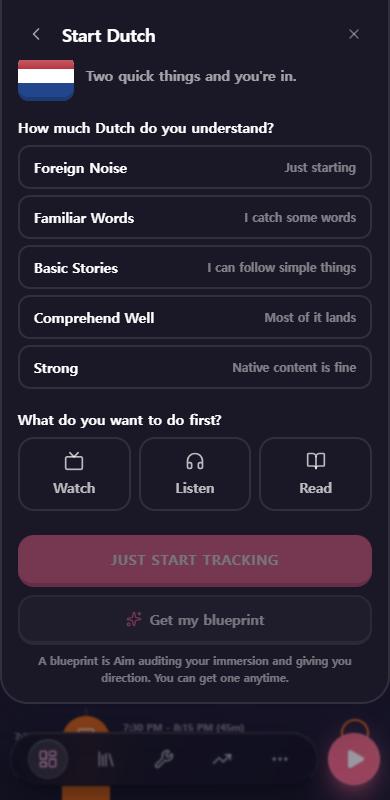
Answer two quick questions: how much of the language you understand, and what you want to do first (watch, listen or read).
-
Tap Just start tracking. Or tap Get my blueprint if you'd like Aim to audit your immersion and give you direction.
What happens when I type a language?
Aim checks what you typed so your language doesn't end up spelled five different ways:
-
If it matches a language Aim knows, it snaps to the proper name. "Chinese" becomes Mandarin, "Filipino" becomes Tagalog, and "English" becomes English (US). Native names work too, like 한국어 for Korean.
-
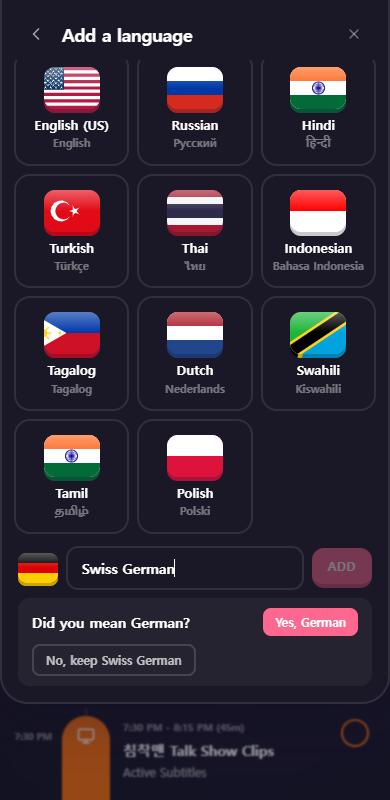
If it contains a main language, it asks "Did you mean German?". Type "Swiss German" and you'll see this. Tap Yes, German, or No, keep Swiss German to keep your own name.
-
If it's something Aim has never seen, it keeps your name (with a capital first letter) and shows a globe where the flag would be.
Which ones have a Library?
English, Russian, Czech, Polish, Hindi, Urdu, Norwegian, Tagalog, Hebrew, Turkish and Swedish. Each one has channels, shows, podcasts and books to start with, beginner picks included, plus the platforms native speakers actually use. They're marked with a book icon in the Other languages list.
English isn't one English, so every English pick shows where it's from (US, UK, Canada, Australia and more), and you can filter the Library by region.
Hindi and Urdu are separate languages in Aim. They sound close, but they're written in different scripts, and what people watch differs: Pakistani dramas sit under Urdu, Bollywood under Hindi.
What works and what doesn't
| Works | Not yet |
|---|---|
| Logging time, sessions and the timeline | Tools picks |
| Reports and streaks | A Library for Thai, Indonesian, Dutch, Swahili and Tamil |
| The Library, for the eleven languages with a book icon | |
| A flag, or a globe if Aim doesn't have one |
Good to know
- Pro rule. Free accounts get one language. Adding a second one, a main language or an other language, opens the Pro pop-up. With Pro you can add several. A lock and "Pro" show under the Add tile when you've hit the free limit.
- Languages you already have are under My languages, and they drop out of the Other languages list so you don't add them twice.
- Names keep their capital letters. "English (US)" stays "English (US)".
- Same on phone and desktop.
- On Pro, the "Just start tracking" and "Get my blueprint" buttons are both there. On free, the blueprint is the main button, and "Just start tracking for now" sits underneath.